Chapter 3 Program Tools 57
※ The high bit of RS485 SET detects the form of RS-485, and the low bit detects the baud rate of RS-485.
More detailed to see chapter 7: 20 Points RS485 type Models Instruction.
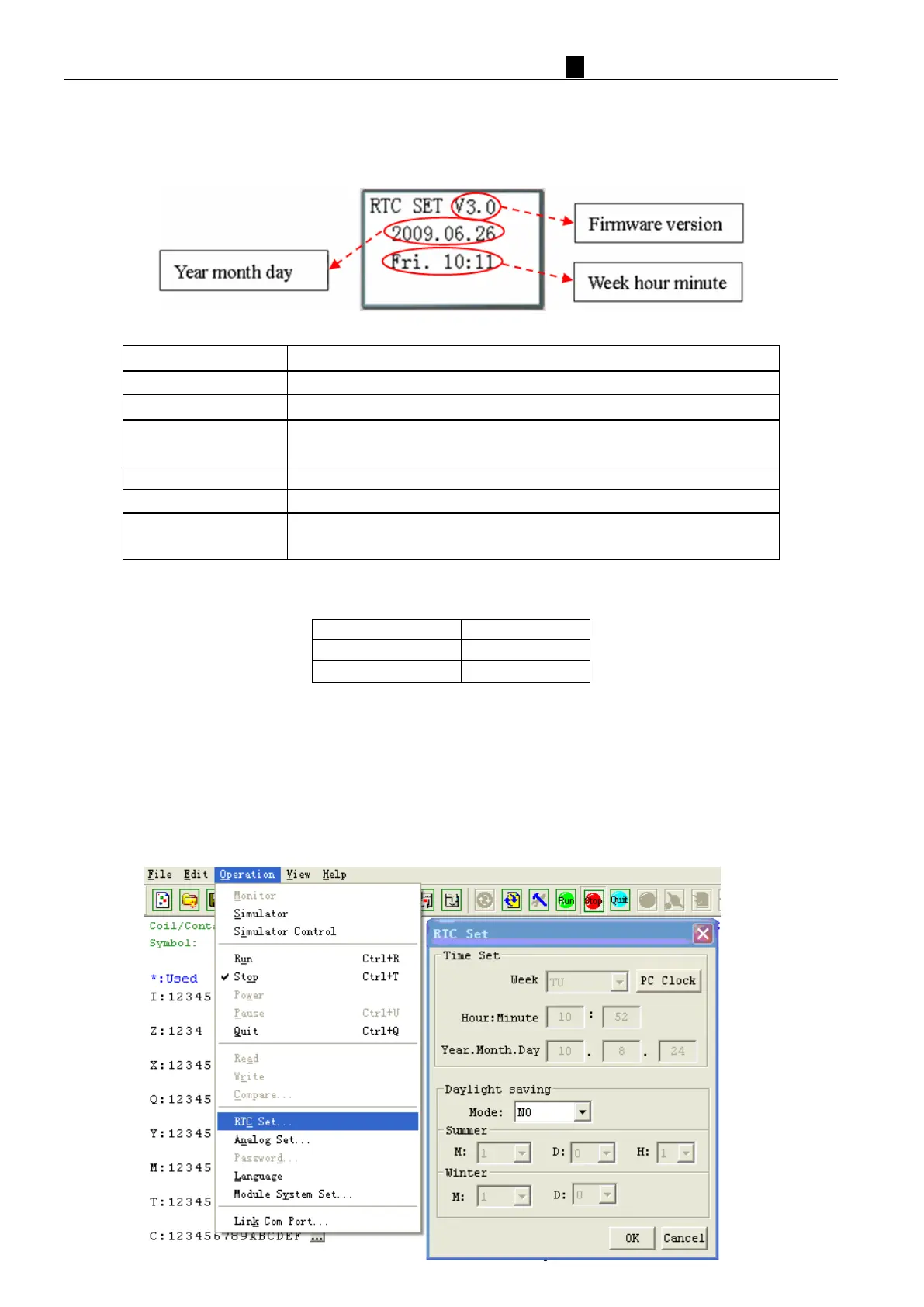
(5) RTC SET
N
ow Press
Enter RTC setting or Daylight saving setting
Begin to input parameters
‘SEL’ then ‘↑/↓’
1. year=00~99, month=01~12, day=01~31
2. hour = 00~23 , minute = 00~59
Daylight saving setting: NO – EUROPE – USA – OTHER – NO …
ESC
1. Cancel the Input Data when press ‘SEL’.
2. Back to Main Menu.
※ According to set the date automatically calculate weeks
※ RTC precision:
℃ ±
℃
℃ ±
RT
C Daylight saving setting
There are 2 fixed Daylight saving options, EUROPE and USA, 1 editable Daylight saving option in iSmart.
Daylight saving options can be set through the two methods as shown below.
1) PC Client



 To Next Page