Chapter 6 FBD Block Diagram Programming 138
Analog Output
AQ instructions need to use with extension analog out module 2AO.
The default output of AQ is 0~10V voltage, the 12bits data is 0~4095 and the corresponding value of AQ is
0~1000. It also can be set as 0~20mA current output, the 12bits data is 0~2047 and the corresponding value of
AQ is 0~500. The 12bits data saved in DRD4~DRD4. The output mode of AQ is set by the current value of
DRD0~DRD3.
register
register
Mode DRD0~DRD3 data definition
0: voltage mode and reset value when stop;
1: Current mode and reset value when stop;
2: voltage mode and keep value when stop;
3: Current mode and keep value when stop;
※ It will be thought as 0 if the value of DR is not in the range of 0~3. That means the output mode of AQ is
mode 1.
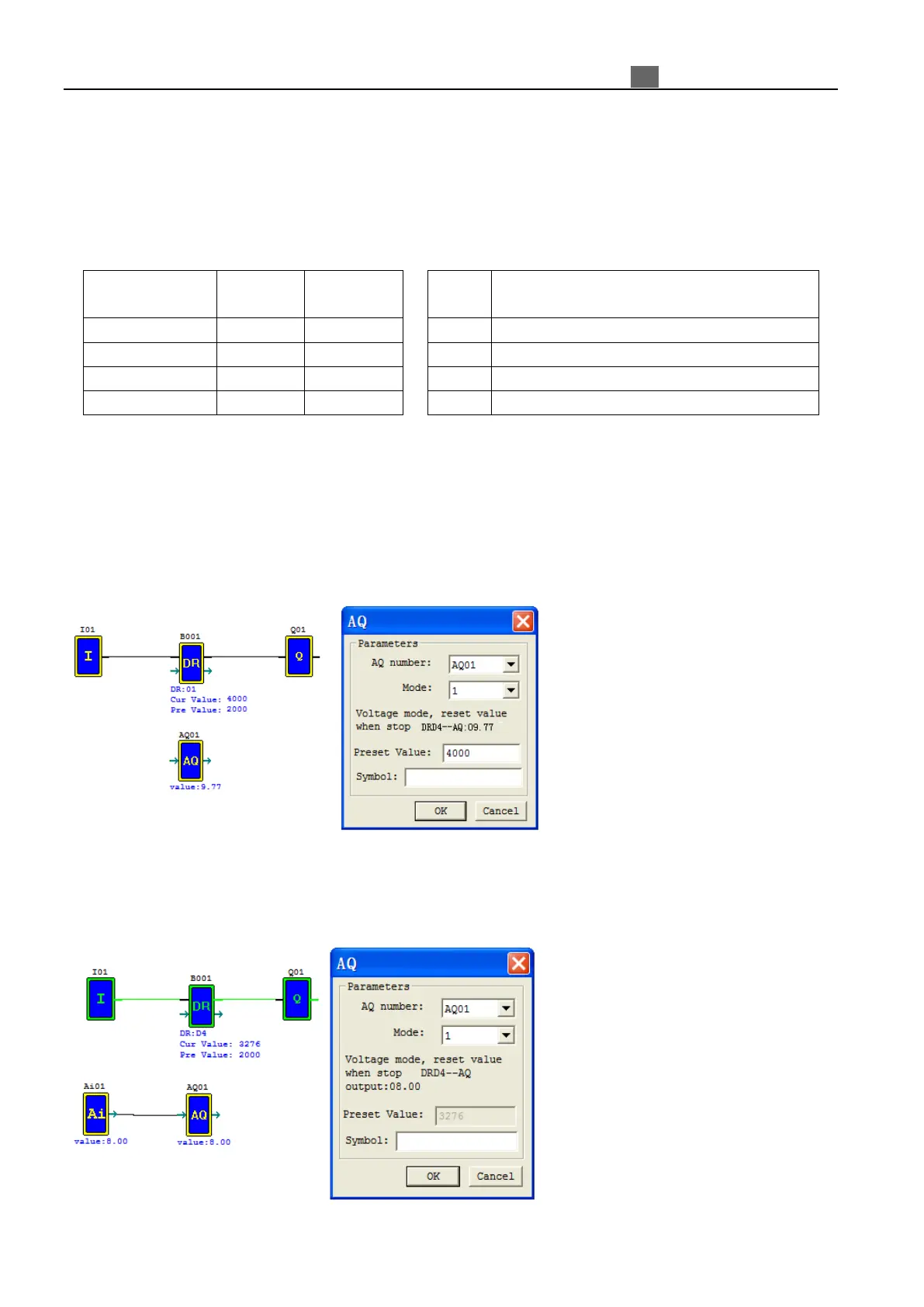
※ When output value type of AQ is set to constant, AQ output value changed by DR value (AQx=DRx/4.095);
※ When output value type of AQ is set to other parameters variables, DR value changed by AQ output value
(DRx=AQx*4.095).
※ More information about expansion analog input to see: Chapter 8 Expansion Module-Analog Module.
Example 1: AQ01 preset value is constant;
When running and disable M01, DRD4 output value is AQ01 setting value 4000, and AQ01 output 9.77V;
When running and enable M01, adjust the value of DRD4, AQ01 output value changed with DRD4;
Example 2: AQ01 preset value is other parameters;
When running, DRD4 output value is out control of I01. AQ01 output value is A01, adjust the value of A01,
DRD4 output value changed with A01;



 To Next Page