Chapter 6 FBD Block Diagram Programming 140
HMI
The iSmart smart relay includes a total of 31 HMI instructions that can be used throughout a program. Each HMI instruction
can be configured to display information on the iSmart 16×4 character LCD in text, numeric, or bit format for items such as
current value and preset value for functions, Input/Output bit status, and text. There are three kinds of text in HMI. They
are Multi Language, Chinese (fixed) and Chinese (edit).
※ Only the coils, function blocks and analog value which used in the program can be set in HMI to display status
,
p
reset value and current value.
Ea
ch HMI instruction has a choice of 2 operation modes.
Mode1, display mode when pressing key “SEL” can display HMI preset.
Mode2, no display mode when pressing key “SEL” cannot display HMI preset. Displays preset only be enabled.
Exa
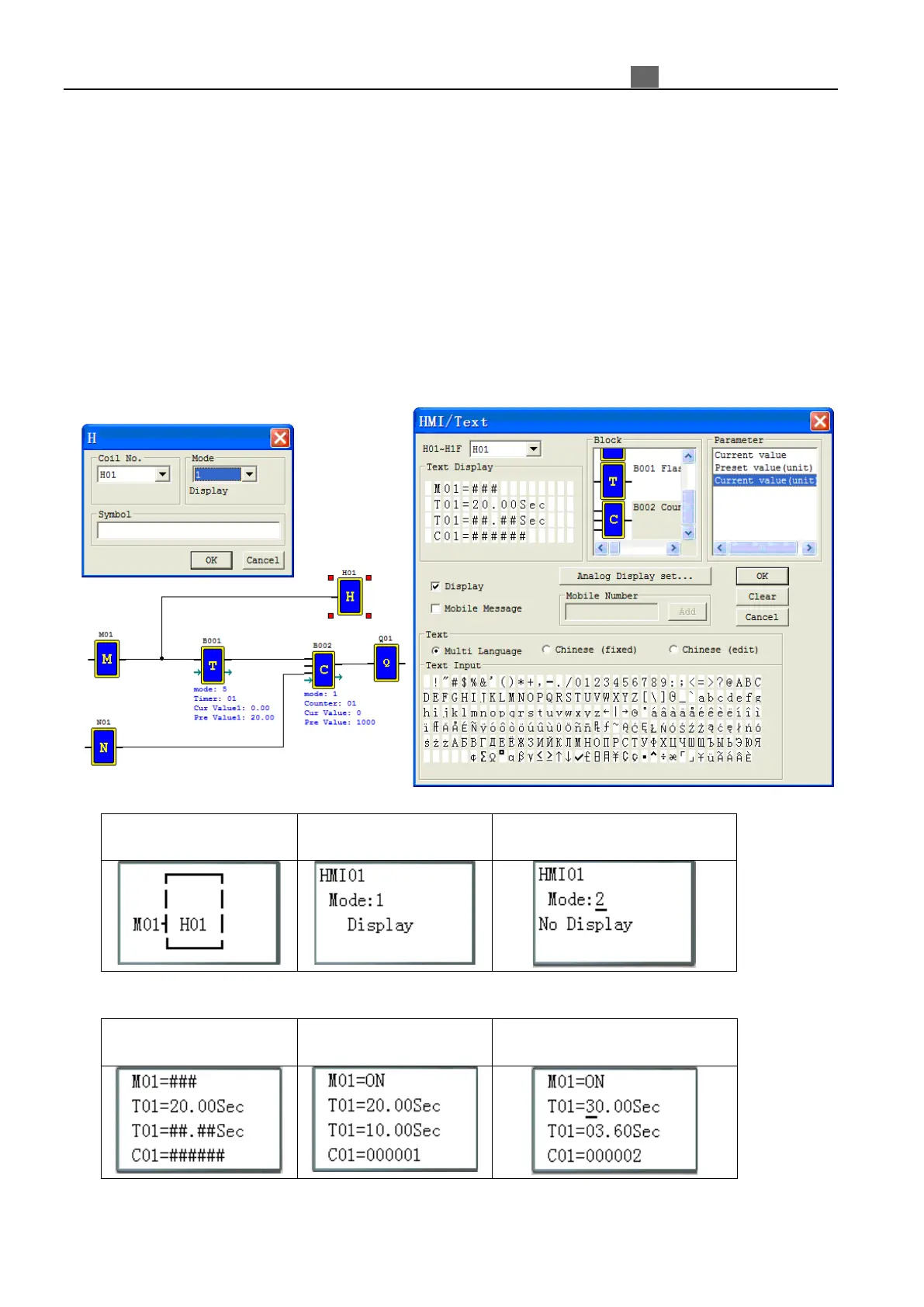
mple: H01 controlled by M01, and setting H01 mode1, display M01 status, preset value and current value for
block B001 (Timer T01), current value for block B002 (Counter C01).
M01: enable input coil
function display
Press “SEL” , “↑ ↓” and “OK” to
edit HMI mode
HMI display and keypad function, same as ladder mode HMI function.
stopping
running
Press “SEL” , “↑ ↓” and “OK” to
edit preset value, coil status
※
More information about HMI/TEXT to see
:
C
hapter 3: Program Tools—Ladder Logic Programming Environment —HMI/TEXT.



 To Next Page