Chapter 3 Program Tools 25
Simulation Mode
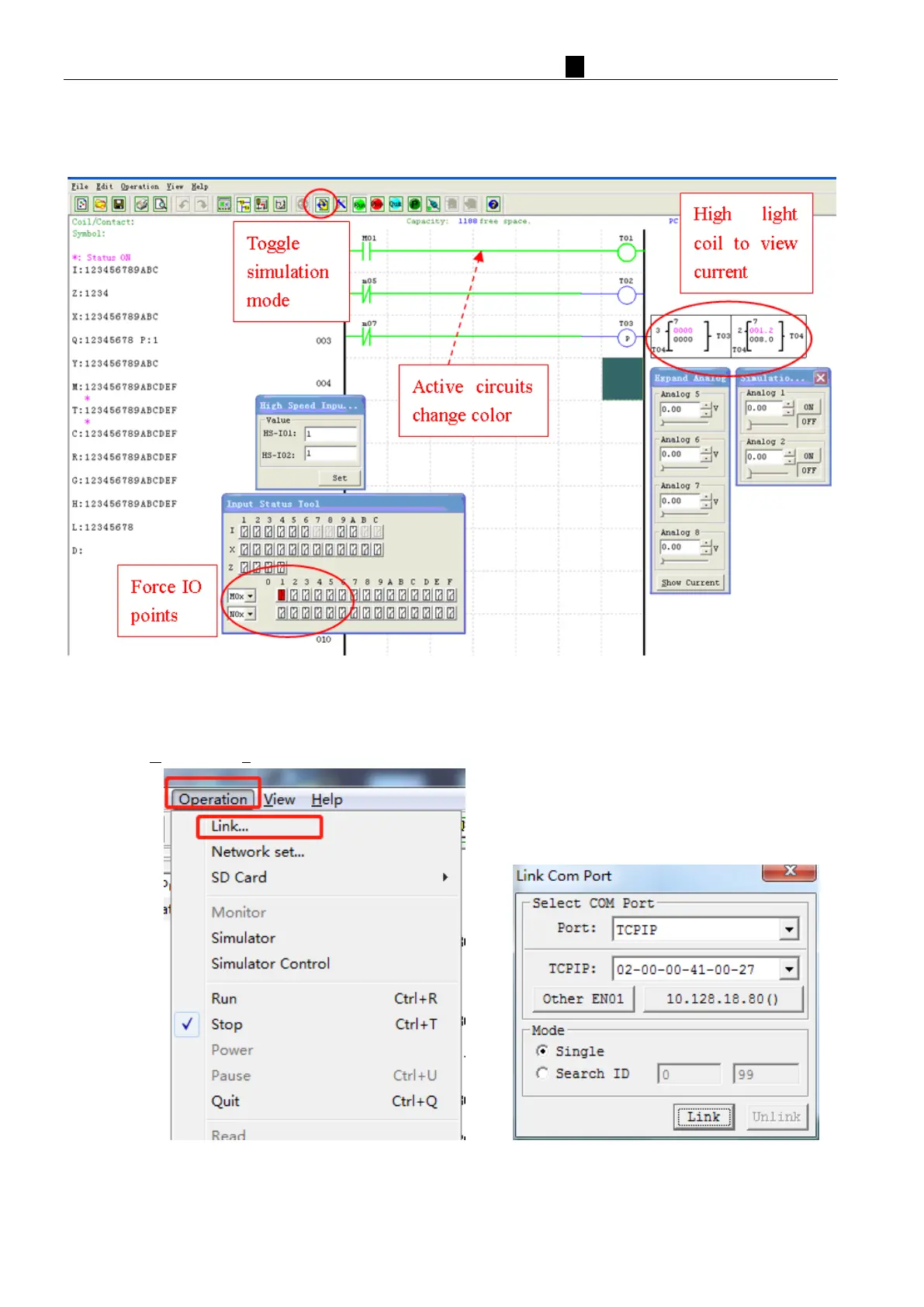
The SMT Client software includes a built-in simulator to test and debug programs easily without the need for
downloading to a controller. To activate simulation mode, simply press the RUN icon. The program below is shown
in simulation mode, identifying the significant available features.
E
stablish Communication
The following is the simple procedure for establishing communication between PC and the iSmart smart relay.
a. Select “Operation/Link…” as shown below.
b
.
S
elect the correct IP address where the programming cable is connected to the computer then press the “link”
button.
c. The SMT Client software will then begin to detect the connected smart relay to complete its connection.



 To Next Page