Chapter 3 Program Tools 40
View menu
T
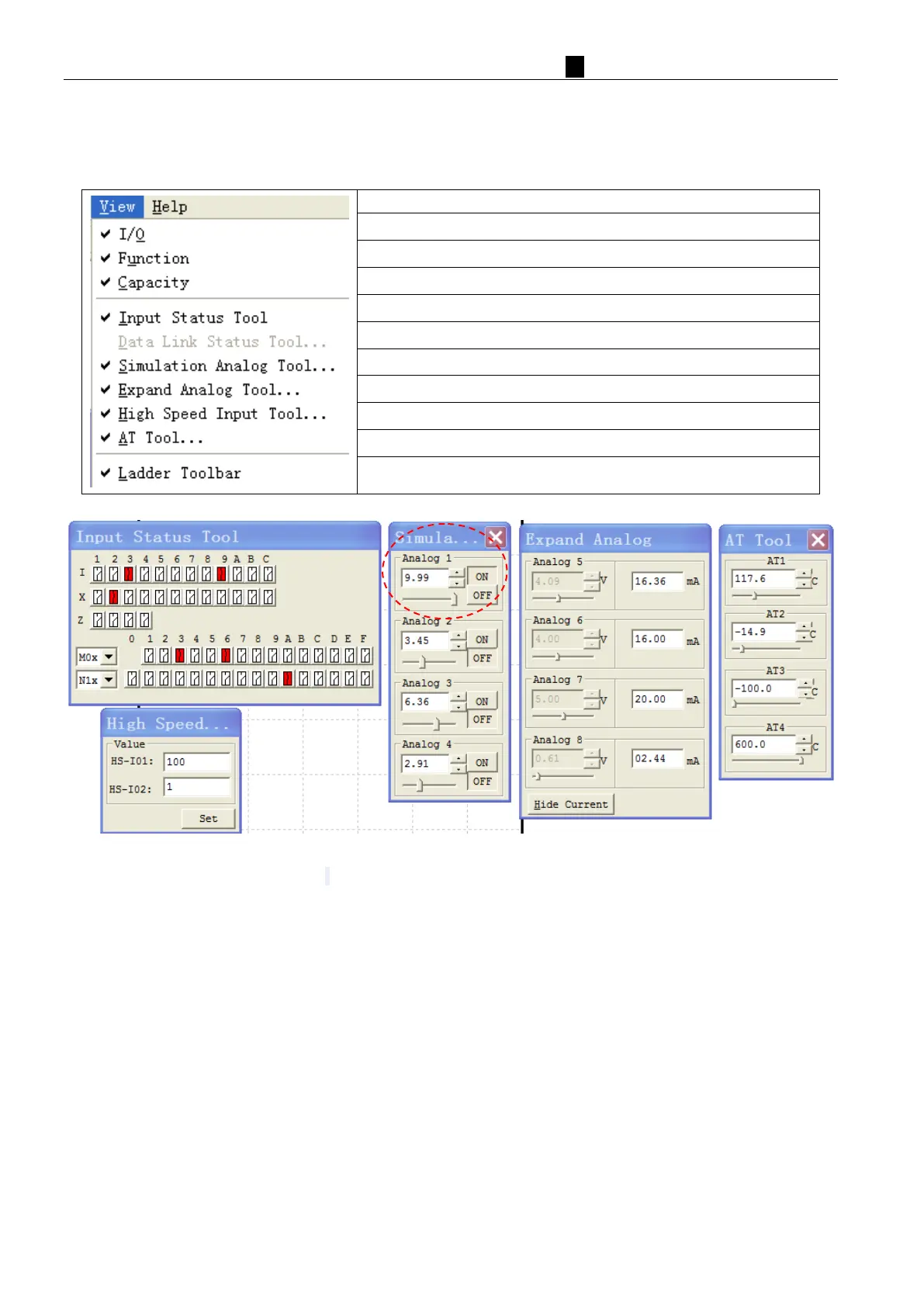
he view menu includes software display option selection. The following explains the details of each function.
Display function block and parameter
Display capacity left space
Monitoring or Simulation coil status (I, X, Z, M, N)
Simulation IO Link W status(only RS485 type)
Monitoring or Simulation analog input A01~A04(only DC type)
Monitoring or Simulation expand analog input A05~A08
Simulation high speed input(only DC type)
Monitoring or Simulation expand temperature input AT01~AT04
Display Ladder Toolbar
Analog input A01~A04, correspond to coil input I09~I0C;
When analog input increased to 9.98v, the coil input set ON;
When analog input reduced to 5.00v, the coil input set OFF;
Expand analog input A05~A08, the input data value 0~9.99v, and current display mode 0~20.00mA;
Expand temperature input AT 0 1~ AT 0 4 , the input data value -100.0~600.0℃;
High speed input tools, used for simulation high speed input I01&I02.



 To Next Page