Chapter 6 FBD Block Diagram Programming 154
Function Block
Operation rules of FBD function blocks is basically same as ladder mode.
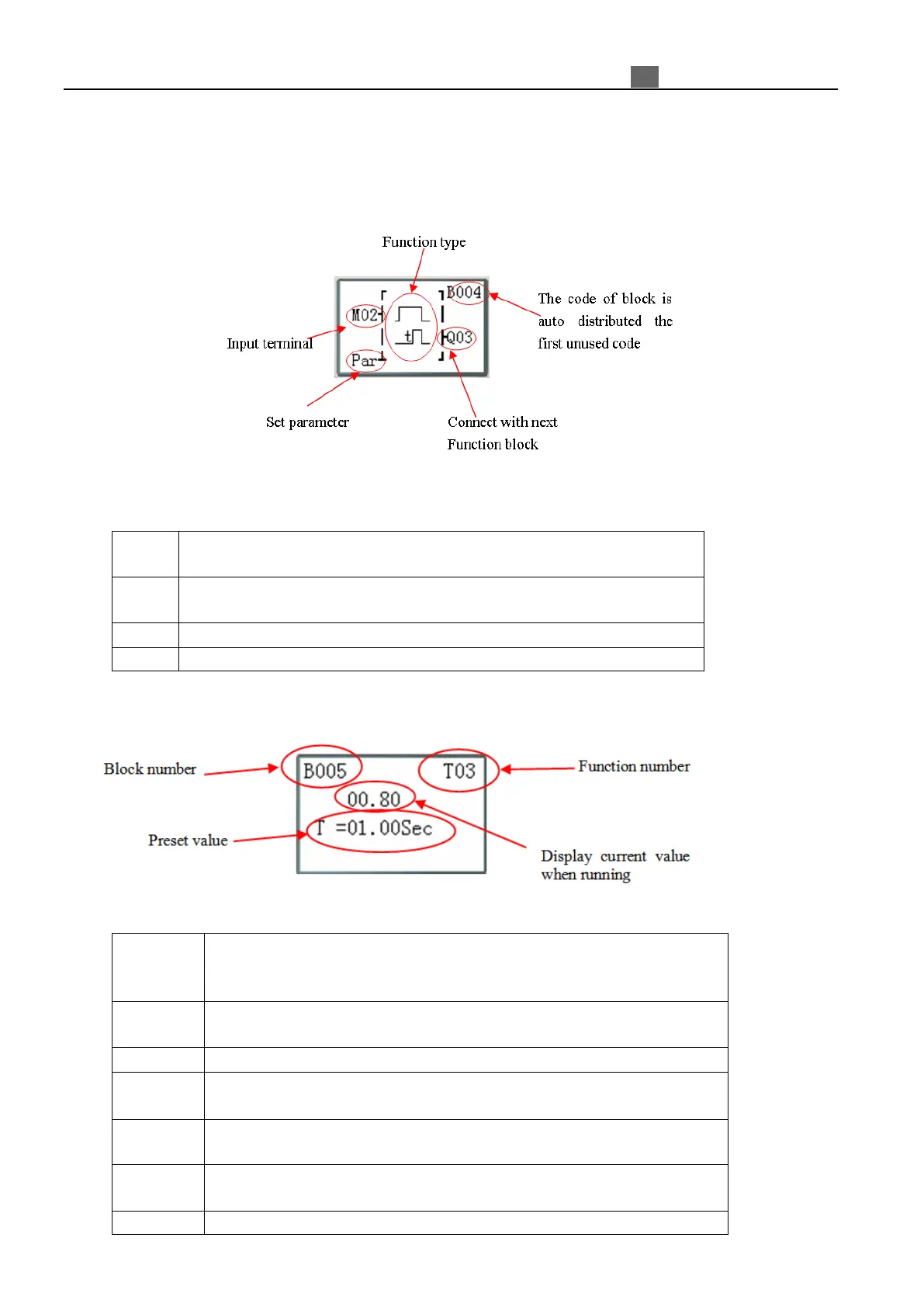
Function blocks display in FBD:
If cursor address is “Par”, user can press “OK” button into parameter display and edit preset value.
Press the button:
Move cursor: input terminals or Parameter → Function block number →
display next connected block or coil
Move cursor: Logic block number → input terminals or parameter →
Logic/Function display (input terminal is block)
Move cursor up or down (input terminals ⇔ set parameter)
Enter parameter display when cursor address is Set parameter
Parameter display:
Press the button:
Find and display previous or next function block when cursor address is
Block number;
Move cursor left or right when cursor address is Preset value;
Find and display previous or next function block when cursor address is
Block number;
Display parameter1 or parameter2 when B function is PI, MX or AR;
Move cursor up or down (Block number ⇔ Preset value);
Modify data or number when in edit mode;
Enter edit mode when cursor address is Preset value;
Modify preset value type when in edit mode;
Quite parameter display;



 To Next Page