Chapter 1: Getting Started 12
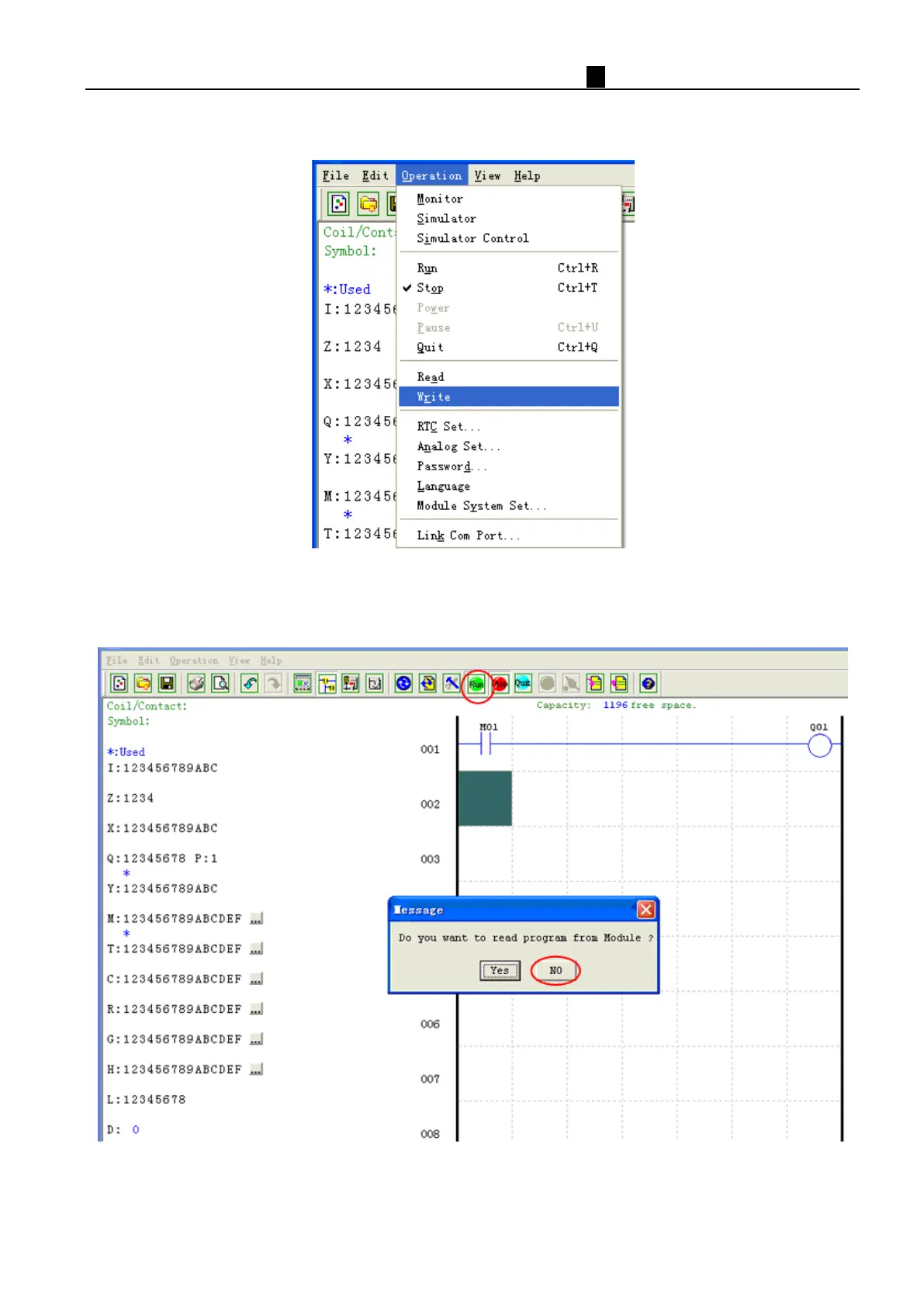
d. Test the simple program. From the Operation menu, select the Write function and write the program to the
connected smart relay as shown below.
e. Sel
ect the RUN icon from the toolbar, and select “No” when the pop-up message asks “Do you want to read
program from module?”, as shown below.



 To Next Page