Chapter 3 Program Tools 42
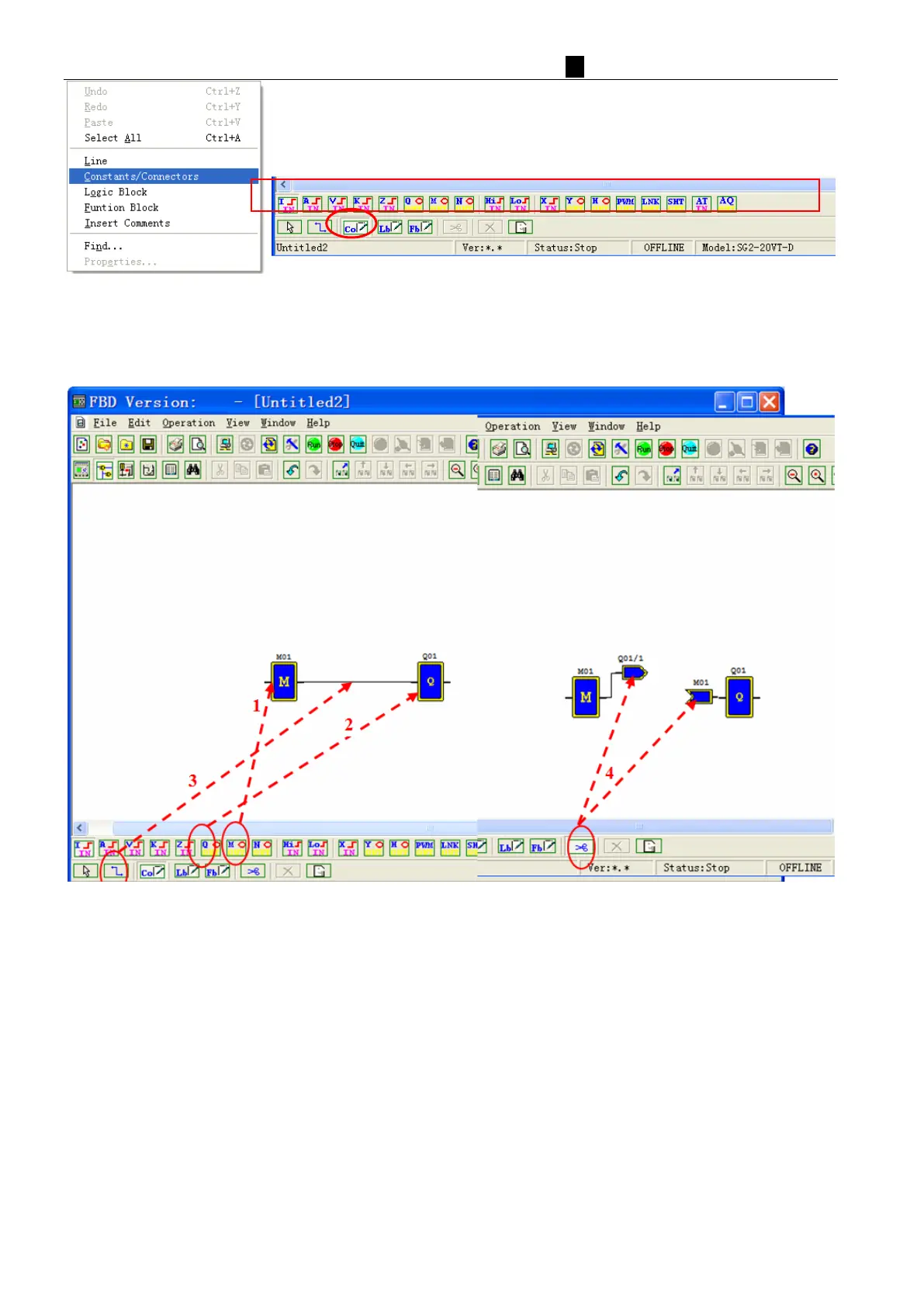
Were selected symbol "M" and the "Q", the icon will be put to the editor area, and used to connect the two coils
connected as the left part of (Operation 1~3); if multiple cross-connections, they can use "scissors" functional
separation of the connection shown in the following figure the right part (operation 4);



 To Next Page