7
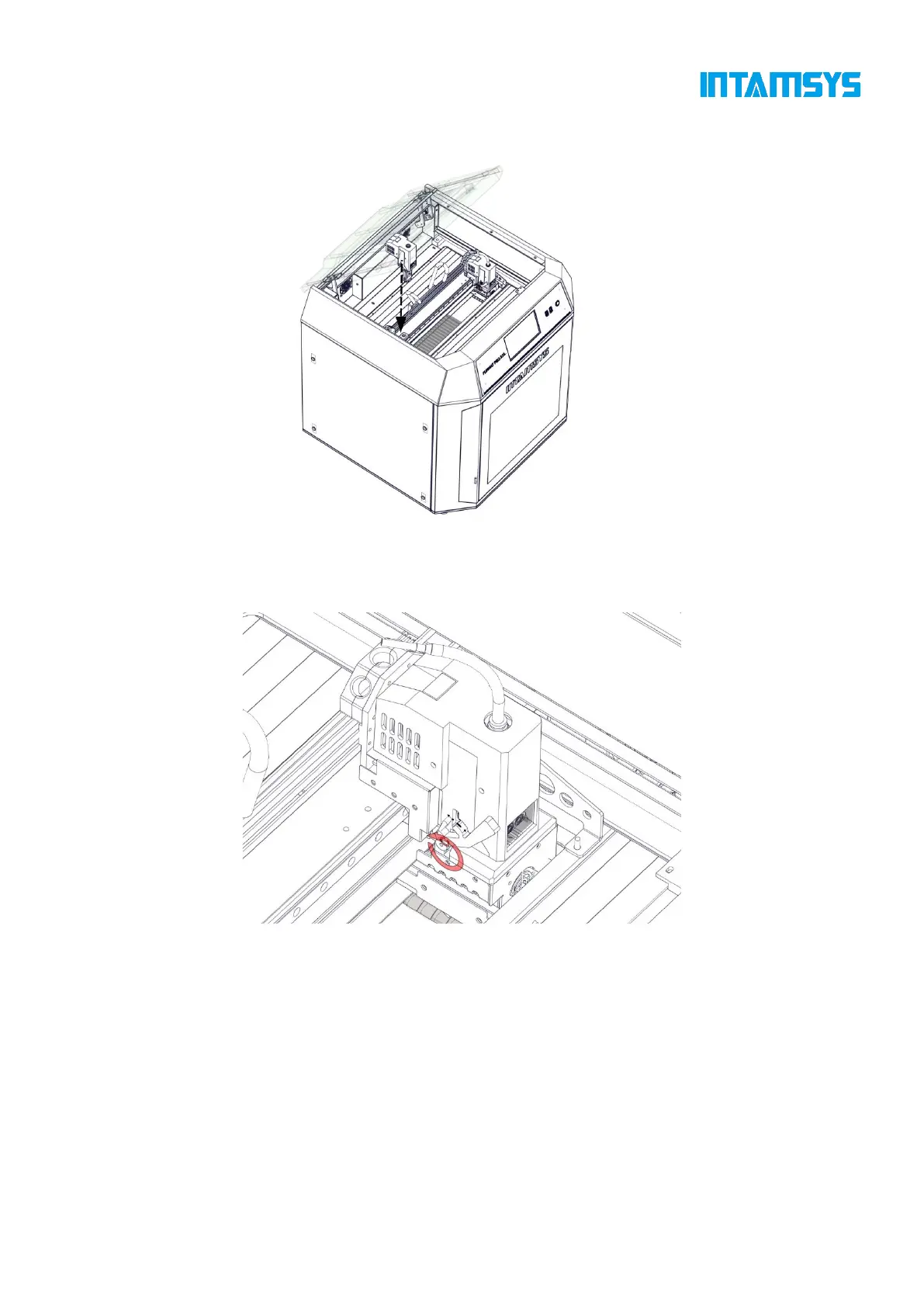
Step 5: Install the left and right extruders in the extruder holder as shown in the figure;
Figure 2.6 Installation of Extruder
Step 6: Rotate the pressure levers on both sides of the extruder holder upward to fix the extruder
in the extruder holder, and plug in the extruder cable.
Fig. 2.7 Securing Extruder
2.2.4 Startup
Step 1: The printer has two power specifications: 110V and 220V. Please make sure to check
whether the socket power supply meets the requirements before use;
Step 2: Insert one end of the power cord into the right power interface of the printer, and insert
the other end into the power socket prepared in advance;
Step 3: Turn on the switch and press the start button at the lower right of the printer to enter
the operation interface;



 To Next Page