62
chamber heat hold temperature and heat hold time of the material in the left extruder.
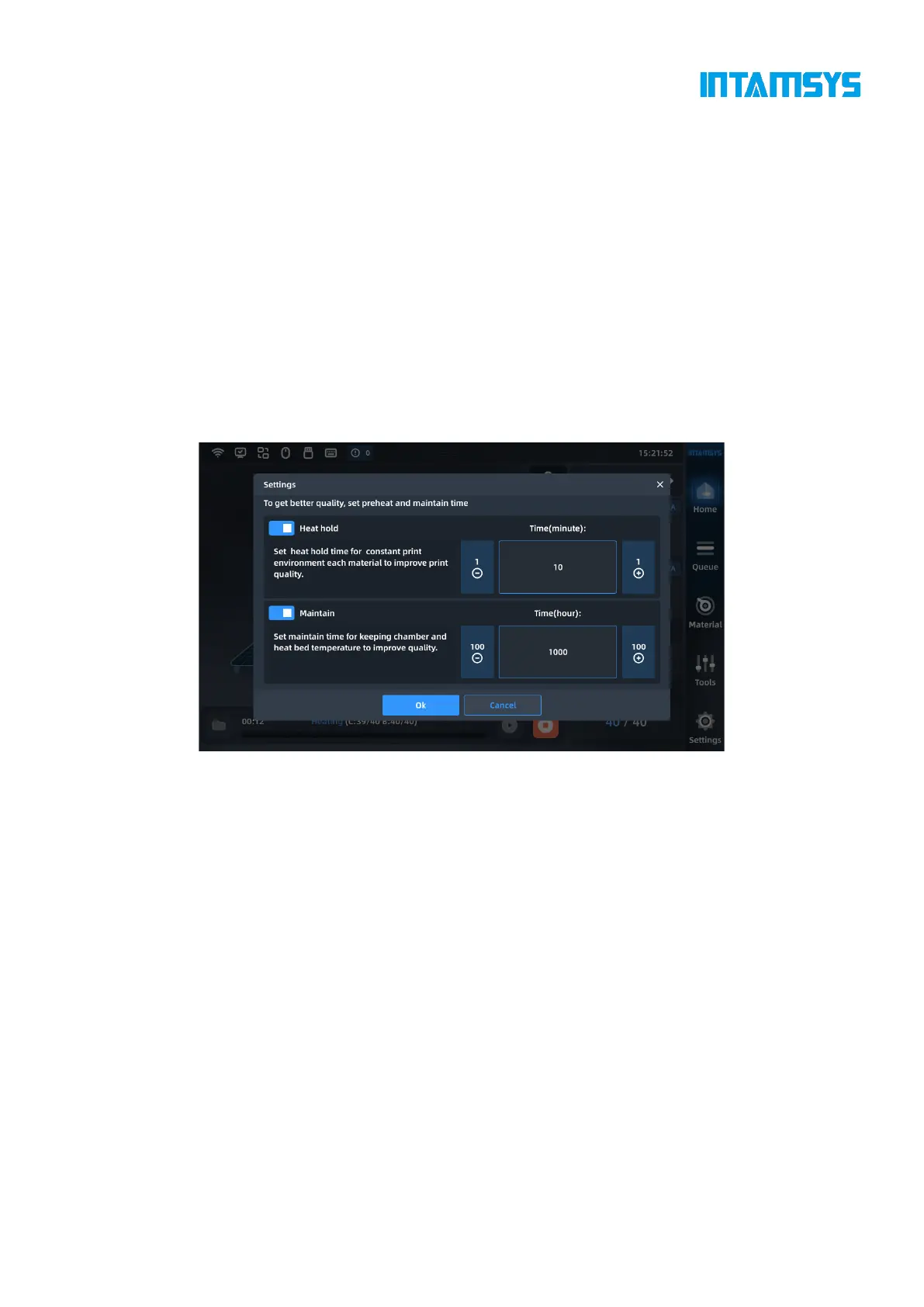
5.4.4.2 Modification of preheating time and heat hold time
During the printing and prototyping process, you can modify the preheating time and heat
preservation time.
1. Click the "Heat Hold" button on the right side of the main interface to display the
modification interface of preheating time and heat hold time;
2. You can enable or disable "Heat Hold" and "Maintain" options.
3. Modify the time by clicking "-"/"+", and click the "OK" button to save the modification.
Note: Preheating and heat hold need to be set before printing, and the settings during printing
will not take effect; preheating can only be disabled or preheating time can be reduced when the
heat hold of chamber has been maintained for a long time, otherwise it will affect the next printing
effect.
Fig. 5.17 Preheating and Heat Preservation Interface
5.4.5 Printing parameter settings
During printing, you can adjust the following parameters of the printer in "Tools" -> "Parameter
Settings": L-Nozzle T., R-Nozzle T., Platform T., Chamber T., Left Fan Speed, Right Fan Speed,
Print Speed and Material Flow.



 To Next Page