44
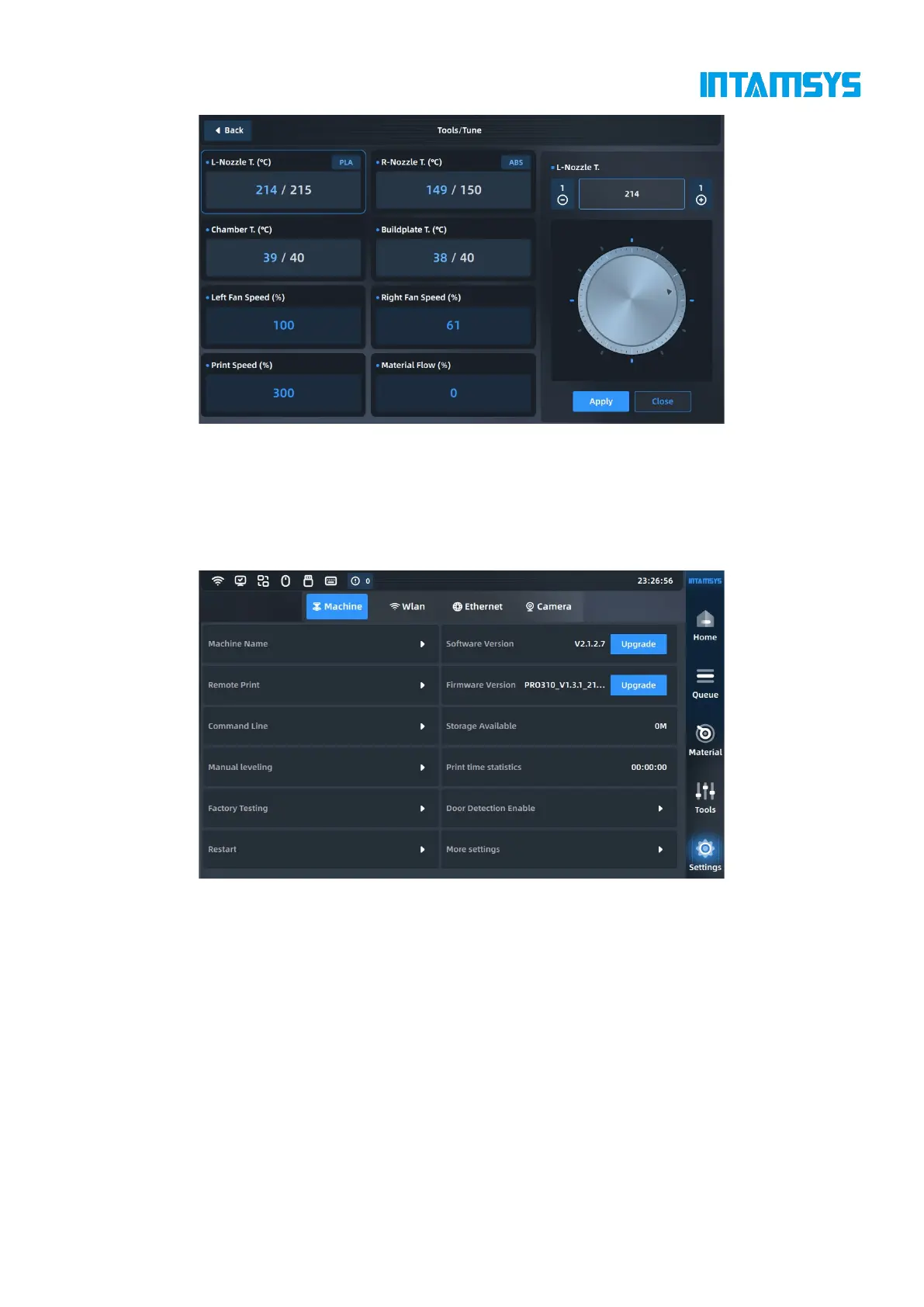
Fig. 4.33 Parameter Setting Interface
4.6 Settings
The Settings interface is used for relevant settings of the system, including device information
viewing, software upgrade, networking setting and printer system parameter settings, etc.
Fig. 4.34 Settings Interface
4.6.1 Device information
We can set the printer on this page, including:
Machine Name: Set the printer name
Remote Print: Set the remote print mode
Command Line: Input the control device through command line
Manual Leveling: Try to adjust the printing platform through manual leveling when automatic
leveling fails
Factory Testing: Internal test of device before leaving the factory
Restart: The device automatically restarts.



 To Next Page