48
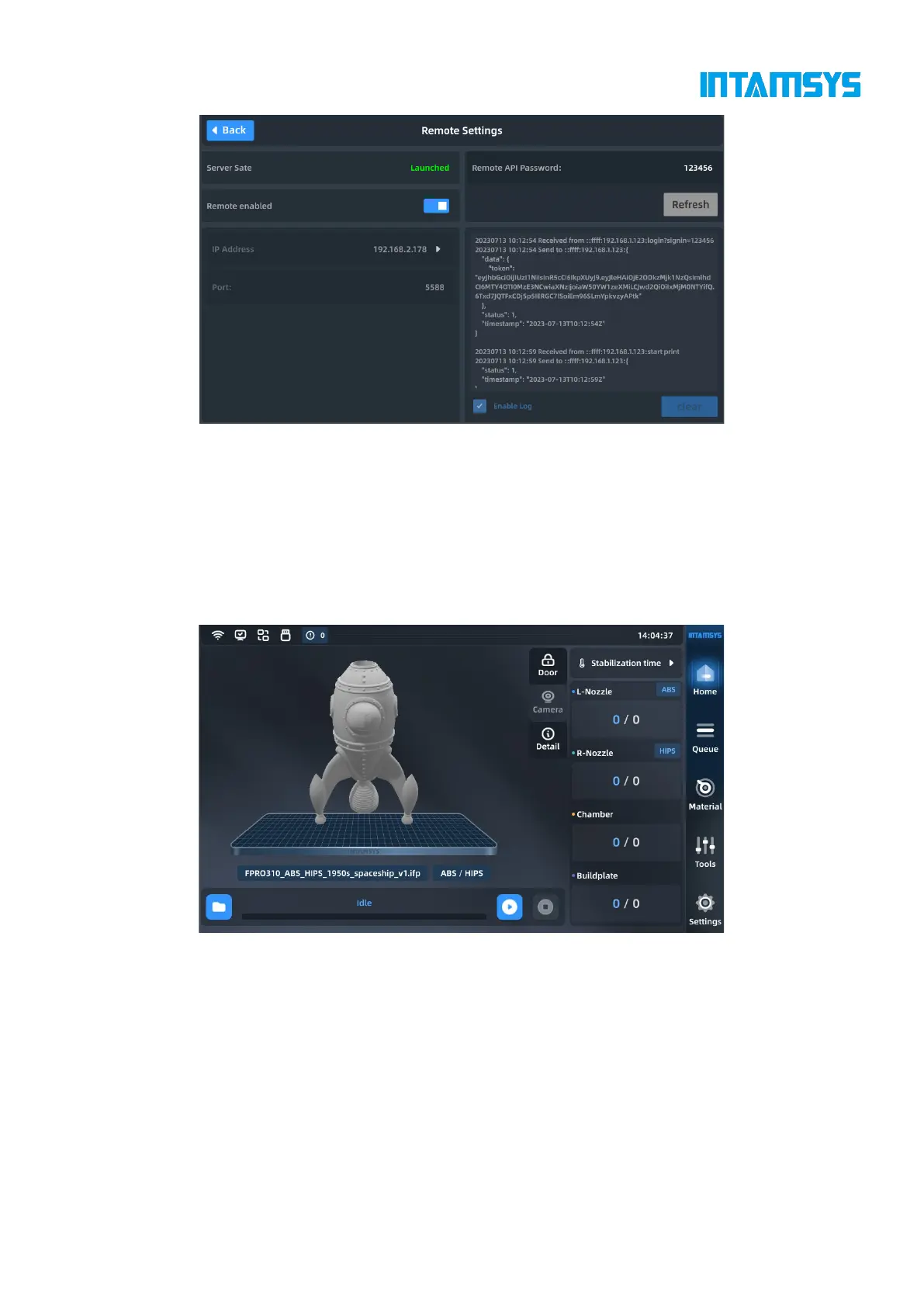
Fig. 4.40 Enabling and Setting of Remote Print
Remote print operation:
1. You can obtain gcode remotely through the api interface: local storage -> ftp -> gcode in the
gcode folder;
2. Start the gcode print task remotely, and the upper machine will enter the print interface
accordingly. For other remote operations, the upper machine interface will also display
corresponding actions.
Fig. 4.41 Print File Loading Completion Interface
Check "Enable log" to view the remote print log, and click "Clear" to clear the current content of
the remote print log.
4.6.6 Motor enabling
The "Motor Enabled" switch is used to enable/disable X-axis motor, Y-axis motor, Z-axis motor,
extruder motor, auxiliary feeding motor, etc.
Click "More Settings" in the Settings interface, and then click the button on the right side of the
"Motor Enabled" to turn it On/Off. Blue indicates "On".



 To Next Page