23
4.2.3 Auxiliary status area
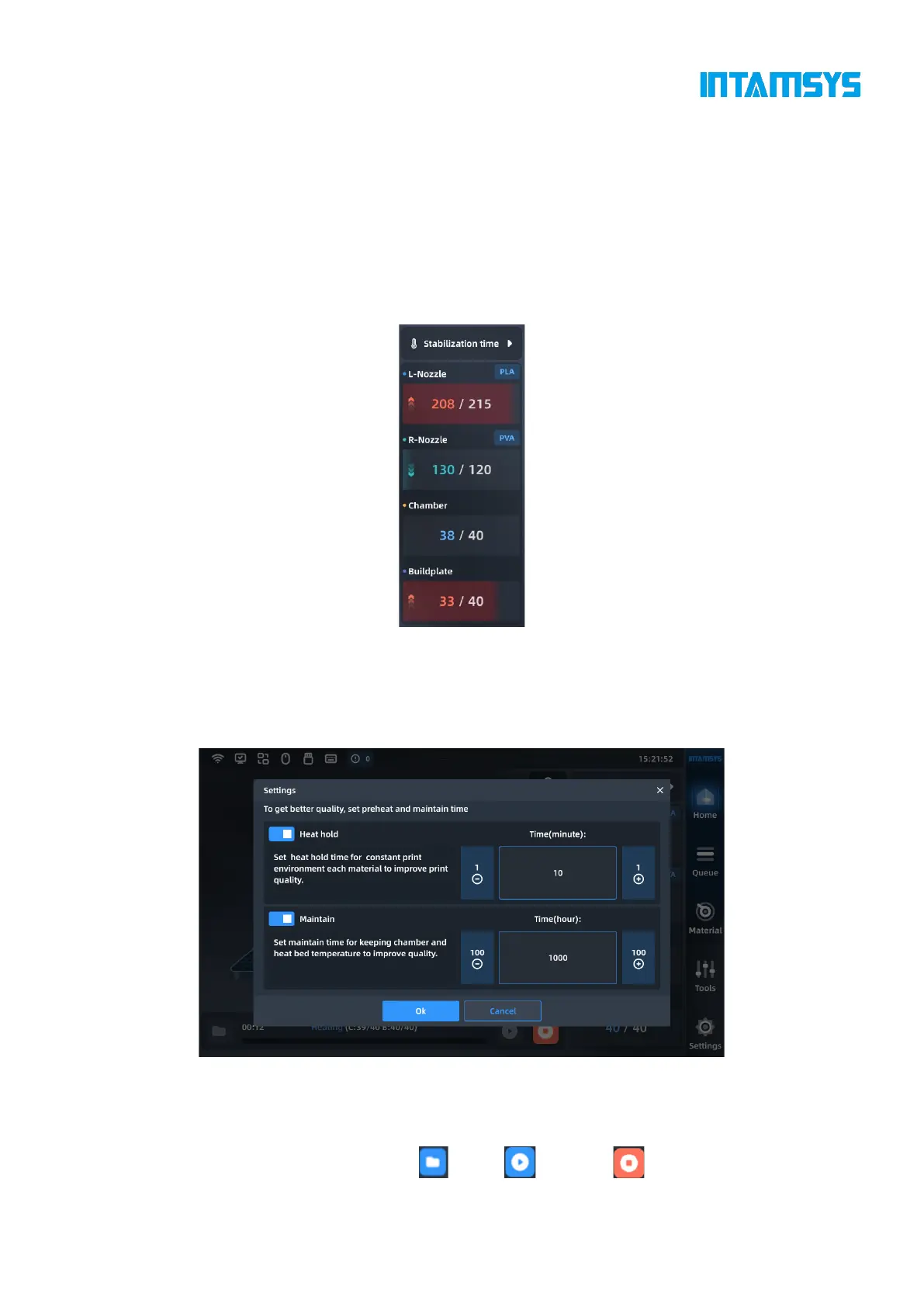
The auxiliary status area displays the temperature of L-Nozzle, R-Nozzle, chamber and hot bed. The
current temperature is displayed on the left, and the target temperature is displayed on the right. The
arrow icon and fill color animation indicate the progress of heating/cooling, and it will be fully filled
with the color if the target temperature is reached.
The loaded material is displayed on the right side of the nozzle temperature, and we can quickly
know the model number of the material installed in the filament box.
Fig. 4.8 Auxiliary Status Bar
In order to obtain better printing quality, we can set the preheating stabilization time of the chamber
before printing and the heat hold maintenance time of the chamber after printing. We can also set
the built-in time of the device, or disable it or adjust its duration as needed.
Fig. 4.9 Preheating and Heat Preservation Settings
4.2.4 Control area
The bottom control area includes "Open" , "Start" and "Stop" buttons as well as a



 To Next Page