66
For the safety of users, the printer always locks the front door and top lateral plate when the printing
starts or the chamber starts to heat, and they cannot be opened after being locked. If you need to
force unlock during this process, click the door lock button to unlock the front door and top lateral
plate.
Note: Do not put your hands into the chamber after forced unlocking to avoid being scalded or
pinched.
5.5 Printer Status
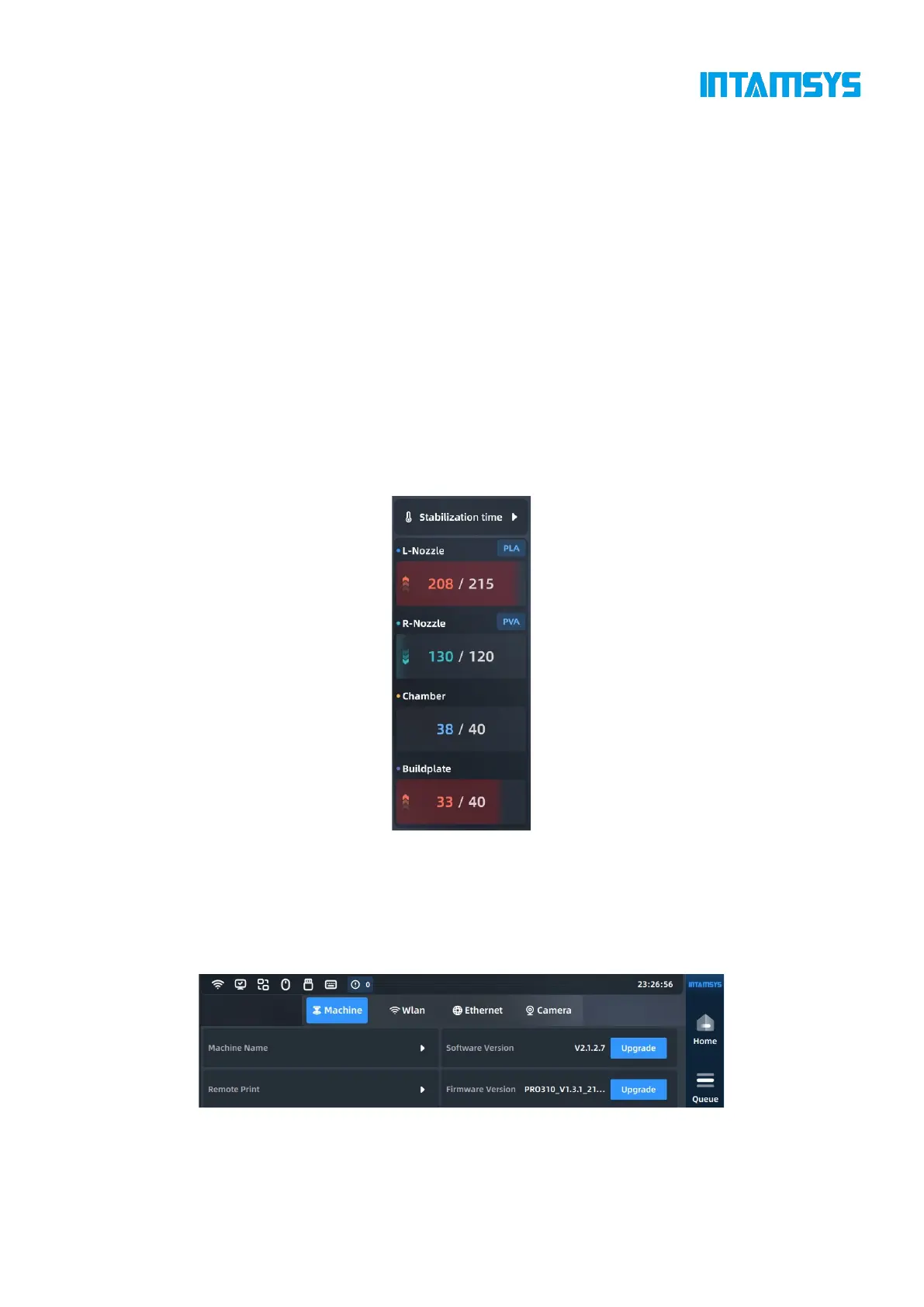
5.5.1Temperature status
You can view the temperature status of the printer on the main interface in real time, including target
temperature and real-time temperature of left extruder; target temperature and real-time temperature
of right extruder; target temperature and real-time temperature of chamber; target temperature and
real-time temperature of hot bed.
Fig. 5.22 Printer Status
5.5.2 Software version
You can view the software and firmware versions in the Device interface, and obtain upgrade
information on a regular basis through the official website and after-sales service.
Fig. 5.23 Screen Software and Firmware Version Number



 To Next Page