24
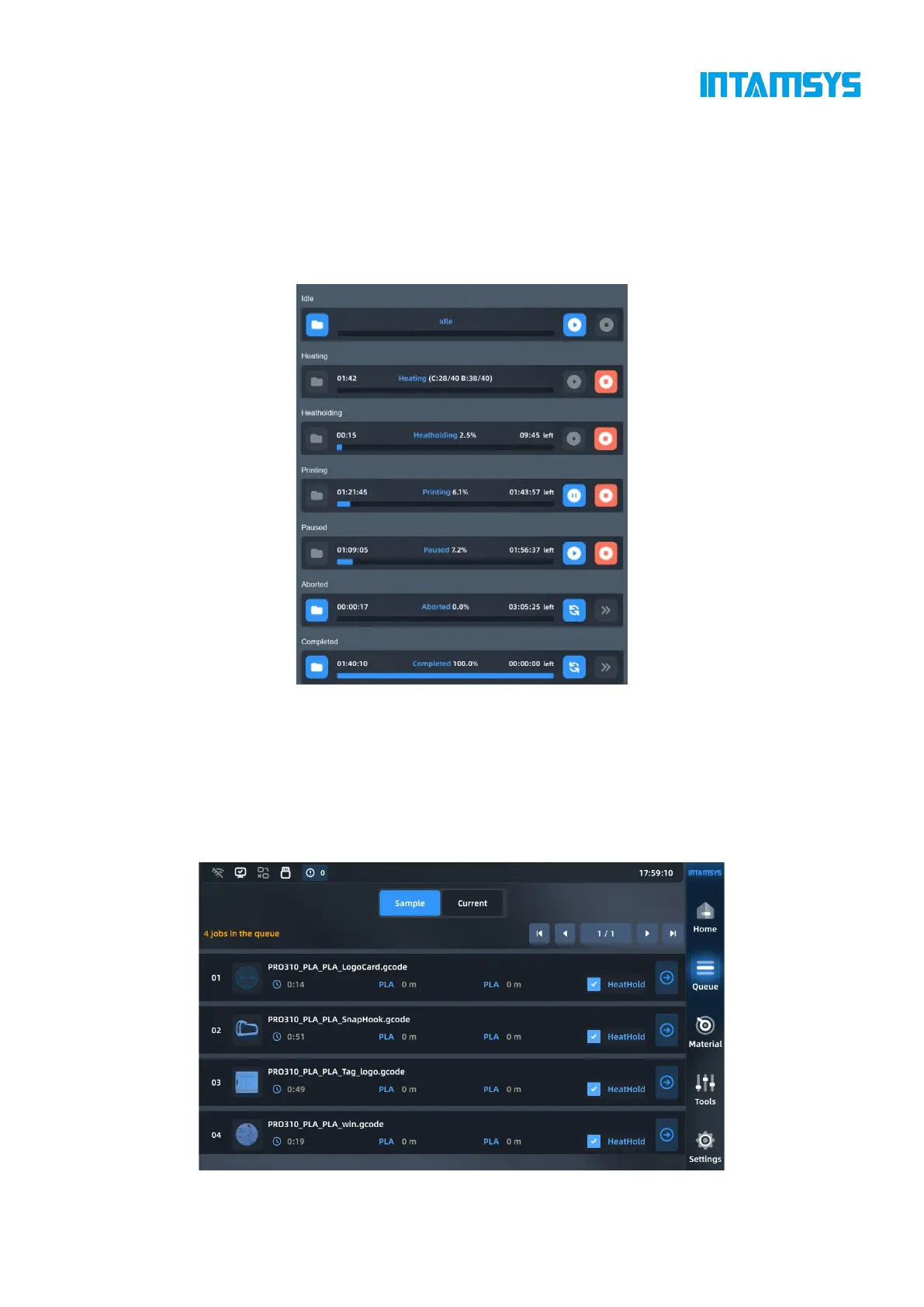
progress bar to control or check the printing progress.
Click the "Open" button and enter the "File Navigation" interface to open the file.
The Start/Pause/Stop buttons are available during the printing phase.
Task progress and consumed/remaining time are shown on the progress bar.
When the print task is completed, a command to reprint or perform the next task in the queue will
be displayed.
Fig. 4.10 Print Control
4.3 Queue
It includes sample queue, current task queue and task history.
In the sample queue, print sample files are provided for printer testing. The order of print files or
samples cannot be modified in the sample queue.
Fig. 4.11 Sample Queue



 To Next Page