31
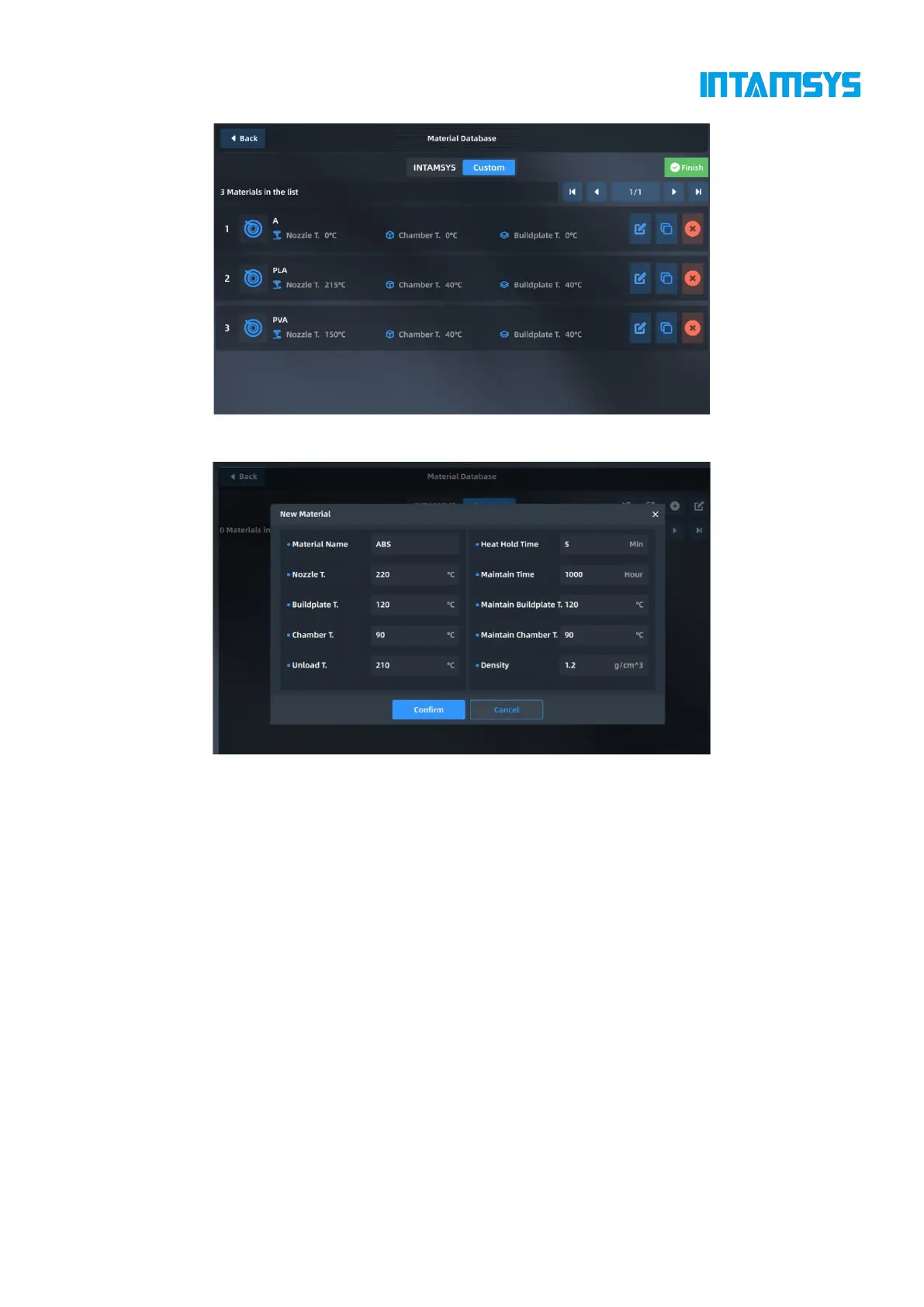
Fig. 4.21 Modification of User-defined Material Database
Fig. 4.22 New Material
4.5 Tools
The Tools page is divided into three functional modules: axis control, calibration and parameter
setting. The position of the nozzles and hot bed can be adjusted on the Axis Control interface. In the
Calibration interface, you can perform the printing build plate leveling, nozzle Z calibration and XY
calibration. In the Parameter Setting interface, you can adjust the parameters during printing.



 To Next Page