8
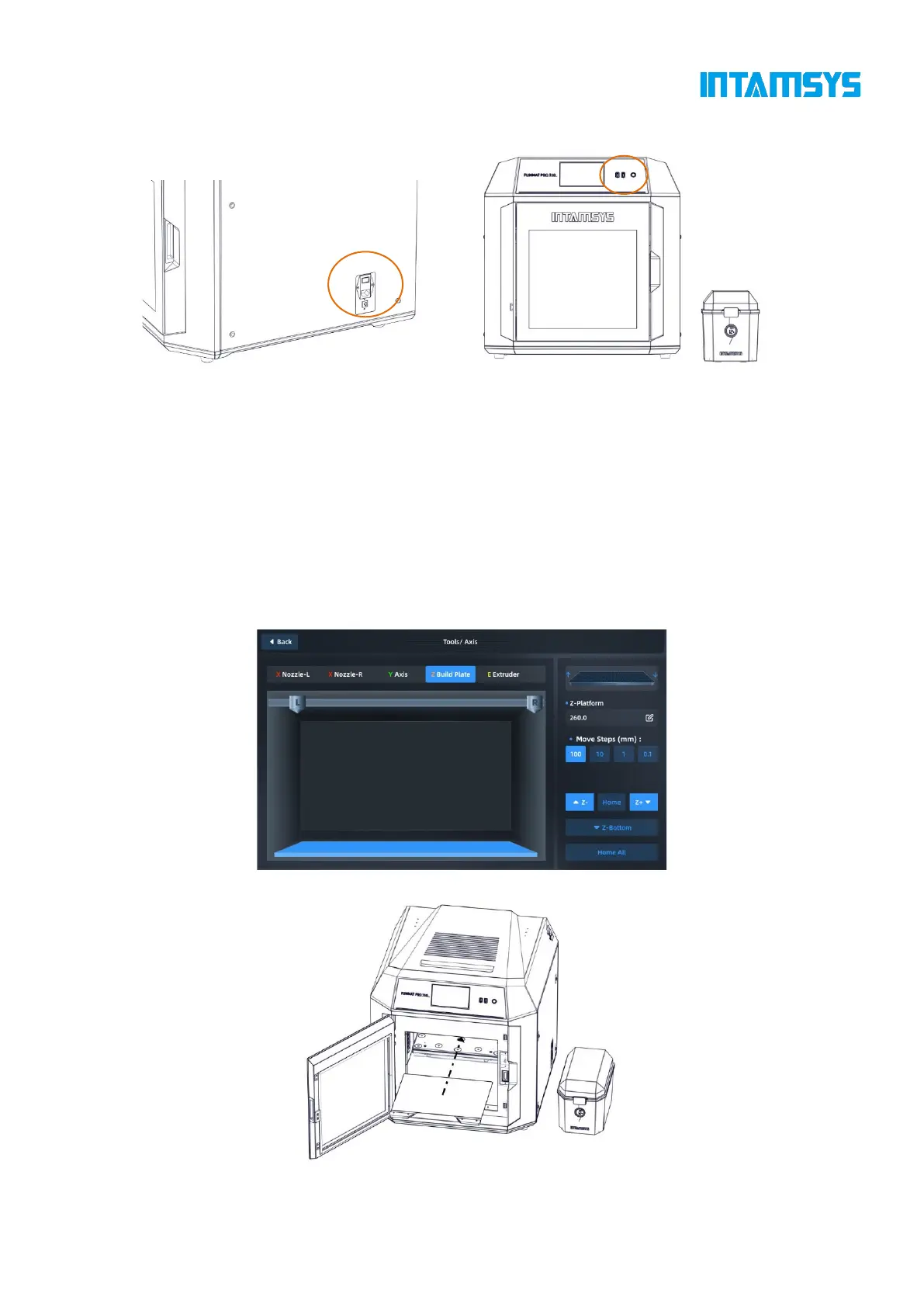
Fig. 2.8 Startup of FUNMAT PRO 310 Printer
2.2.5 Installation of Printing Build Plate
Step 1: Enter the "Tools" interface on the right in the main interface, and click the "Home All"
button (make sure that there are no other sundries in the chamber before operation);
Step 2: After selecting the "Z Build Plate" option in the upper part, click "Z-Bottom" to move
the printing platform to the bottom of the chamber;
Step 3: Flatly adsorb the printing build plate above the magnetic platform along the guide
grooves on both sides of the platform, as shown in the figure.
Fig. 2.9 Platform Lowering Operation Interface
Fig. 2.10 Installation of Printing Build plate



 To Next Page