18
4 User Interface
4.1. Overview
This chapter describes the main user interface (UI) of FUNMAT PRO 310. For the specific printer
operation information and programs, see Chapter 5. The printer must be powered on before you can
use the touch screen.
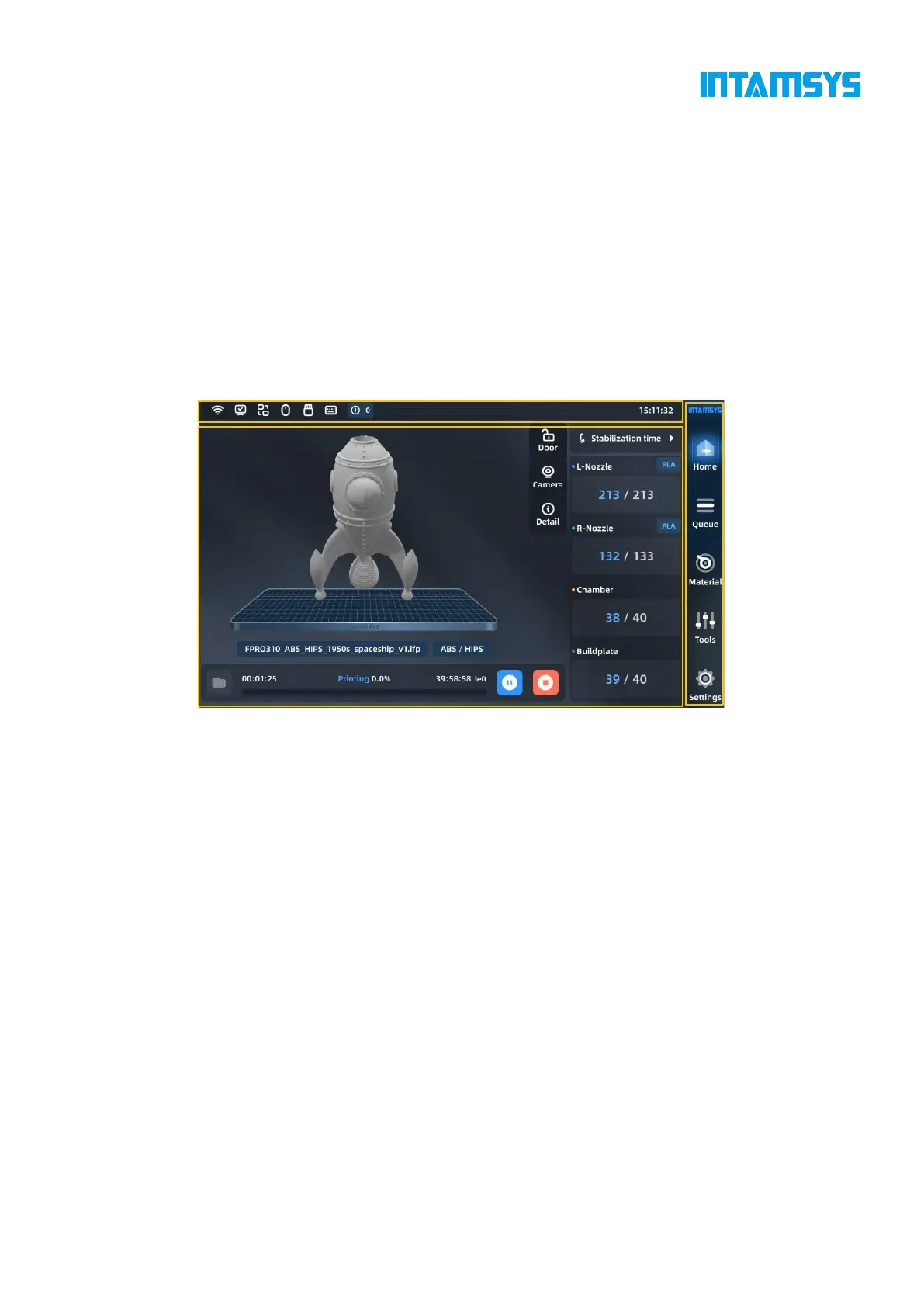
FUNMAT PRO 310 user interface consists of a touch screen located in the middle of the front side
of the printer. The main interface of the touch screen includes three main functional areas: status
bar, navigation bar and display area.
Fig. 4.1 Overview of User Interface
On the status bar, in addition to viewing WIFI, U-disk and network status, you can also perform
camera display, error diagnosis, etc.
The navigation bar is on the right side of the panel, and we can access main functions through
corresponding commands.
In the display area, we can select the G code file to be printed, start/pause/resume printing work,
and preview the printing status on the model picture.
4.1.1 Status bar
The status bar is docked to the top of the touch screen display and appears on each page of the user
interface. It displays various information including network status indicators, cameras and USB
flash memory.



 To Next Page