26
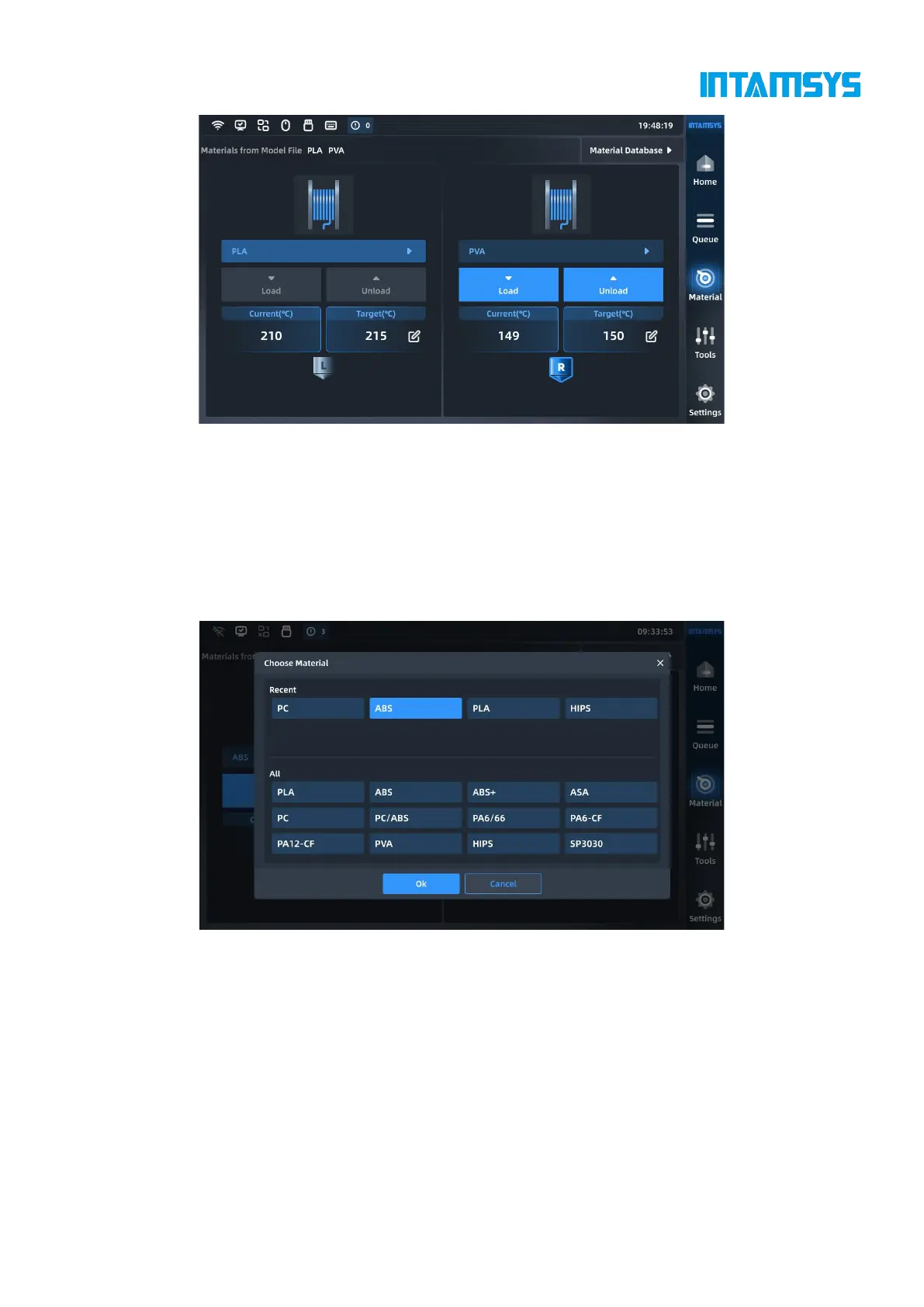
Fig. 4.14 Material Interface
4.4.1 Material selection
Pressing the material name list button will display INTAMSYS materials and user-defined materials.
Materials that were used recently and frequently will be displayed at the top, where we can scroll
down to select all available materials.
User-defined materials can be configured in the material database.
Fig. 4.15 Material Selection Interface
Specifically, if the material on the printer is inconsistent with the material settings in the G-code
print file, it will alert the user to apply the material. Press "Apply", and the printer will automatically
recognize and apply the correct material to the L-Nozzle and R-Nozzle.
Note: We need to unload/load the corresponding materials manually.



 To Next Page