32
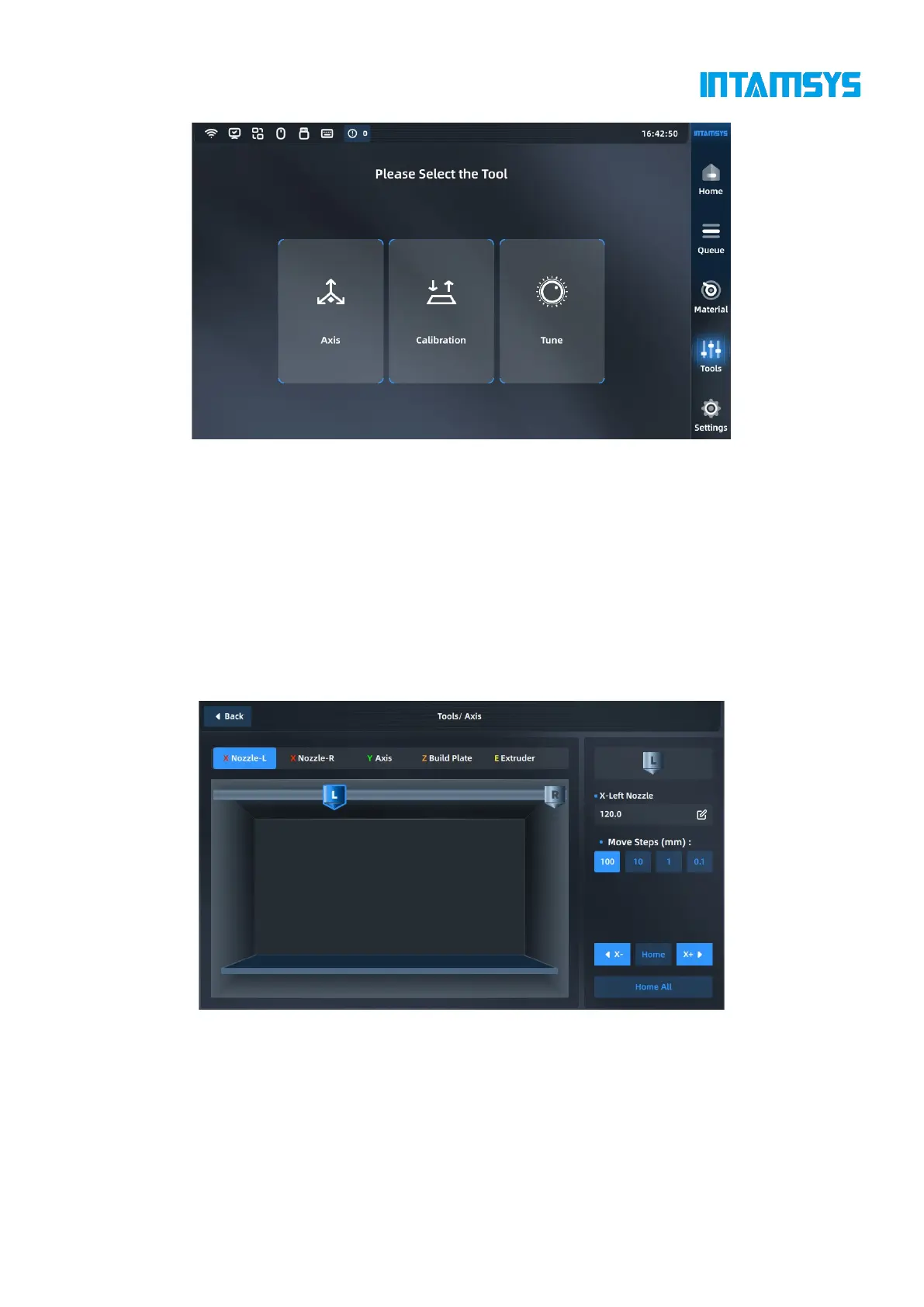
Fig. 4.23 Tools Interface
4.5.1 Axis control
You can manually operate the position of the moving platform and printing nozzle in the Axis
Control interface to control the material extrusion of the nozzle. Select the part to be operated at the
top, click the arrow button at the bottom left to move the part, and adjust the moving step size. Click
"Reset" to return the corresponding part to its original position. The position of the part will be
updated synchronously in the left preview image during operation.
We can also enter the absolute value of position directly at the top right to move the part.



 To Next Page