43
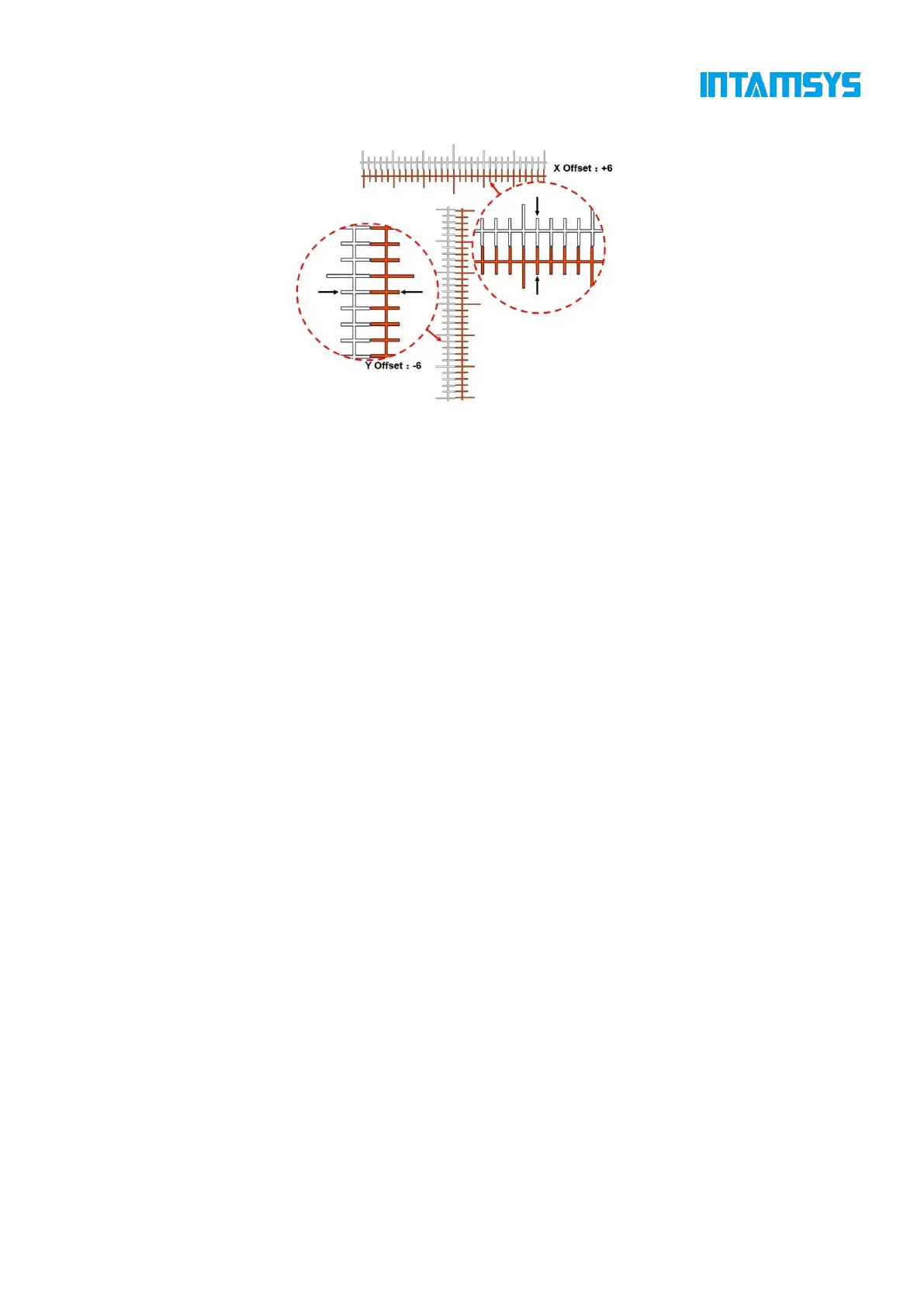
shall be "+6" and the Y offset value shall be "-5".
Fig. 4.32 Reading Method of XY Calibration Scale
Note: The offset value 1 represents a scale, an actual deviation of 0.05 mm.
If it is found that the center lines for the horizontal or vertical print scale range are far apart and
other scale lines are difficult to coincide with each other after reading the print scales, it means that
the XY deviation has exceeded the measurable scale range (the maximum scale range is 15, that is,
the deviation is 0.75mm). Take the following steps:
(1) First determine the offset direction "-"/"+" by observing the position of the center line of
the model printed by the right extruder relative to the center line of the model printed by the left
extruder;
(2) Set the offset to the maximum value, and click the "OK" button;
(3) Perform XY calibration again, print and test the models until a determined offset is read;
4.5.3 Parameter Settings
During printing, you can adjust the following parameters of the printer in the "Tools/Tune" interface:
L-Nozzle T., R-Nozzle T., Chamber T., Hot Bed T., Left Fan Speed, Right Fan Speed, Print Speed
and Material Flow.
The steps are as follows:
Click the icon of the parameter to be adjusted to highlight it.
Change the parameter value by clicking "-"/"+" on the right or turning the knob below, and the
exact value will be displayed in the box.
Click the "Apply" button to complete parameter setting.



 To Next Page