42
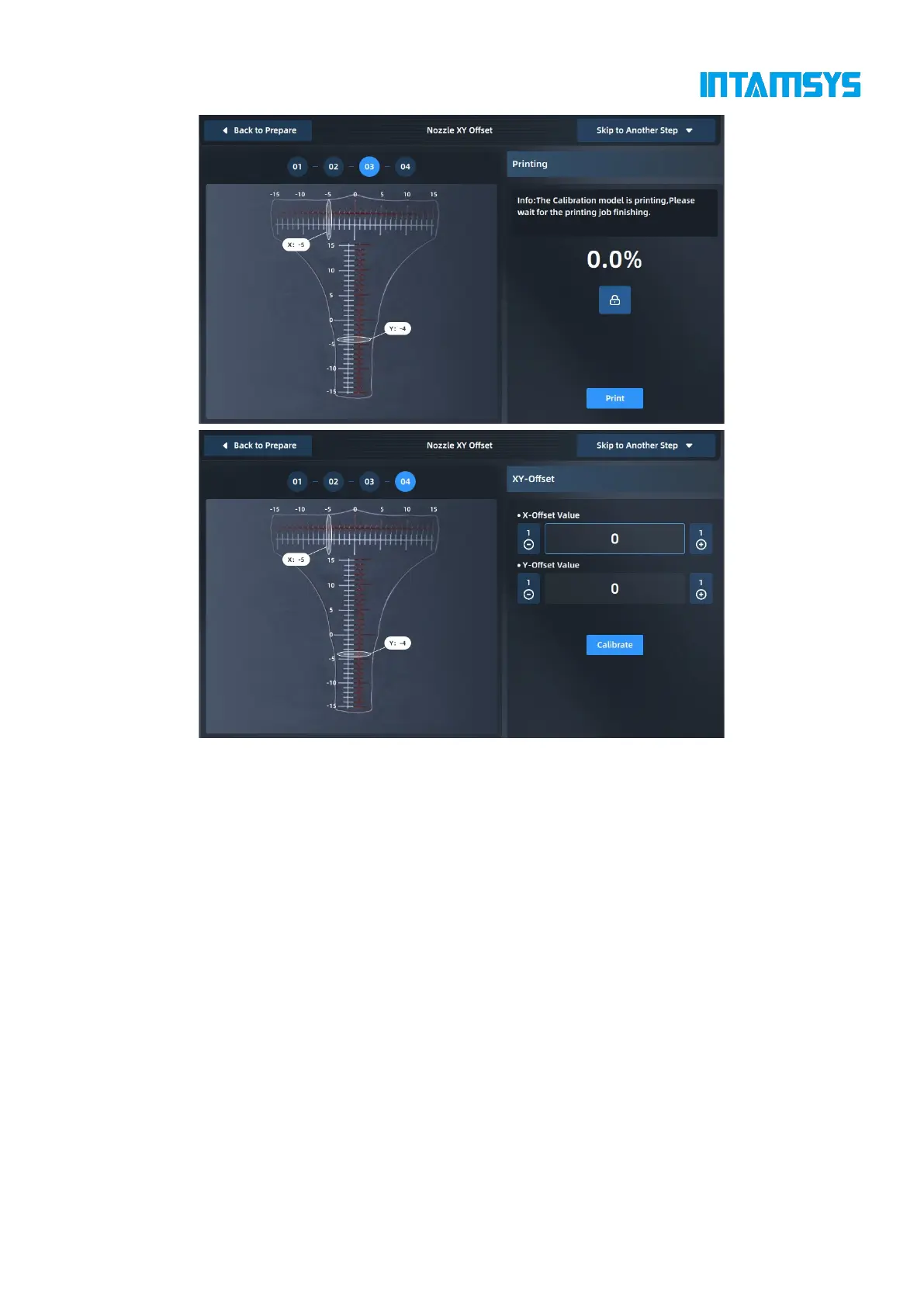
Fig. 4.31 L&R Nozzle XY Calibration
After printing the scale, take out the printing build plate to read the scale to obtain X offset value
and Y offset value respectively, and click "+"/"-" buttons to enter values. The scale shall be read as
follows:
(1) Read the scale of the model printed by the right extruder based on the model printed by the
left extruder;
(2) First, read the X offset value to check whether the center line of the model printed by the
right extruder is to the left or right of the center line of the model printed by the left extruder. Use
the "-" value for the left and the "+" value for the right;
(3) Then, read the Y offset value to check whether the center line of the model printed by the
right extruder is above or below the center line of the model printed by the left extruder. Use the "-
" value for below and the "+" value for above;
(4) Find the scale line where the two models are most aligned, then count from the center line
to this scale line and record the value as N;
(5) Enter the "N" value into the input box.
For example, the figure below shows the scales printed during an XY calibration. The X offset value



 To Next Page