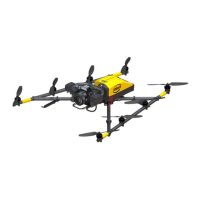
USER MANUAL
INTEL® FALCON™ 8+ UAS
© 2018 Intel Corporation. All rights reserved 232
S
Safety First ...................................................................................................................................... 7
Safety Guidelines ......................................................................................................................... 8
Second Operational Monitor ................................................................................................30
Shadowing .................................................................................................................................123
Situations with Varying GPS Reception .........................................................................119
Software Feature Packages ...................................................................................................87
Software Feature Packages, Activating ............................................................................89
Software Feature Packages, Annual ..................................................................................90
Software Feature Packages, Perpetual .............................................................................90
Sony Alpha 7R Full Frame Camera .....................................................................................39
Sony Alpha 7R, Camera Settings .........................................................................................41
Sony Alpha 7R, General Care ................................................................................................39
Sony R10C RGB camera ..........................................................................................................54
Sony RX1R II .................................................................................................................................48
Special Functions ....................................................................................................................183
Standoff distance ...............................................................................................................54, 66
Status Display ................................................................................................................... 27, 166
Storage Mode ..............................................................................................................................74
Storing .........................................................................................................................................199
Support ............................................................................................................................ 193, 216
Switching OFF the UAS ........................................................................................................143
T
Taking Off ...................................................................................................................................127
Technical Specification ........................................................................................................218
Touchscreen Tablet ..........................................................................................................28, 99
Transport Cases .........................................................................................................................81
Transportation .........................................................................................................................199
Troubleshooting ........................................................................................................... 193, 212
Turn Rates ..................................................................................................................................220
U
UAS and Safety Check .............................................................................................................11
Updating, Cockpit Control Application .........................................................................197
Updating, Intel® Cockpit Controller (CTR) ....................................................................196
Updating, Intel® Falcon™ 8+ UAV .....................................................................................195


 To Next Page