- Digital Microscope VHX-5000 User’s Manual -
Settings
13-3
Configuring the Operating Environment
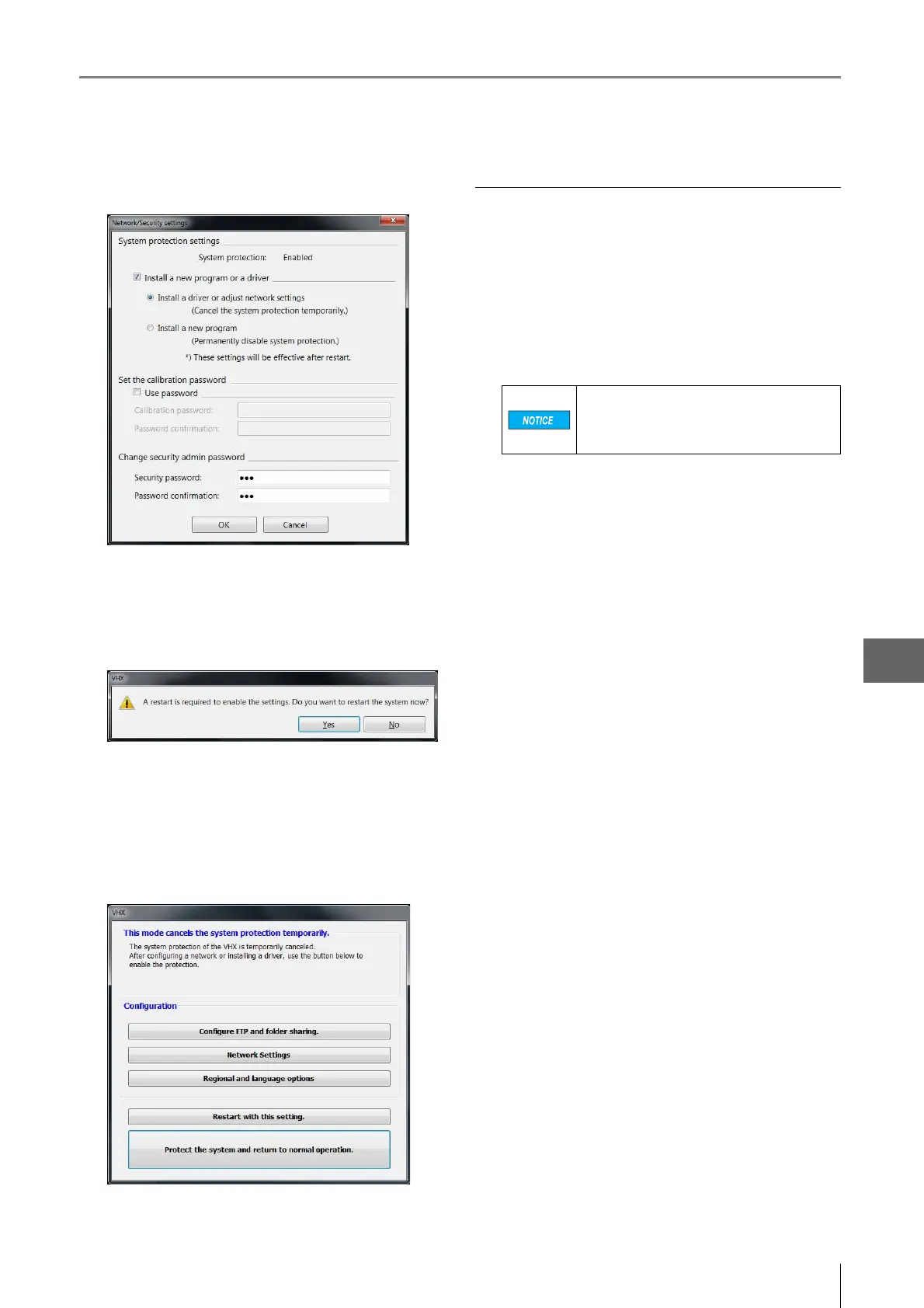
The Network/Security settings dialog appears.
3
Check the [Install a new program or a driver] option,
and select [Install a driver or adjust network settings],
and click [OK].
Yo u will be prompted to restart the system.
4 Click [Yes].
The system will start up with the system protection
temporarily disabled and the following dialog will
appear: "This mode cancels the system protection
temporarily".
Installing drivers
1 Temporarily disable system protection.
Refer to the procedures to temporarily disable system
protection (Page 13-2).
2 Install the driver as documented in the manual for
the external device you wish to install.
3 When the installation completes, click [Protect the
system and return to normal operation.].
The microscope will restart.
If the installation process prompts you to
restart the OS, select [Cancel] and let the
installer finish. Then select click [Restart
with this setting] from the VHX MENU.



 To Next Page