- Digital Microscope VHX-5000 User’s Manual -
Settings
13-6
Configuring the Operating Environment
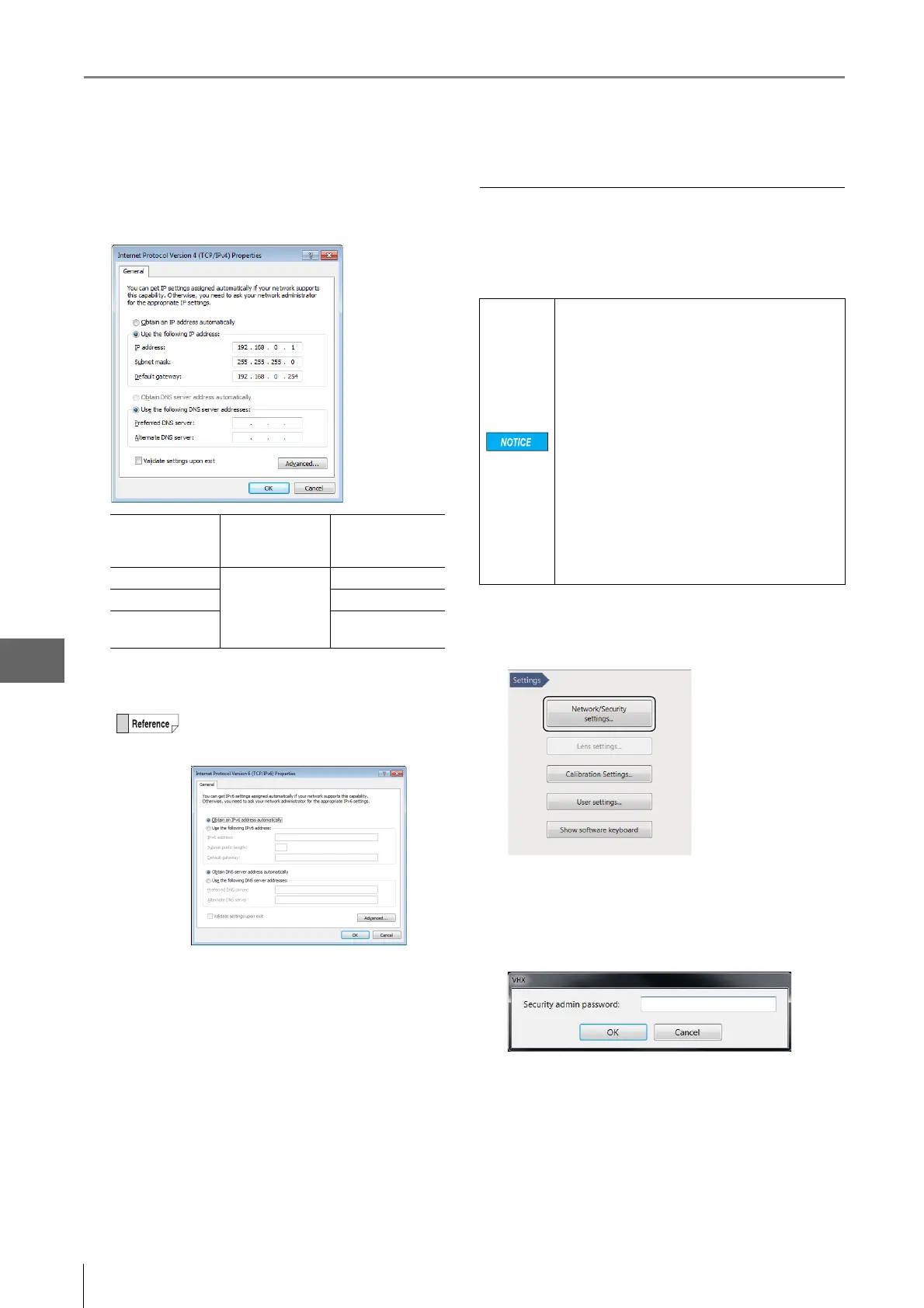
5 Specify the IP address, subnet mask, and default
gateway, and click [OK].
For a peer-to-peer connection, set the PC's IP address
to 192.168.0.2, and the subnet mask to 255.255.255.0.
6 Close the [Local Area Connection Properties] and
[Network Connection] dialogs.
7 Click [Protect the system and return to normal
operation.].
The microscope will restart.
Completely disabling system protection
To install applications that run on Windows7, it is necessary
to disable system protection completely. This must be done
when networking the system through a domain.
1 Click [Network/Security Settings...] on the Settings
menu.
The security administration password input dialog
appears.
2 Enter the password and click [OK].
The password is preset to "VHX" (half-width characters
all caps) at the time of shipping.
The Network/Security settings dialog appears.
LAN connection Peer-to-peer
connection
example
IP address
Specify the value
provided by your
system
administrator.
192.168.0.1
Subnet mask 255.255.255.0
Default
gateway
Not used
When using TCP/IPv6, the following window
appears. For the details of setting contents,
ask your system administrator.
Once system protection is disabled, the system
cannot be returned to a protected state. This
means that system files will no longer be write-
protected. Be sure to install commercially
available virus protection software. Connecting
to a network or inserting an external memory
device without virus protection software
installed increases the risk of infection.
Some applications may affect the VHX software
and cause malfunctions. Users are responsible
for verifying the operation of such applications,
and shall use them at their own risk.
Software installation and changes made to an
unprotected VHX are outside of the warranty.
The user is responsible when using an
unprotected system.
Third-party software can not be supported by
Keyence.



 To Next Page