- Digital Microscope VHX-5000 User’s Manual -
Enhancing Resolution and Increasing Gradation
7-5
Improving Images
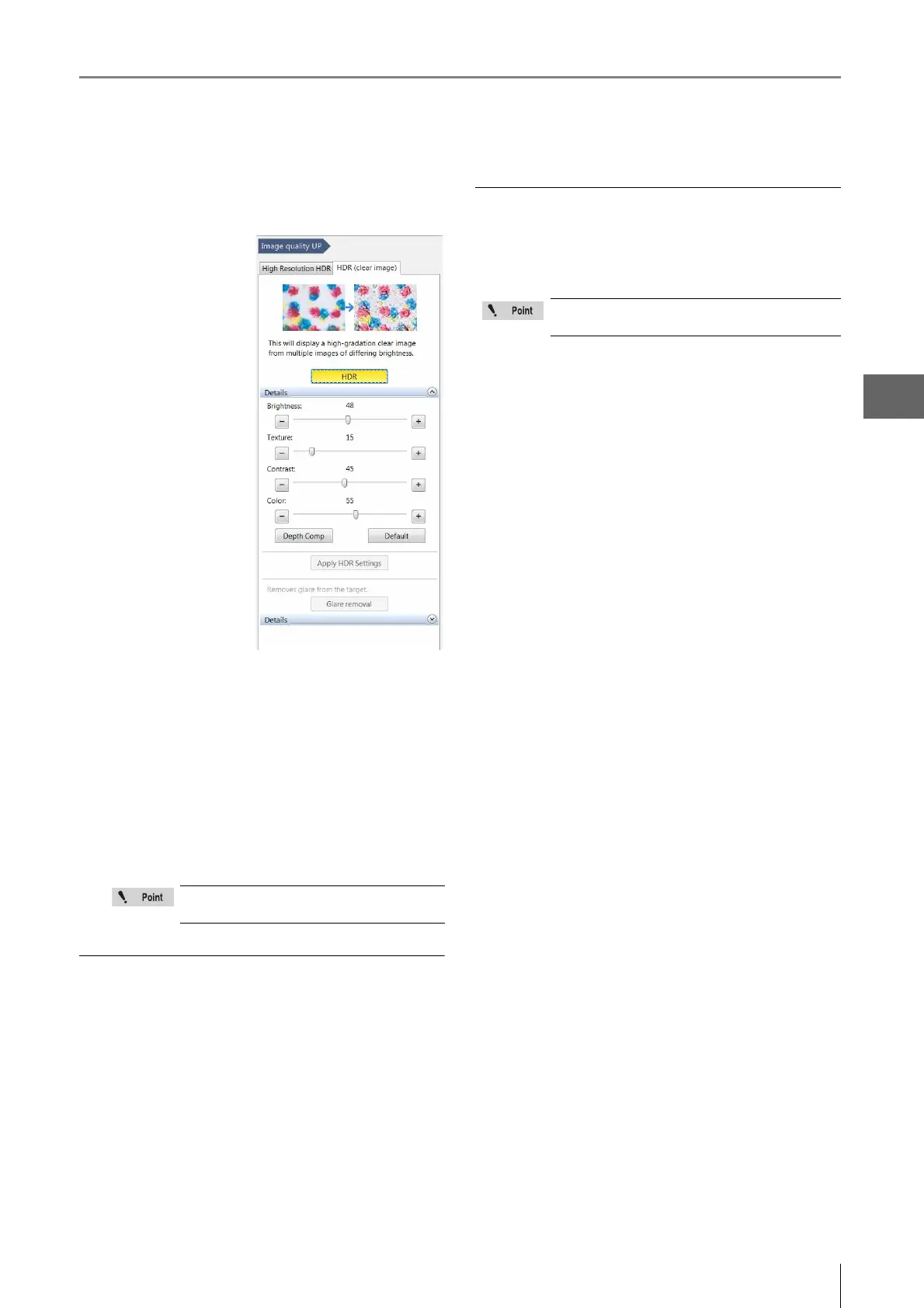
3 Drag the sliders left or right as needed to adjust
each item.
Brightness:
Adjusts the image
brightness.
Texture:
Adjusts the image
texture.
Contrast:
Adjusts the contrast of
the image.
Color:
Adjusts the color
intensity of the image.
[Depth Comp] button
This produces a "quick
3D" (Page 10-4)
display using the HDR
image.
[Default] button
Clicking the default
button returns the
settings to the automatically set values.
[Apply HDR Settings] button
This allows the user to apply previously used HDR
settings onto a new image.
1. Set a new target on the stage for observation.
2. Play (Page 6-7) the HDR image with the desired
settings using the album function and click the [Apply
HDR Settings] button. Images will now be recorded
with the same settings.
Saving HDR images
1 Press the [Rec] button or click [Rec] from the on-
screen menu options.
The [Rec] dialog box appears.
2 Select the [Save HDR Info] check box.
Select the folder where to save the data, enter the
filename, and click [Save].
Releasing the HDR function
Press the [HDR] button on the console or click [HDR (clear
image)] from the VHX MENU again to release the activated
state (yellow).
These functions are only available when
HDR files are played from the album.
While the HDR function is in effect, some
features will not be available.



 To Next Page