2 M8195A User Interface
62 Keysight M8195A Revision 2 – Arbitrary Waveform Generator User’s Guide
Preview Section
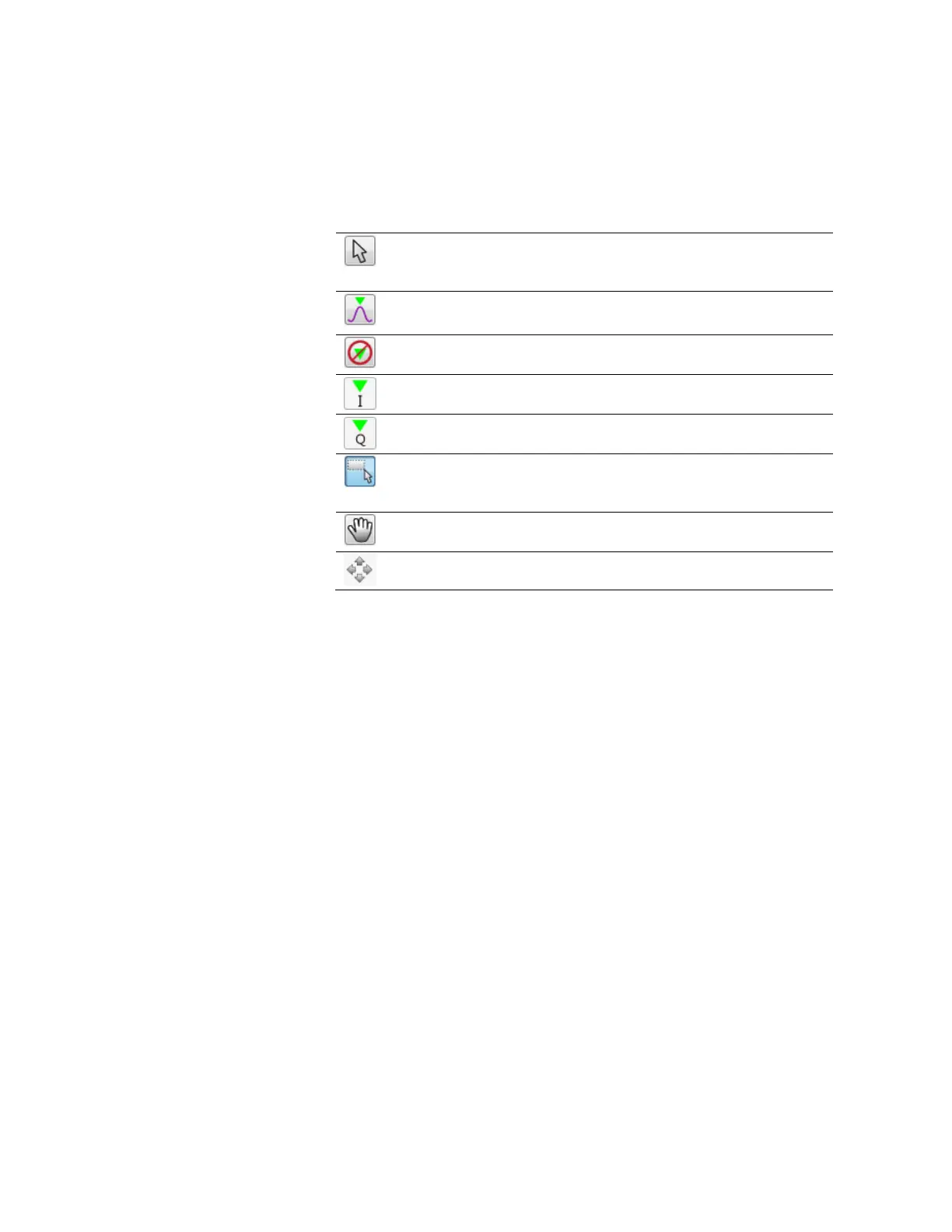
Waveform Preview Toolbar
The waveform preview toolbar includes the icons to preview the waveform. The
following icons are available:
Uses the mouse to control the marker. The respective position
of marker at X and Y axis are displayed on the top of
waveform.
Takes the marker to the peak position
Sets the marker on the I data part of the waveform
Sets the marker on the Q data part of the waveform
Provides zoom functionality. Use the mouse pointer to select
the area on waveform that you want to zoom. Once done, you
can click Auto scale icon to zoom out the waveform.
Uses the mouse pointer to move the waveform around. You
can also use the pan tool when the waveform is zoomed in.
Note – The availability of icons on the waveform preview toolbar may vary for
different tabs, depending upon their functionality to preview the waveform.
Save To File…
Signals can be stored in files in whether BIN (for non IQ modes) or IQBIN (for
IQ modes) formats. These files may be reused within the Import Waveform tab.
Send To Instrument
Signal will be transferred to the selected segments of the selected channels.
The previous running status for the target instrument will be preserved but
sampling rate may be modified depending on the waveform requirements.
Set Defaults
All the standard waveform parameters are set automatically to their
corresponding default values.



 To Next Page