Copying > Copying Functions
4-9
1
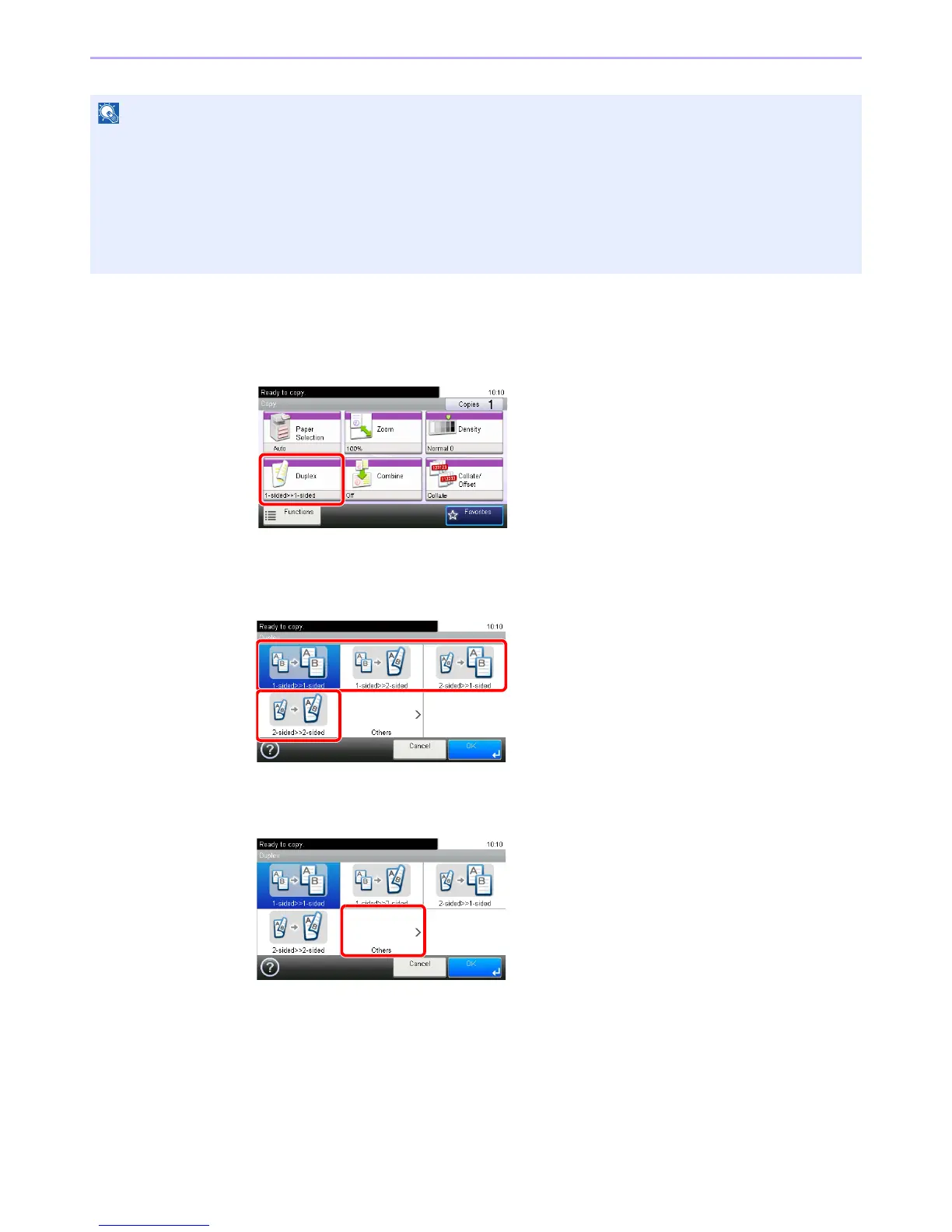
Display the screen.
1 Referring to Basic Operation on page 4-2, display the screen.
2
2
Select the function.
[1-sided>>1-sided], [1-sided>>2-sided], [2-sided>>1-sided], or [2-sided>>2-sided]
[Others]
1
The paper sizes supported in Two-sided to Two-sided are Ledger, Letter-R, Letter, Legal, Executive, Statement-R,
Oficio II, A3, A4-R, A4, A5-R, B4, B5-R, B5, Folio and 216 × 340 mm.
The following sizes of originals and paper are supported in Book to Two-sided mode. Original: Ledger, Letter-R,
Statement-R, A3, A4-R, A5-R, B4, B5-R and 8K. Paper: Letter, A4 and B5.
The following sizes of originals and paper are supported in Two-sided to One-sided and Book to One-sided. Original:
Ledger, Letter-R, Statement-R, A3, A4-R, A5-R, B4, B5-R and 8K. Paper: Letter, A4, B5 and 16K. You may change
paper size and reduce or enlarge copy to match that size.













 To Next Page