C
HAPTER
4
| Configuring the Switch
Configuring Security
– 112 –
WEB INTERFACE
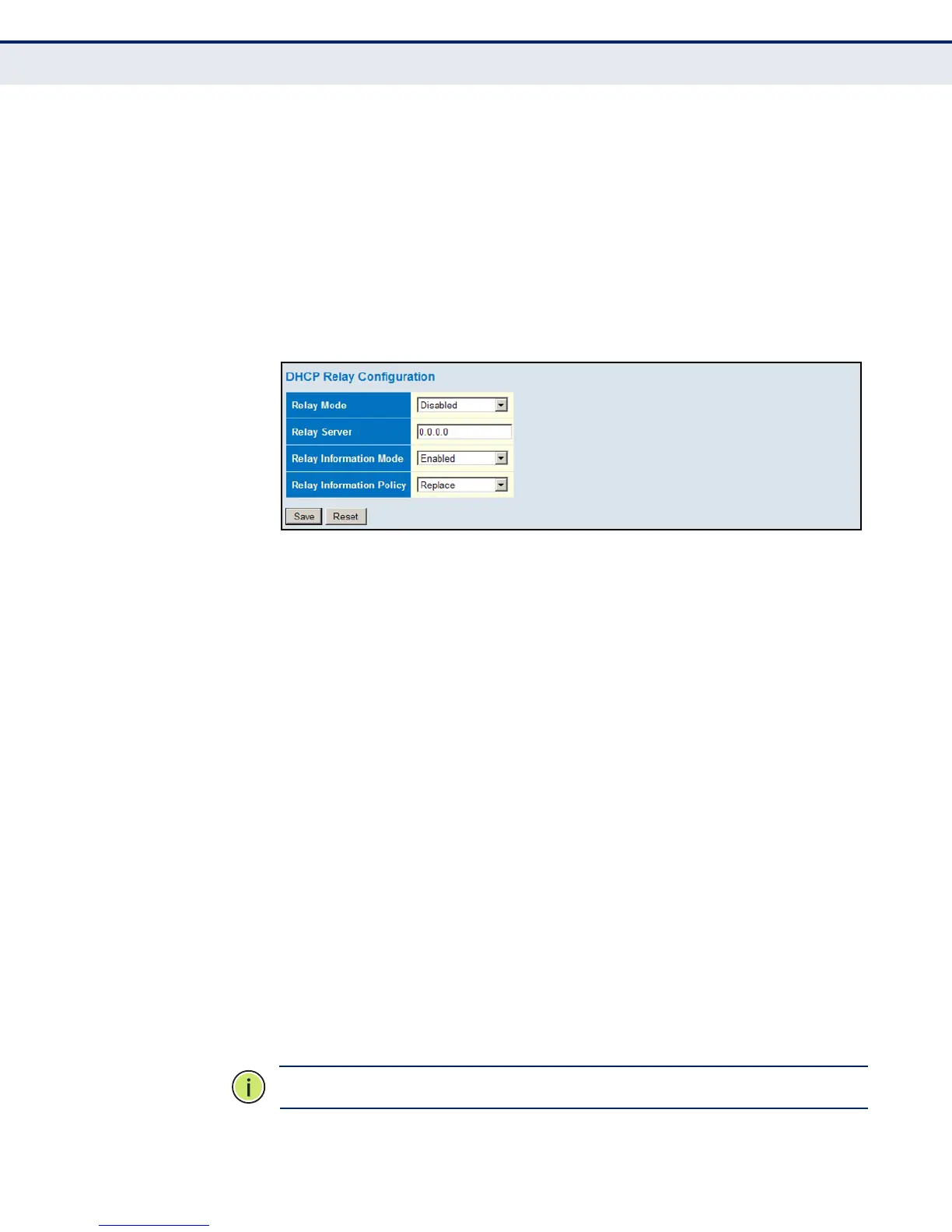
To configure DHCP Relay:
1. Click Advanced Configuration, Security, Network, DHCP, Relay.
2. Enable the DHCP relay function, specify the DHCP server’s IP address,
enable Option 82 information mode, and set the policy by which to
handle relay information found in client packets.
3. Click Save.
Figure 36: DHCP Relay Configuration
CONFIGURING IP
SOURCE GUARD
IP Source Guard is a security feature that filters IP traffic on network
interfaces based on manually configured entries in the IP Source Guard
table, or dynamic entries in the DHCP Snooping table when enabled (see
"Configuring DHCP Snooping"). IP source guard can be used to prevent
traffic attacks caused when a host tries to use the IP address of a neighbor
to access the network.
CONFIGURING GLOBAL AND PORT SETTINGS FOR IP SOURCE GUARD
Use the IP Source Guard Configuration page to filter traffic on an insecure
port which receives messages from outside the network or fire wall, and
therefore may be subject to traffic attacks caused by a host trying to use
the IP address of a neighbor. IP Source Guard filters traffic type based on
the source IP address and MAC address pairs found in the DHCP Snooping
table, or based upon static entries configured in the IP Source Guard Table.
PATH
Advanced Configuration, Security, Network, IP Source Guard, Configuration
COMMAND USAGE
◆ When IP Source Guard is enabled globally and on a port, the switch
checks the VLAN ID, source IP address, and port number against all
entries in the DHCP Snooping binding table and IP Source Guard Static
Table. If no matching entry is found, the packet is dropped.
N
OTE
:
Multicast addresses cannot be used by IP Source Guard.













 To Next Page