C
HAPTER
4
| Configuring the Switch
Quality of Service
– 201 –
◆ Unit - The unit of measure. (Options: kbps, Mbps, fps or kfps;
Default: kbps)
WEB INTERFACE
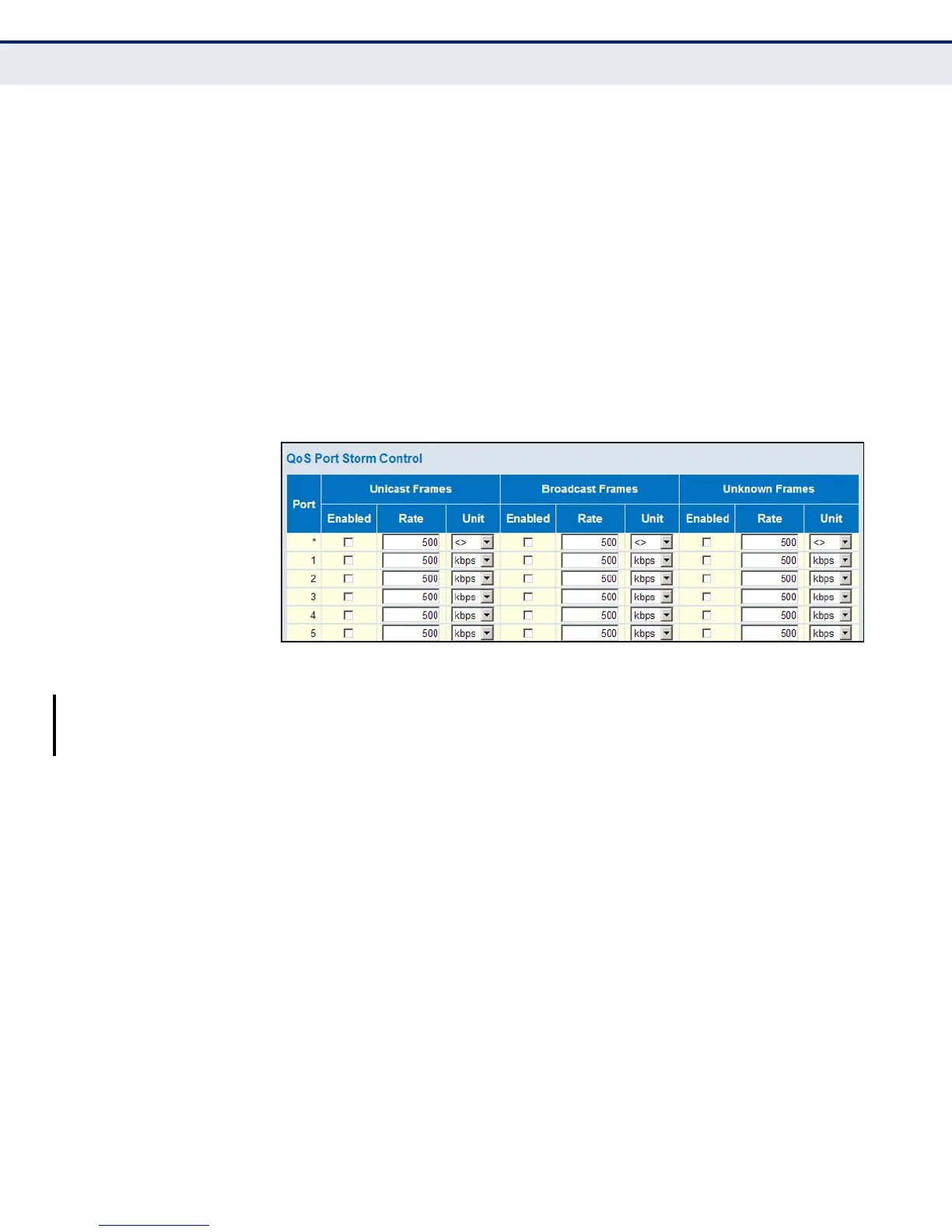
To configure Storm Control:
1. Click Configuration, QoS, Storm Control.
2. Enable storm control for unicast, broadcast, or unknown traffic by
marking the Enable box next to the required ports.
3. Select the control rate and unit of measure for each frame type.
4. Click Save.
Figure 85: Storm Control Configuration
CONFIGURING
RANDOM EARLY
DETECTION
Use the Weighted Random Early Detection Configuration page to control
traffic congestion on output queues using Random Early Detection (RED).
This method controls the average queue size by randomly dropping
packets at a moderate rate as the network load moves above a specified
minimum threshold, and then at a more aggressive rate when it reaches
drop probabilities DP1 - DP3. If the source is using TCP, it will automatically
decrease its transmission rate once it notices that packets are being
dropped. RED and TCP work together to cause hosts to adjust their
transmissions to a rate the network can handle.
PATH
Basic/Advanced Configuration, QoS, WRED
COMMAND USAGE
◆ Neither Novell NetWare nor AppleTalk respond robustly to packet loss,
either ignoring the dropped packets, or resending them at the same
rate. If a significant percentage of the network’s traffic employs these
protocols, it is not advisable to enable RED.
◆ Every incoming frame is classified into a Drop Precedence (DP) level,
which is used throughout the switch to provide congestion control for
frames according to the weight assigned to each DP level. Inbound
traffic is marked for drop precedence using a three-color priority













 To Next Page