C
HAPTER
4
| Configuring the Switch
Quality of Service
– 203 –
WEB INTERFACE
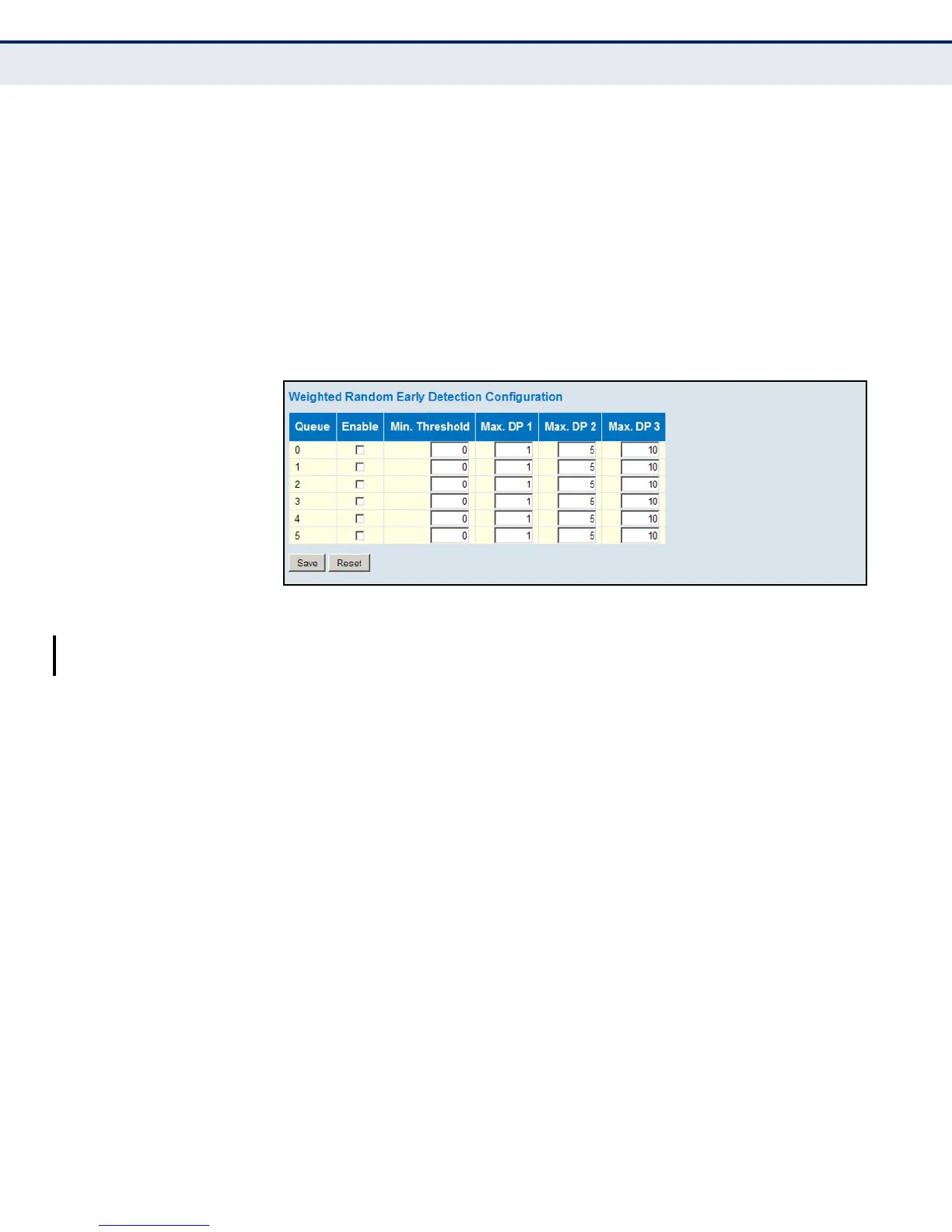
To configure WRED:
1. Click Configuration, QoS, WRED.
2. Enable WRED for the required queues. Set the minimum thresholds at
which the switch will start to randomly drop packets for queues 0-5.
Then set the drop probability level at which the switch will start
discarding more packets as the queue becomes more congested.
3. Click Save.
Figure 87: Weighted Random Early Detection Configuration
USING CONGESTION
MANAGEMENT
Use the Congestion Management page to forward traffic only if the
destination port is not congested. This is the most aggressive mode of
traffic management. However, note that it is only be applied to queues 0-5.
Queues 6-7 are reserved for real-time applications (such as voice) and
network control, and are therefore not suited for aggressive traffic
management policies.
PATH
Basic/Advanced Configuration, QoS, Congestion Management
PARAMETERS
These parameters are displayed:
◆ Mode - Enables or disables congestion management.
WEB INTERFACE
To configure WRED:
1. Click Configuration, QoS, Congestion Management.
2. Enable Congestion Management as required for all ports.
3. Click Save.













 To Next Page