C
HAPTER
4
| Configuring the Switch
Configuring Security
– 81 –
PARAMETERS
The following parameters are displayed:
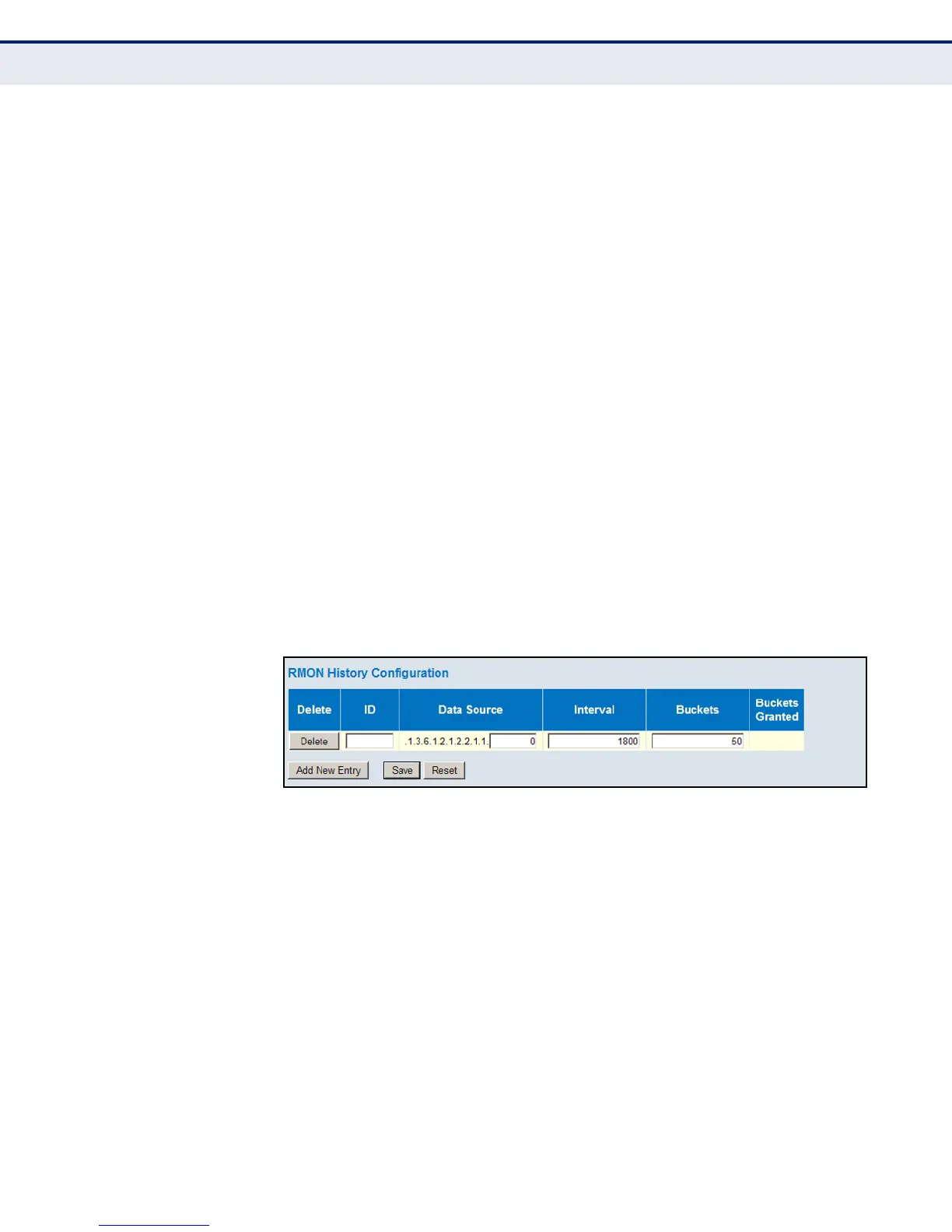
◆ ID - Index to this entry. (Range: 1-65535)
◆ Data Source – Port identifier.
◆ Interval - The polling interval. (Range: 1-3600 seconds; Default: 1800
seconds)
◆ Buckets - The number of buckets requested for this entry.
(Range: 1-3600; Default: 50)
◆ Buckets Granted - The number of buckets granted.
WEB INTERFACE
To periodically sample statistics on a port:
1. Click Advanced Configuration, Security, Switch, RMON, History.
2. Click Add New Entry.
3. Enter the index identifier, port number, sampling interval, and
maximum number of buckets requested.
4. Click Save.
Figure 26: RMON History Configuration
CONFIGURING RMON ALARMS
Use the RMON Alarm Configuration page to define specific criteria that will
generate response events. Alarms can be set to test data over any
specified time interval, and can monitor absolute or changing values (such
as a statistical counter reaching a specific value, or a statistic changing by
a certain amount over the set interval). Alarms can be set to respond to
rising or falling thresholds. However, note that after an alarm is triggered it
will not be triggered again until the statistical value crosses the opposite
bounding threshold and then back across the trigger threshold.
PATH
Advanced Configuration, Security, RMON, Alarm













 To Next Page