C
HAPTER
4
| Configuring the Switch
Configuring the Spanning Tree Algorithm
– 131 –
administrative edge is enabled on a port. BDPU filtering is configured
on a per-port basis. (Default: Disabled)
◆ Edge Port BPDU Guard – This feature protects edge ports from
receiving BPDUs. It prevents loops by shutting down an edge port when
a BPDU is received instead of putting it into the spanning tree
discarding state. In a valid configuration, configured edge ports should
not receive BPDUs. If an edge port receives a BPDU, an invalid
configuration exists, such as a connection to an unauthorized device.
The BPDU guard feature provides a secure response to invalid
configurations because an administrator must manually enable the
port. (Default: Disabled)
◆ Port Error Recovery – Controls whether a port in the error-disabled
state will be automatically enabled after a certain time. If recovery is
not enabled, ports have to be disabled and re-enabled for normal STA
operation. The condition is also cleared by a system reboot.
◆ Port Error Recovery Timeout – The time that has to pass before a
port in the error-disabled state can be enabled. (Range: 30-86400
seconds or 24 hours)
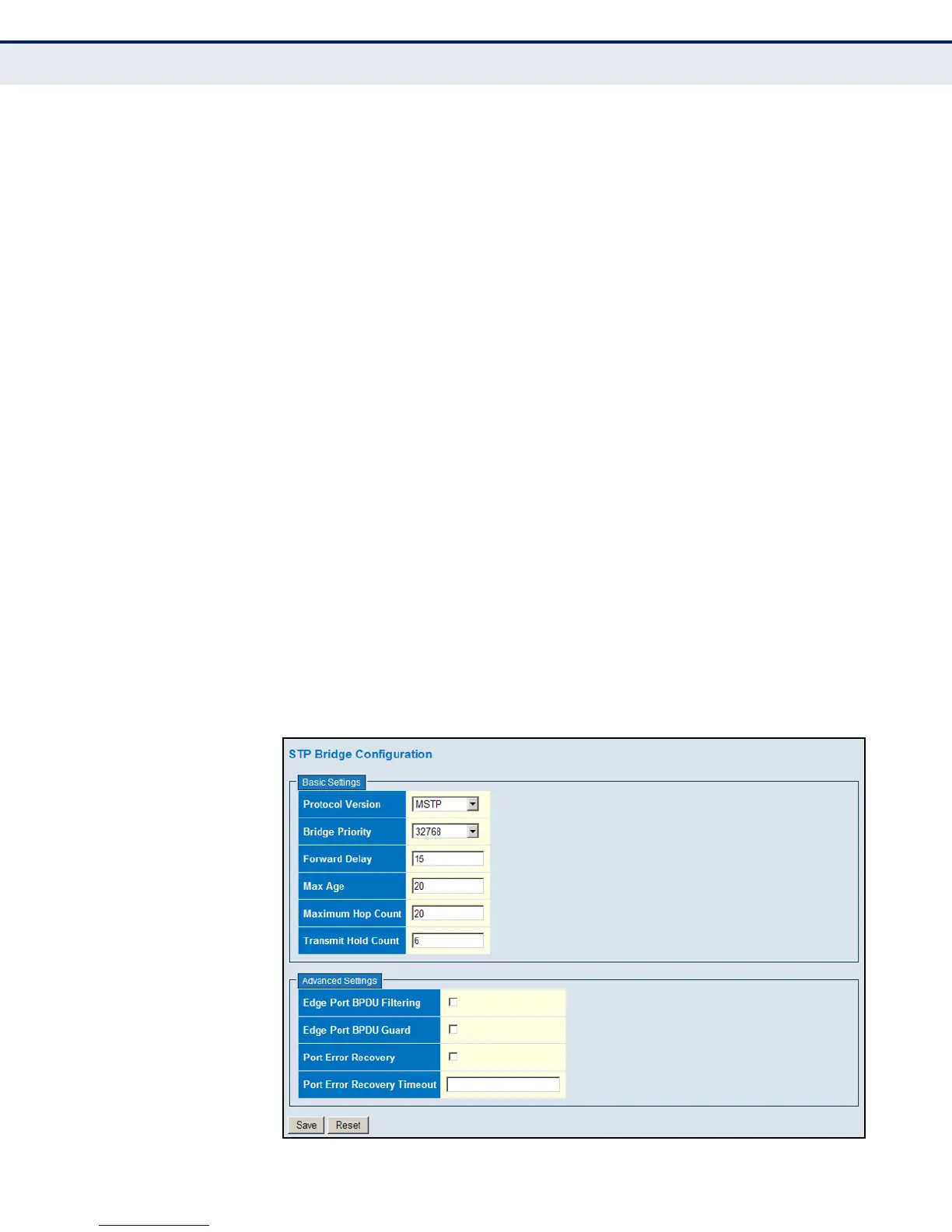
WEB INTERFACE
To configure global settings for STA:
1. Click Configuration, Spanning Tree, Bridge Settings.
2. Modify the required attributes.
3. Click Save.
Figure 47: STA Bridge Configuration













 To Next Page