C
HAPTER
4
| Configuring the Switch
MLD Snooping
– 151 –
◆ Filtering Groups – Multicast groups that are denied on a port. When
filter groups are defined, IGMP join reports received on a port are
checked against the these groups. If a requested multicast group is
denied, the IGMP join report is dropped.
WEB INTERFACE
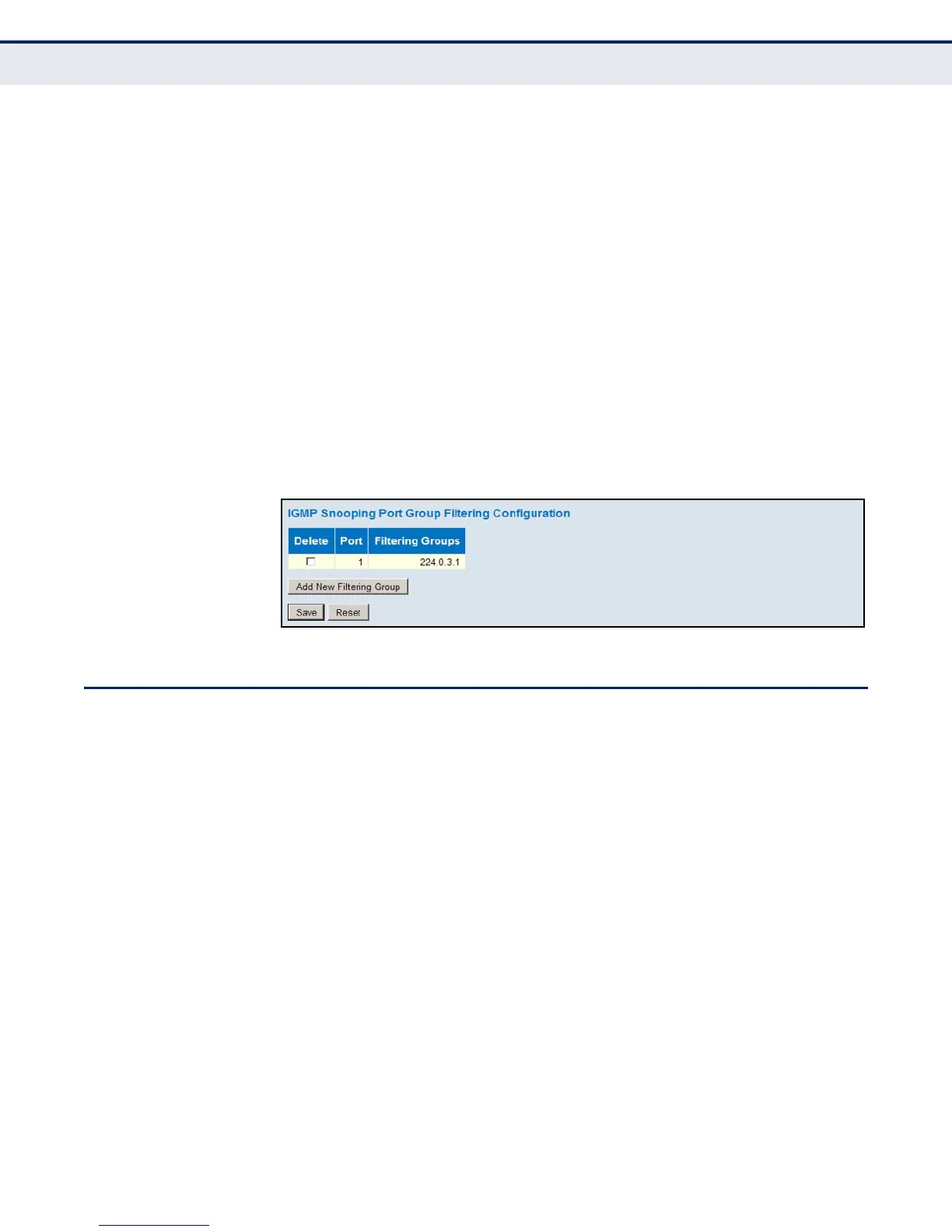
To configure IGMP Snooping Port Group Filtering:
1. Click Configuration, IGMP Snooping, Port Group Filtering.
2. Click Add New Filtering Group to display a new entry in the table.
3. Select the port to which the filter will be applied.
4. Enter the IP address of the multicast service to be filtered.
5. Click Save.
Figure 57: IGMP Snooping Port Group Filtering Configuration
MLD SNOOPING
Multicast Listener Discovery (MLD) snooping operates on IPv6 traffic and
performs a similar function to IGMP snooping for IPv4. That is, MLD
snooping dynamically configures switch ports to limit IPv6 multicast traffic
so that it is forwarded only to ports with users that want to receive it. This
reduces the flooding of IPv6 multicast packets in the specified VLANs.
This switch supports MLD protocol version 1. MLDv1 control packets
include Listener Query, Listener Report, and Listener Done messages
(equivalent to IGMPv2 query, report, and leave messages).
Remember that IGMP Snooping and MLD Snooping are independent
functions, and can therefore both function at the same time.
CONFIGURING GLOBAL
AND
PORT-RELATED
SETTINGS FOR MLD
SNOOPING
Use the MLD Snooping Configuration page to configure global and port-
related settings which control the forwarding of multicast traffic. Based on
the MLD query and report messages, the switch forwards traffic only to the
ports that request multicast traffic. This prevents the switch from
broadcasting the traffic to all ports and possibly disrupting network
performance.













 To Next Page