C
HAPTER
4
| Configuring the Switch
Configuring Security
– 73 –
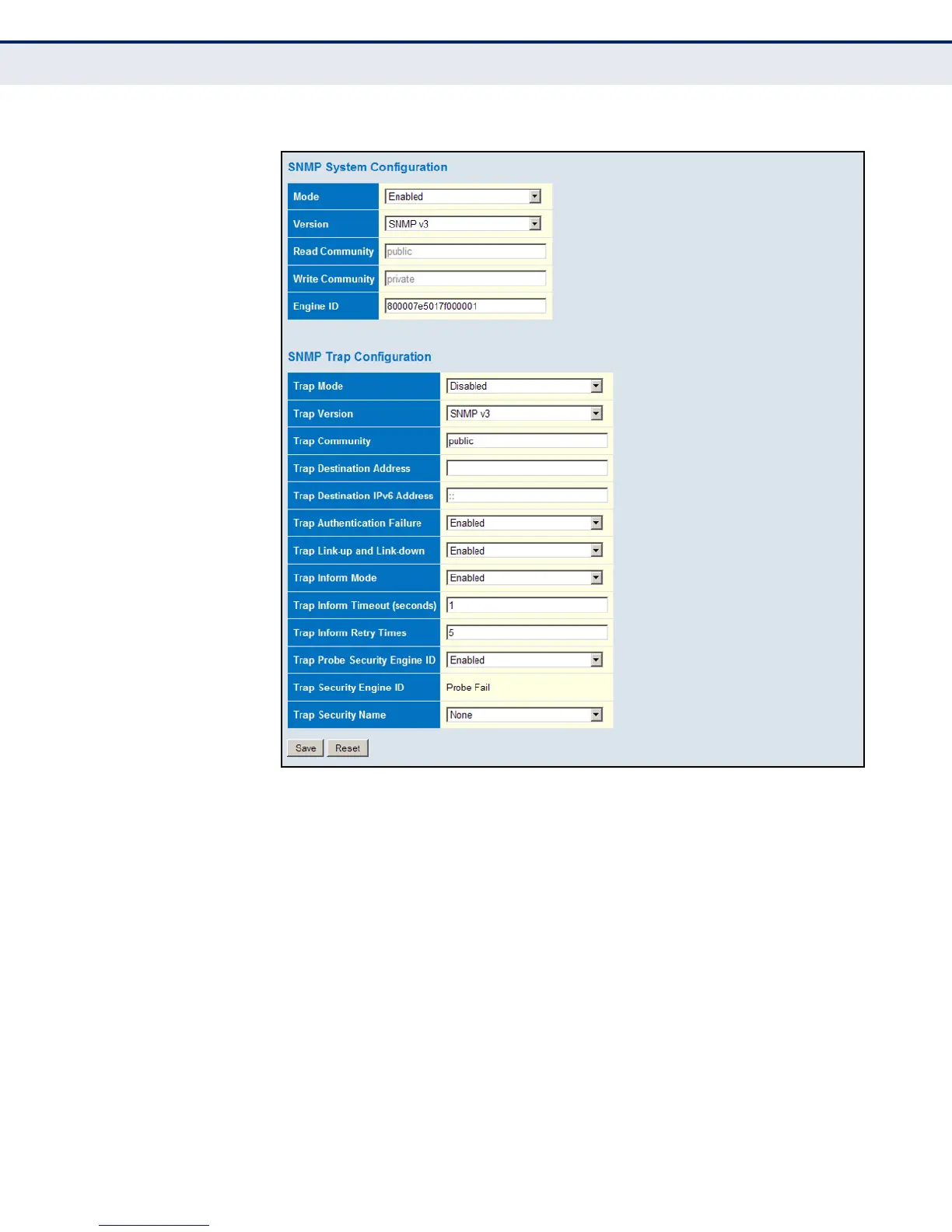
Figure 19: SNMP System Configuration
SETTING SNMPV3 COMMUNITY ACCESS STRINGS
Use the SNMPv3 Community Configuration page to set community access
strings. All community strings used to authorize access by SNMP v1 and
v2c clients should be listed in the SNMPv3 Communities Configuration
table. For security reasons, you should consider removing the default
strings.
PATH
Advanced Configuration, Security, Switch, SNMP, Communities
PARAMETERS
These parameters are displayed:
◆ Community - Specifies the community strings which allow access to
the SNMP agent. (Range: 1-32 characters, ASCII characters 33-126
only; Default: public, private)













 To Next Page