C
HAPTER
5
| Monitoring the Switch
Displaying MVR Information
– 257 –
WEB INTERFACE
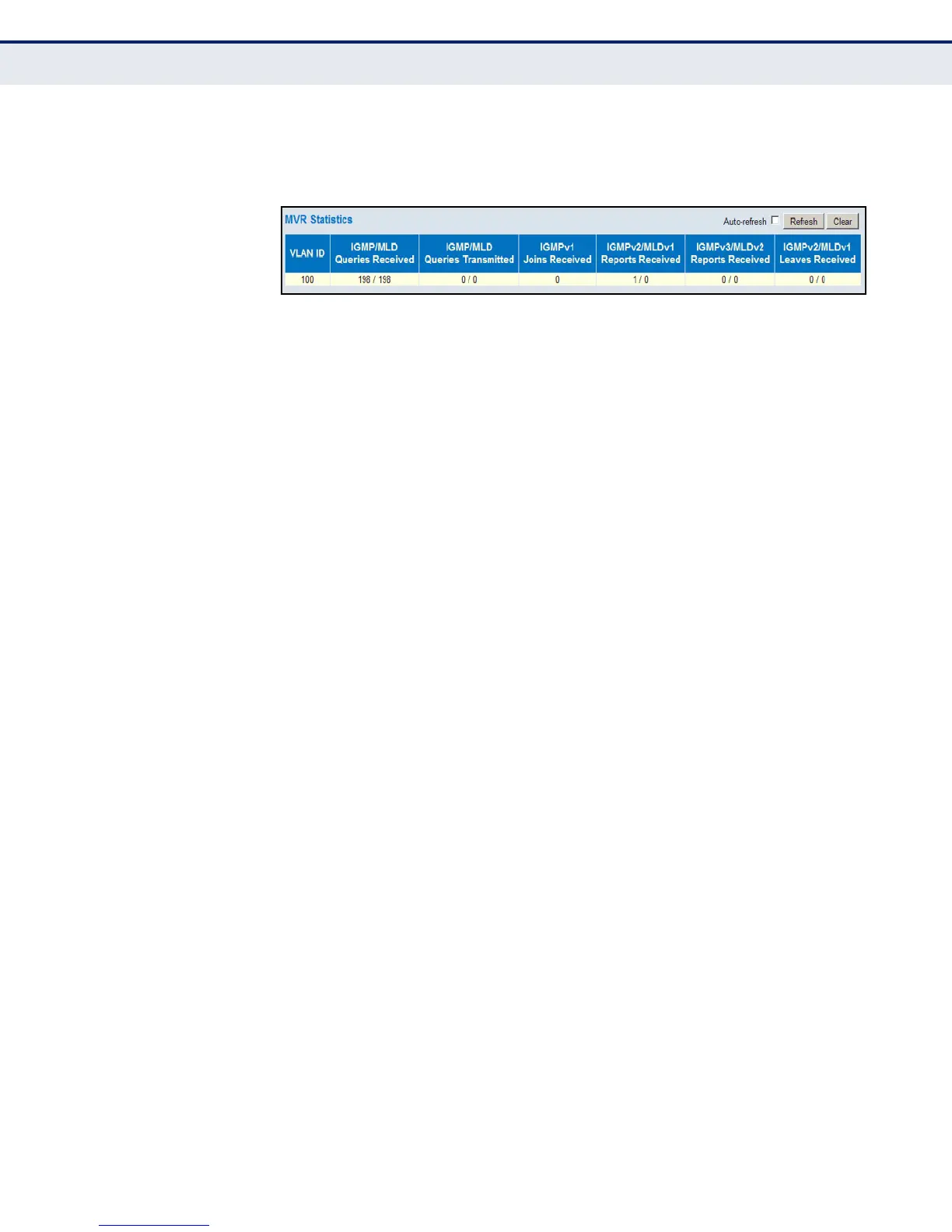
To display information for MVR statistics, click Monitor, MVR, Statistics.
Figure 128: MVR Statistics
DISPLAYING MVR
GROUP INFORMATION
Use the MVR Group Information page to display statistics for IGMP protocol
messages used by MVR; and to shows information about the interfaces
associated with multicast groups assigned to the MVR VLAN.
PATH
Monitor, MVR, Group Information
PARAMETERS
These parameters are displayed:
Statistics
◆ VLAN ID – Identifier of the VLAN that serves as the channel for
streaming multicast services using MVR.
◆ V1 Reports Received – The number of IGMP V1 reports received.
◆ V2 Reports Received – The number of IGMP V2 reports received.
◆ V3 Reports Received – The number of IGMP V3 reports received.
◆ V2 Leaves Received – The number of IGMP V2 leaves received.
Multicast Groups
◆ VLAN ID – Identifier of the VLAN that serves as the channel for
streaming multicast services using MVR.
◆ Groups – The present multicast groups. A maximum of 128 groups are
allowed in the multicast VLAN.
◆ Port Members – The ports that are members of the entry.













 To Next Page