C
HAPTER
4
| Configuring the Switch
Configuring Remote Log Messages
– 54 –
acknowledgments. The syslog packet will always be sent out even if the
syslog server does not exist.
PARAMETERS
These parameters are displayed:
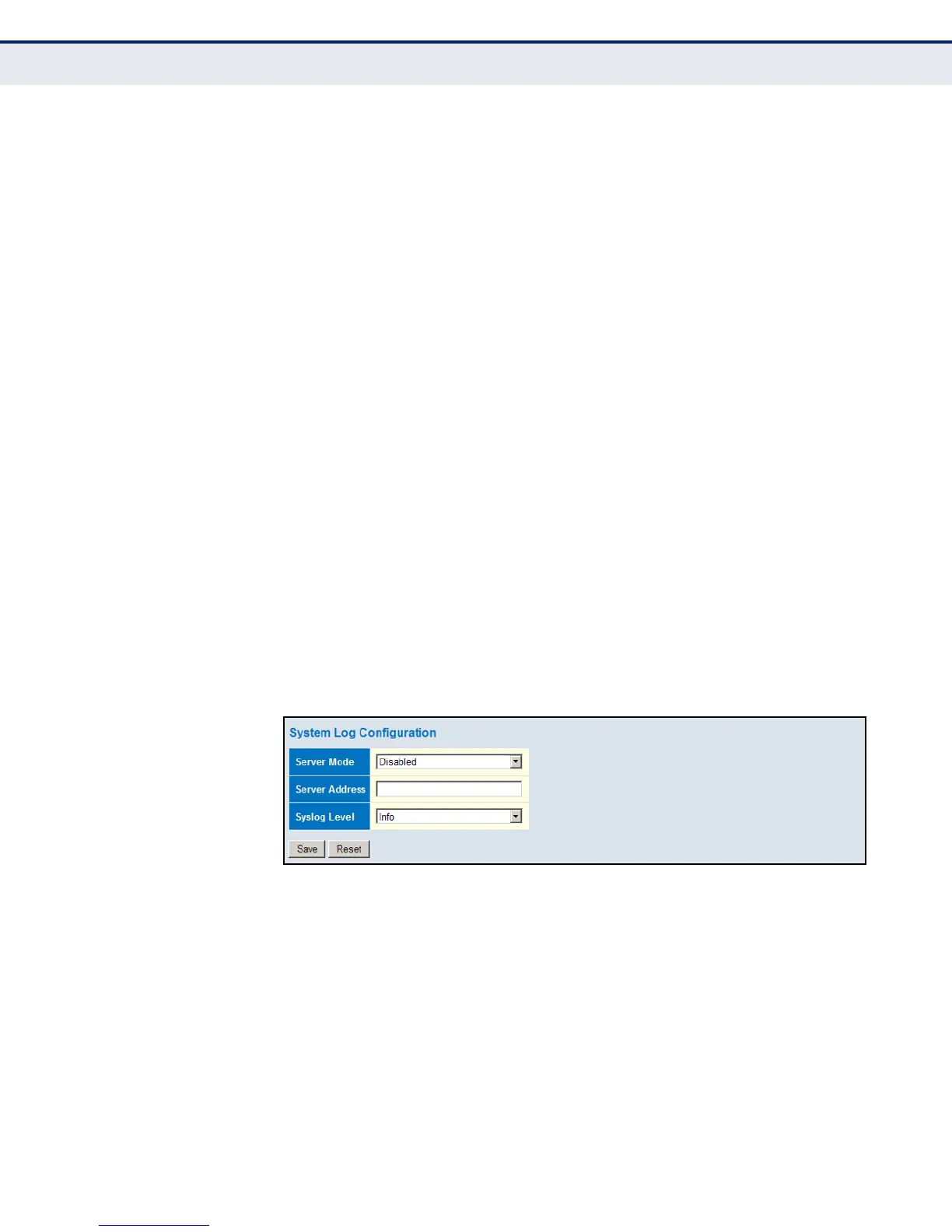
◆ Server Mode – Enables/disables the logging of debug or error
messages to the remote logging process. (Default: Disabled)
◆ Server Address – Specifies the IPv4 address or alias of a remote
server which will be sent syslog messages.
◆ Syslog Level – Limits log messages that are sent to the remote syslog
server for the specified types. Messages options include the following:
■
Info – Send informations, warnings and errors. (Default setting)
■
Warning – Send warnings and errors.
■
Error – Send errors.
WEB INTERFACE
To configure the logging of error messages to remote servers:
1. Click Configuration, System, Log.
2. Enable remote logging, enter the IP address of the remote server, and
specify the type of syslog messages to send.
3. Click Apply.
Figure 8: Configuring Settings for Remote Logging of Error Messages













 To Next Page