C
HAPTER
4
| Configuring the Switch
Configuring Security
– 74 –
For SNMPv3, these strings are treated as a Security Name, and are
mapped as an SNMPv1 or SNMPv2 community string in the SNMPv3
Groups Configuration table (see "Configuring SNMPv3 Groups" on
page 76).
◆ Source IP - Specifies the source address of an SNMP client.
◆ Source Mask - Specifies the address mask for the SNMP client.
WEB INTERFACE
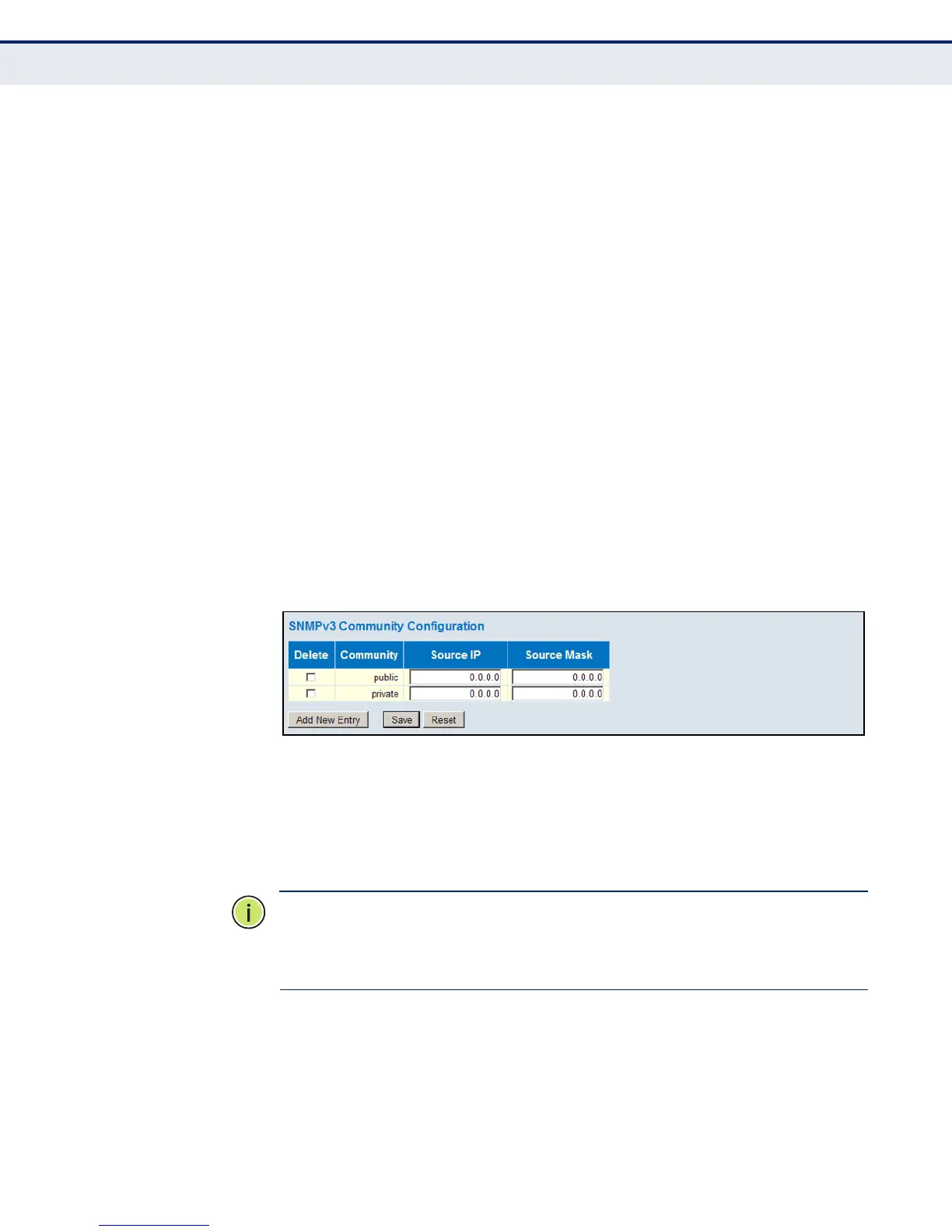
To configure SNMP community access strings:
1. Click Advanced Configuration, Security, Switch, SNMP, Communities.
2. Set the IP address and mask for the default community strings.
Otherwise, you should consider deleting these strings for security
reasons.
3. Add any new community strings required for SNMPv1 or v2 clients that
need to access the switch, along with the source address and address
mask for each client.
4. Click Save.
Figure 20: SNMPv3 Community Configuration
CONFIGURING SNMPV3 USERS
Use the SNMPv3 User Configuration page to define a unique name and
remote engine ID for each SNMPv3 user. Users must be configured with a
specific security level, and the types of authentication and privacy
protocols to use.
N
OTE
:
Any user assigned through this page is associated with the group
assigned to the USM Security Model on the SNMPv3 Groups Configuration
page (page 76), and the views assigned to that group in the SNMPv3
Access Configuration page (page 78).
PATH
Advanced Configuration, Security, Switch, SNMP, Users













 To Next Page