C
HAPTER
4
| Configuring the Switch
Configuring Security
– 115 –
■
If there is an entry with the same VLAN ID and MAC address, and
the type of entry is static IP source guard binding, then the new
entry will replace the old one.
■
If there is an entry with the same VLAN ID and MAC address, and
the type of the entry is dynamic DHCP snooping binding, then the
new entry will replace the old one and the entry type will be
changed to static IP source guard binding.
■
Only unicast addresses are accepted for static bindings.
PARAMETERS
These parameters are displayed:
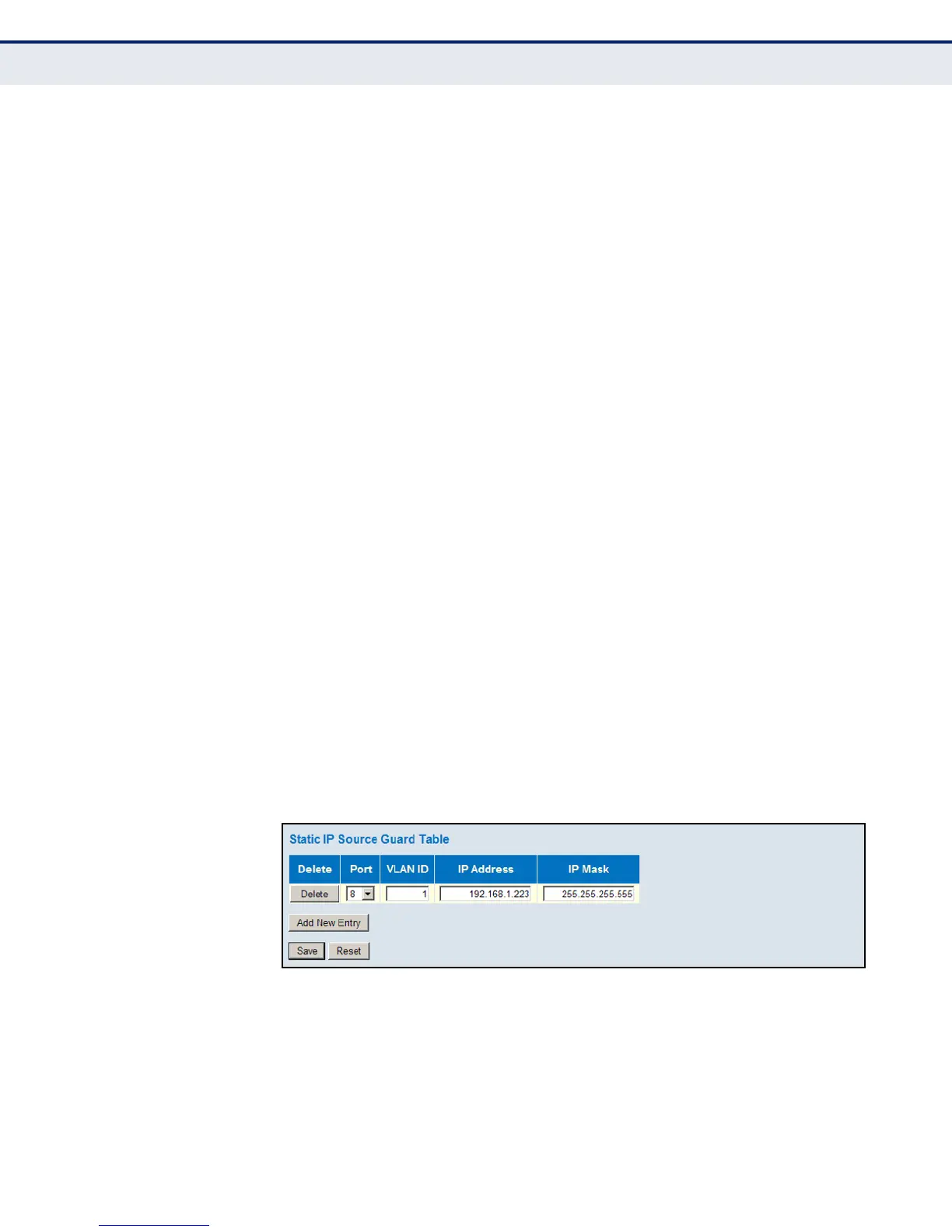
◆ Port – The port to which a static entry is bound.
◆ VLAN ID – ID of a configured VLAN (Range: 1-4095)
◆ IP Address – A valid unicast IP address, including classful types A, B
or C.
◆ MAC Address – A valid unicast MAC address.
WEB INTERFACE
To configure static bindings for IP Source Guard:
1. Click Advanced Configuration, Security, Network, IP Source Guard,
Static Table.
2. Click “Add new entry.”
3. Enter the required bindings for a given port.
4. Click Save.
Figure 38: Configuring Static Bindings for IP Source Guard













 To Next Page