C
HAPTER
4
| Configuring the Switch
Configuring Security
– 117 –
CONFIGURING GLOBAL AND PORT SETTINGS FOR ARP INSPECTION
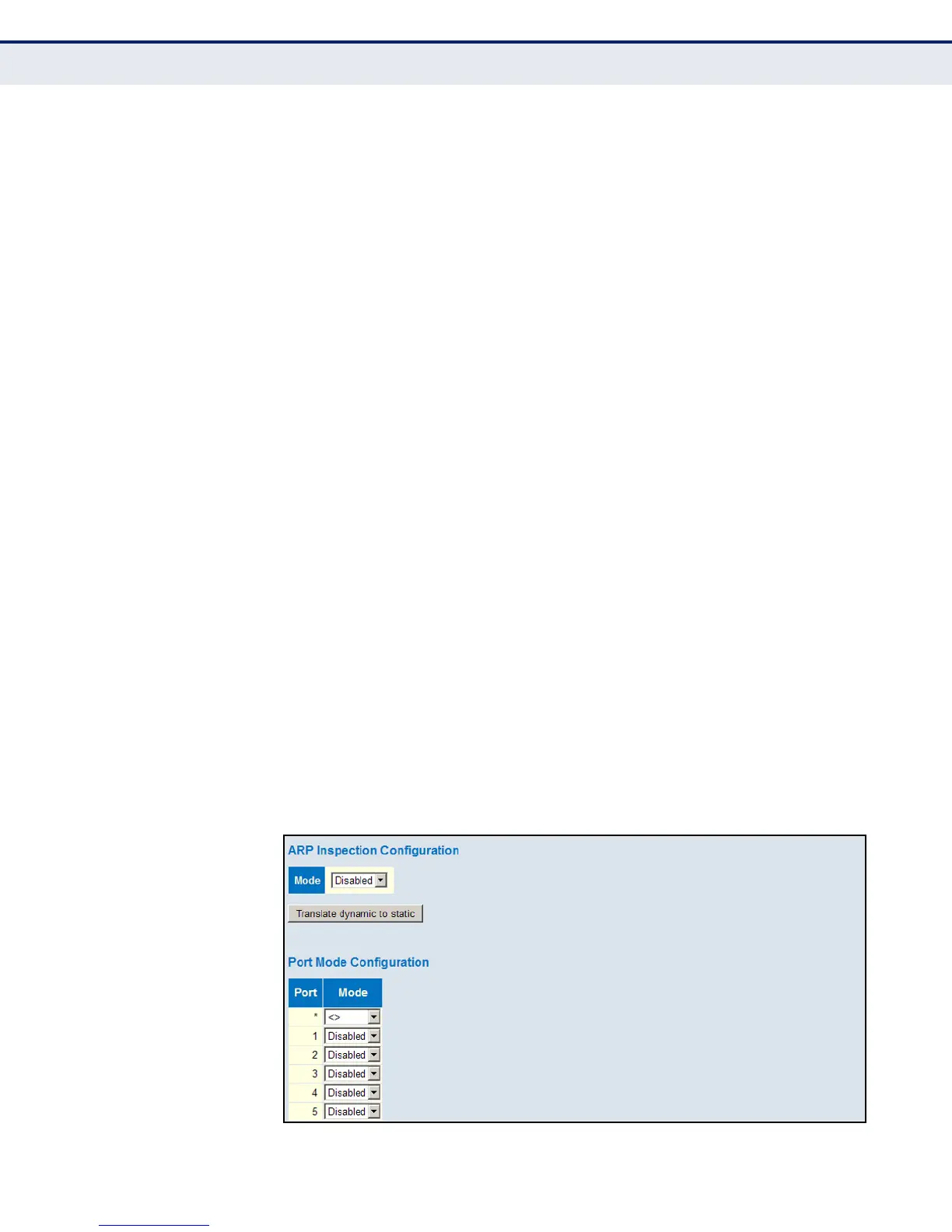
Use the ARP Inspection Configuration page to enable ARP inspection
globally for the switch and for any ports on which it is required.
PATH
Advanced Configuration, Security, Network, ARP Inspection, Configuration
PARAMETERS
These parameters are displayed:
Global Configuration
◆ Mode – Enables Dynamic ARP Inspection globally. (Default: Disabled)
◆ Translate dynamic to static – Click to translate all dynamic entries to
static entries.
Port Mode Configuration
◆ Port – Port identifier
◆ Mode – Enables Dynamic ARP Inspection on a given port. Only when
both Global Mode and Port Mode on a given port are enabled, will ARP
Inspection be enabled on a given port. (Default: Disabled)
WEB INTERFACE
To configure global and port settings for ARP Inspection:
1. Click Advanced Configuration, Security, Network, ARP Inspection,
Configuration.
2. Enable ARP inspection globally, and on any ports where it is required.
3. Click Save.
Figure 39: Configuring Global and Port Settings for ARP Inspection













 To Next Page