C
HAPTER
4
| Configuring the Switch
Configuring the Spanning Tree Algorithm
– 133 –
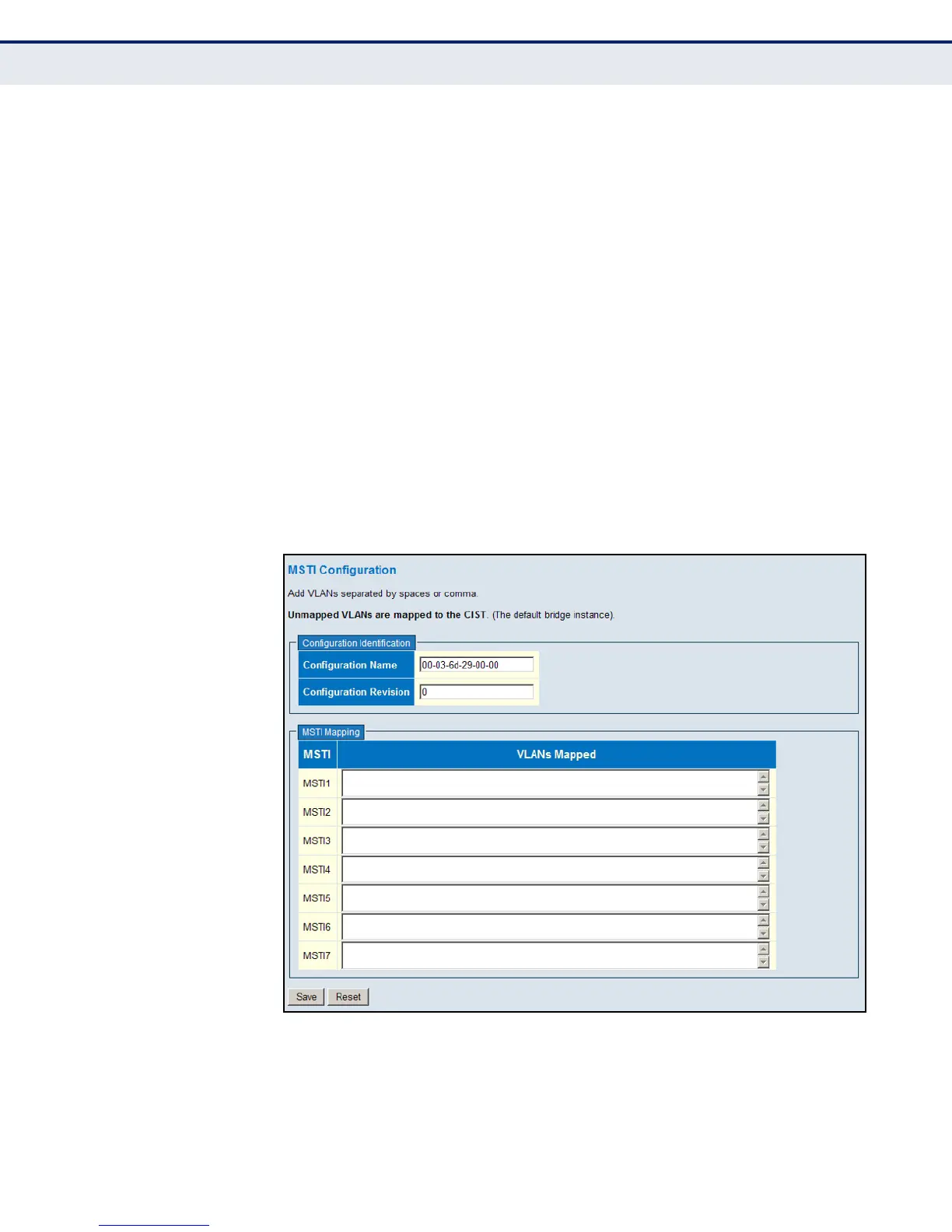
MSTI Mapping
◆ MSTI – Instance identifier to configure. The CIST is not available for
explicit mapping, as it will receive the VLANs not explicitly mapped.
(Range: 1-7)
◆ VLANs Mapped – VLANs to assign to this MST instance. The VLANs
must be separated with comma and/or space. A VLAN can only be
mapped to one MSTI. (Range: 1-4094)
WEB INTERFACE
To add VLAN groups to an MSTP instance:
1. Click Configuration, Spanning Tree, MSTI Mapping.
2. Enter the VLAN group to add to the instance in the VLANs Mapped
column. Note that the specified member does not have to be a
configured VLAN.
3. Click Save
Figure 48: Adding a VLAN to an MST Instance













 To Next Page