C
HAPTER
5
| Monitoring the Switch
Displaying LLDP Information
– 268 –
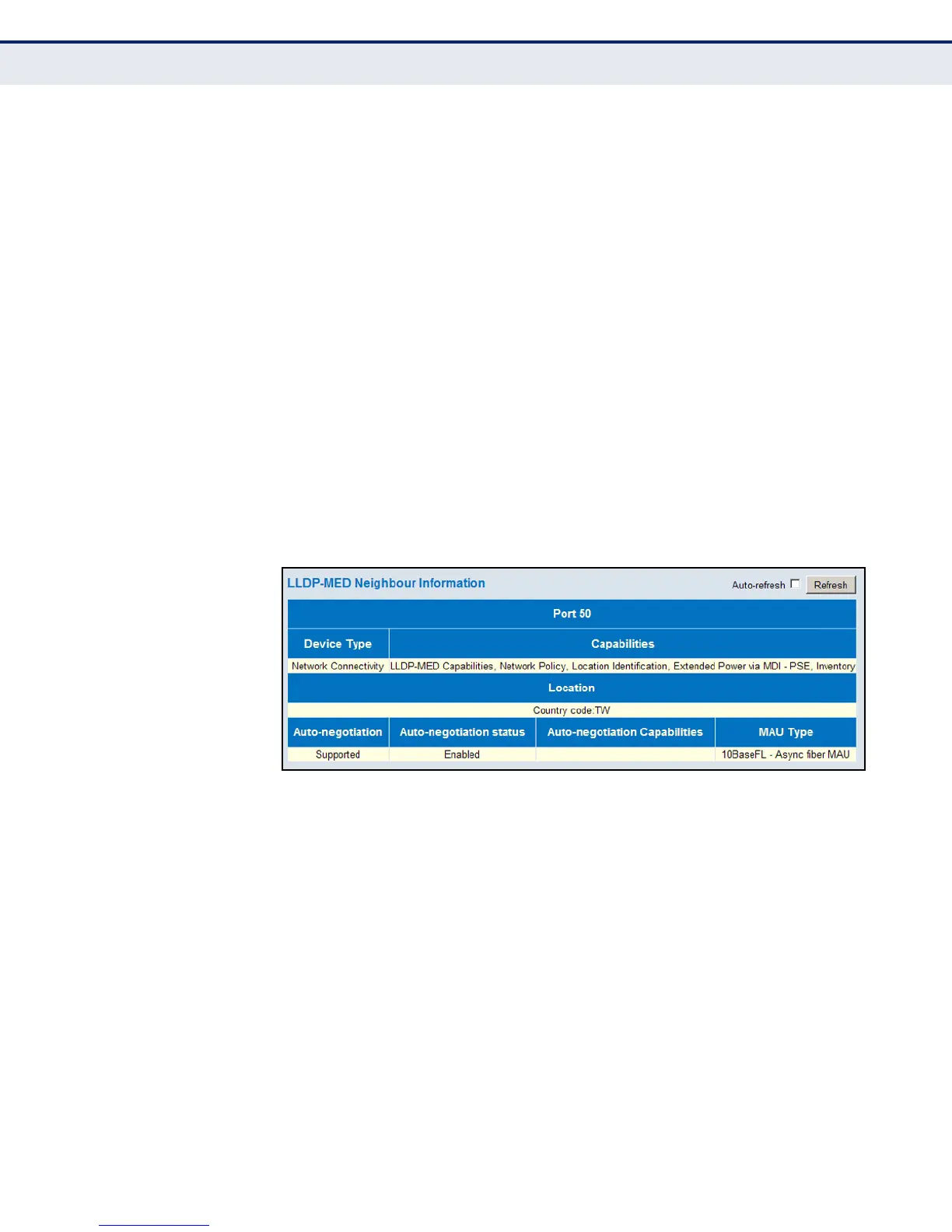
◆ Location – The physical location of the device attached to an interface,
including items such as the country, city, street number, building and
room information.
◆ Auto-negotiation – Shows if MAC/PHY auto-negotiation is supported
by the link partner.
◆ Auto-negotiation Status – Auto-negotiation status identifies if auto-
negotiation is currently enabled at the link partner. If Auto-negotiation
is supported and Auto-negotiation status is disabled, the 802.3 PMD
operating mode will be determined the operational MAU type field value
rather than by auto-negotiation.
◆ Auto-negotiation Capabilities – Shows the link partners MAC/PHY
capabilities.
◆ MAU Type – The operational MAU type of the sending device.
WEB INTERFACE
To display information about LLDP-MED neighbors, click Monitor, LLDP,
LLDP-MED Neighbors.
Figure 138: LLDP-MED Neighbor Information
DISPLAYING LLDP
N
EIGHBOR EEE
I
NFORMATION
Use the LLDP Neighbors EEE Information page to displays Energy Efficient
Ethernet information advertised through LLDP messages.
PATH
Monitor, LLDP, EEE
PARAMETERS
These parameters are displayed:
◆ Local Port – The port on this switch which received the LLDP frame.
◆ Tx Tw – The link partner's maximum time that the transmit path can
hold off sending data after de-assertion of Lower Power Idle (LPI)
mode. (Tw indicates Wake State Time)













 To Next Page