C
HAPTER
4
| Configuring the Switch
Configuring Security
– 58 –
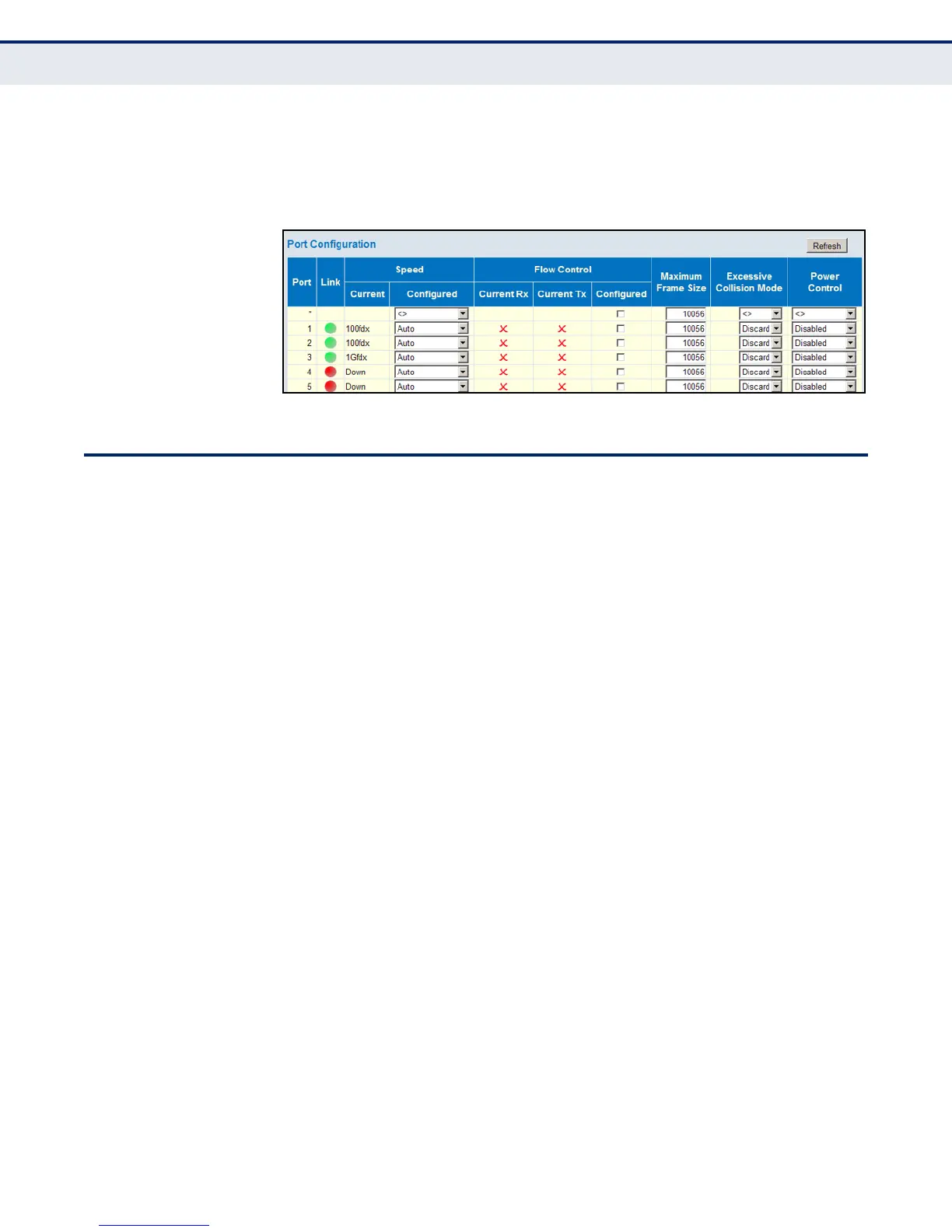
2. Make any required changes to the connection settings.
3. Click Save.
Figure 10: Port Configuration
CONFIGURING SECURITY
You can configure this switch to authenticate users logging into the system
for management access or to control client access to the data ports.
Management Access Security (Switch menu) – Management access to the
switch can be controlled through local authentication of user names and
passwords stored on the switch, or remote authentication of users via a
RADIUS or TACACS+ server. Additional authentication methods includes
Secure Shell (SSH), Secure Hypertext Transfer Protocol (HTTPS) over the
Secure Socket Layer (SSL), static configuration of client addresses, and
SNMP.
General Security Measures (Network menu) – This switch supports many
methods of segregating traffic for clients attached to each of the data
ports, and for ensuring that only authorized clients gain access to the
network. Private VLANs and port-based authentication using IEEE 802.1X
are commonly used for these purposes. In addition to these methods,
several other options of providing client security are supported by this
switch. These include limiting the number of users accessing a port. The
addresses assigned to DHCP clients can also be carefully controlled using
static or dynamic bindings with DHCP Snooping and IP Source Guard
commands. ARP Inspection can also be used to validate the MAC address
bindings for ARP packets, providing protection against ARP traffic with
invalid MAC to IP address bindings, which forms the basis for “man-in-the-
middle” attacks.
CONFIGURING USER
ACCOUNTS
Use the User Configuration page to control management access to the
switch based on manually configured user names and passwords.
PATH
Advanced Configuration, Security, Switch, Users













 To Next Page