C
HAPTER
5
| Monitoring the Switch
Displaying Information on the Spanning Tree
– 254 –
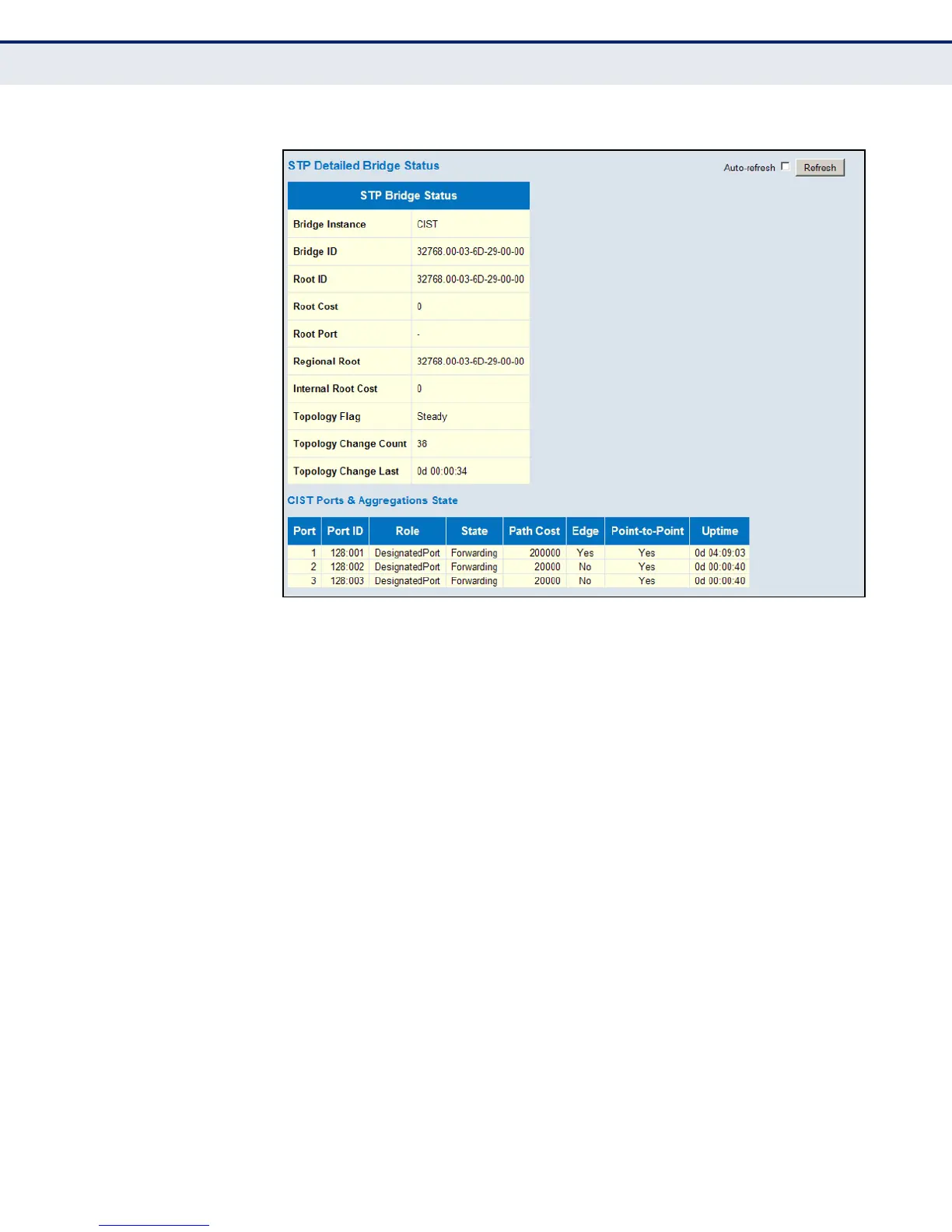
Figure 125: Spanning Tree Detailed Bridge Status
DISPLAYING PORT
STATUS FOR STA
Use the Port Status page to display the STA functional status of
participating ports.
PATH
Monitor, Spanning Tree, Port Status
PARAMETERS
These parameters are displayed:
◆ Port – Port Identifier.
◆ CIST Role – Roles are assigned according to whether the port is part of
the active topology connecting the bridge to the root bridge (i.e., root
port), connecting a LAN through the bridge to the root bridge (i.e.,
designated port); or is an alternate or backup port that may provide
connectivity if other bridges, bridge ports, or LANs fail or are removed.
◆ CIST State – Displays current state of this port within the Spanning
Tree:
■
Blocking – Port receives STA configuration messages, but does not
forward packets.
■
Learning – Port has transmitted configuration messages for an
interval set by the Forward Delay parameter without receiving
contradictory information. Port address table is cleared, and the
port begins learning addresses.













 To Next Page