C
HAPTER
4
| Configuring the Switch
Configuring Security
– 118 –
CONFIGURING STATIC BINDINGS FOR ARP INSPECTION
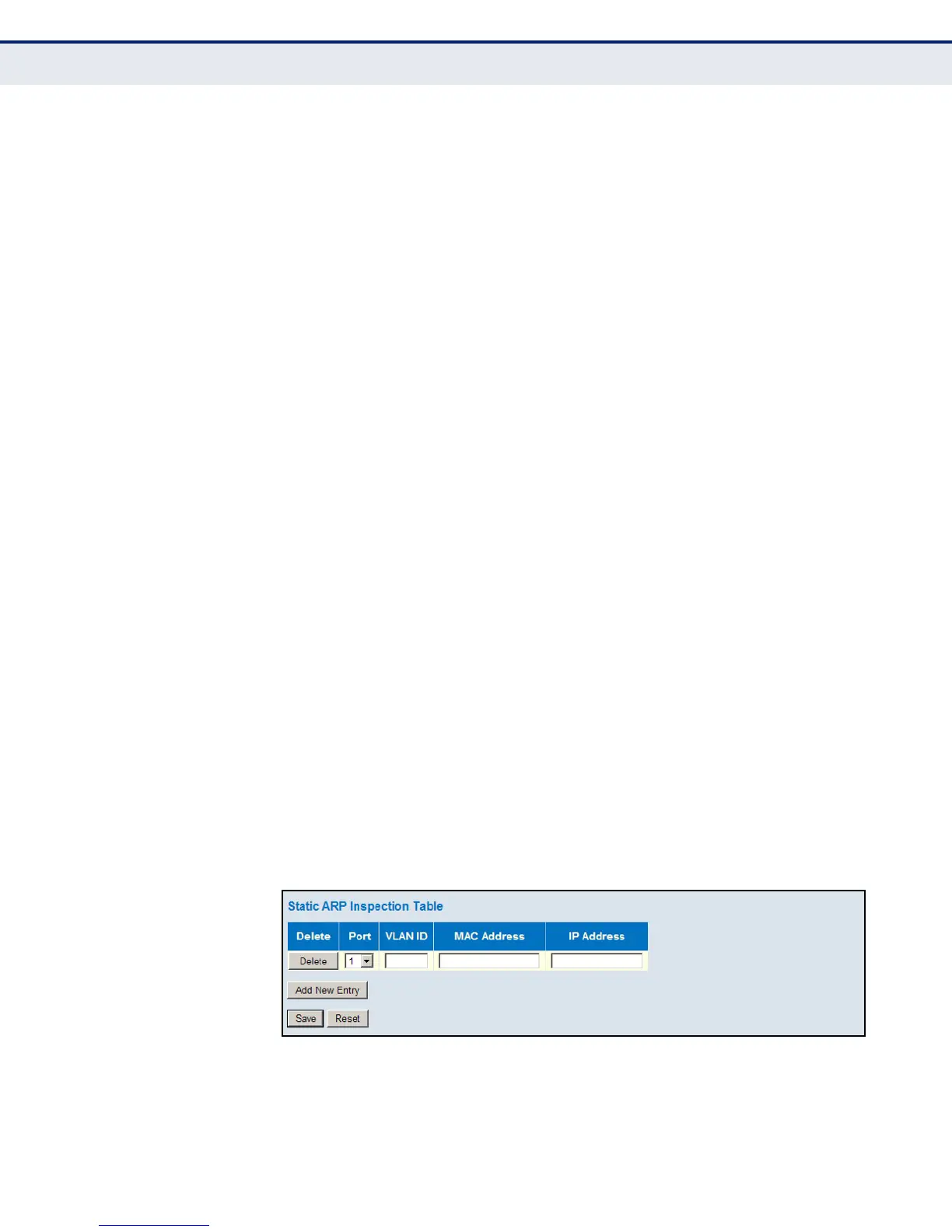
Use the Static ARP Inspection Table to bind a static address to a port. Table
entries include a port identifier, VLAN identifier, source MAC address in ARP
request packets, and source IP address in ARP request packets.
ARP Inspection uses the DHCP snooping bindings database for the list of
valid IP-to-MAC address bindings. Static ARP entries take precedence over
entries in the DHCP snooping bindings database. The switch first compares
ARP packets to any entries specified in the static ARP table. If no static
entry matches the packets, then the DHCP snooping bindings database
determines their validity.
PATH
Advanced Configuration, Security, Network, ARP Inspection, Static Table
PARAMETERS
These parameters are displayed:
◆ Port – Port identifier.
◆ VLAN ID – ID of a configured VLAN (Range: 1-4094)
◆ MAC Address – Allowed source MAC address in ARP request packets.
◆ IP Address – Allowed source IP address in ARP request packets.
WEB INTERFACE
To configure the static ARP Inspection table:
1. Click Advanced Configuration, Network, Security, ARP Inspection, Static
Ta b l e .
2. Click “Add new entry.”
3. Enter the required bindings for a given port.
4. Click Save.
Figure 40: Configuring Static Bindings for ARP Inspection













 To Next Page