C
HAPTER
4
| Configuring the Switch
IGMP Snooping
– 148 –
◆ Throttling - Limits the number of multicast groups to which a port can
belong. (Range: 1-10; Default: unlimited)
IGMP throttling sets a maximum number of multicast groups that a port
can join at the same time. When the maximum number of groups is
reached on a port, any new IGMP join reports will be dropped.
WEB INTERFACE
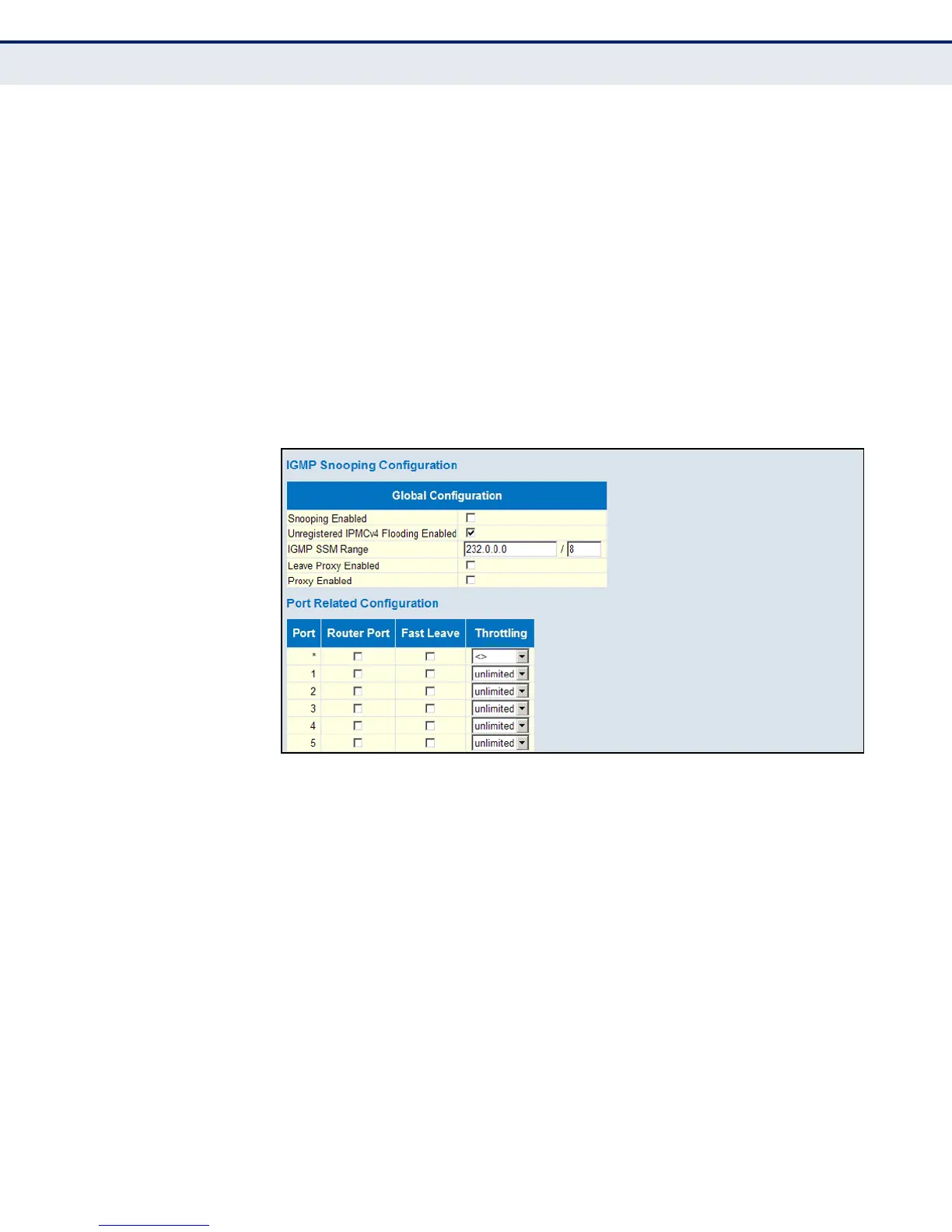
To configure global and port-related settings for IGMP Snooping:
1. Click Configuration, IPMC, IGMP Snooping, Basic Configuration.
2. Adjust the IGMP settings as required.
3. Click Save.
Figure 55: Configuring Global and Port-related Settings for IGMP Snooping
CONFIGURING VLAN
S
ETTINGS FOR IGMP
S
NOOPING AND QUERY
Use the IGMP Snooping VLAN Configuration page to configure IGMP
snooping and query for a VLAN interface
PATH
Advanced Configuration, IPMC, IGMP Snooping, VLAN Configuration
PARAMETERS
These parameters are displayed:
◆ VLAN ID - VLAN Identifier.
◆ Snooping Enabled - When enabled, the switch will monitor network
traffic on the indicated VLAN interface to determine which hosts want to
receive multicast traffic. (Default: Enabled)
When IGMP snooping is enabled globally, the per VLAN interface
settings for IGMP snooping take precedence. When IGMP snooping is
disabled globally, snooping can still be configured per VLAN interface,













 To Next Page