56 HB V2.0/Dez-11 © 2011 LPKF AG
6.2.2 Graphical user interface
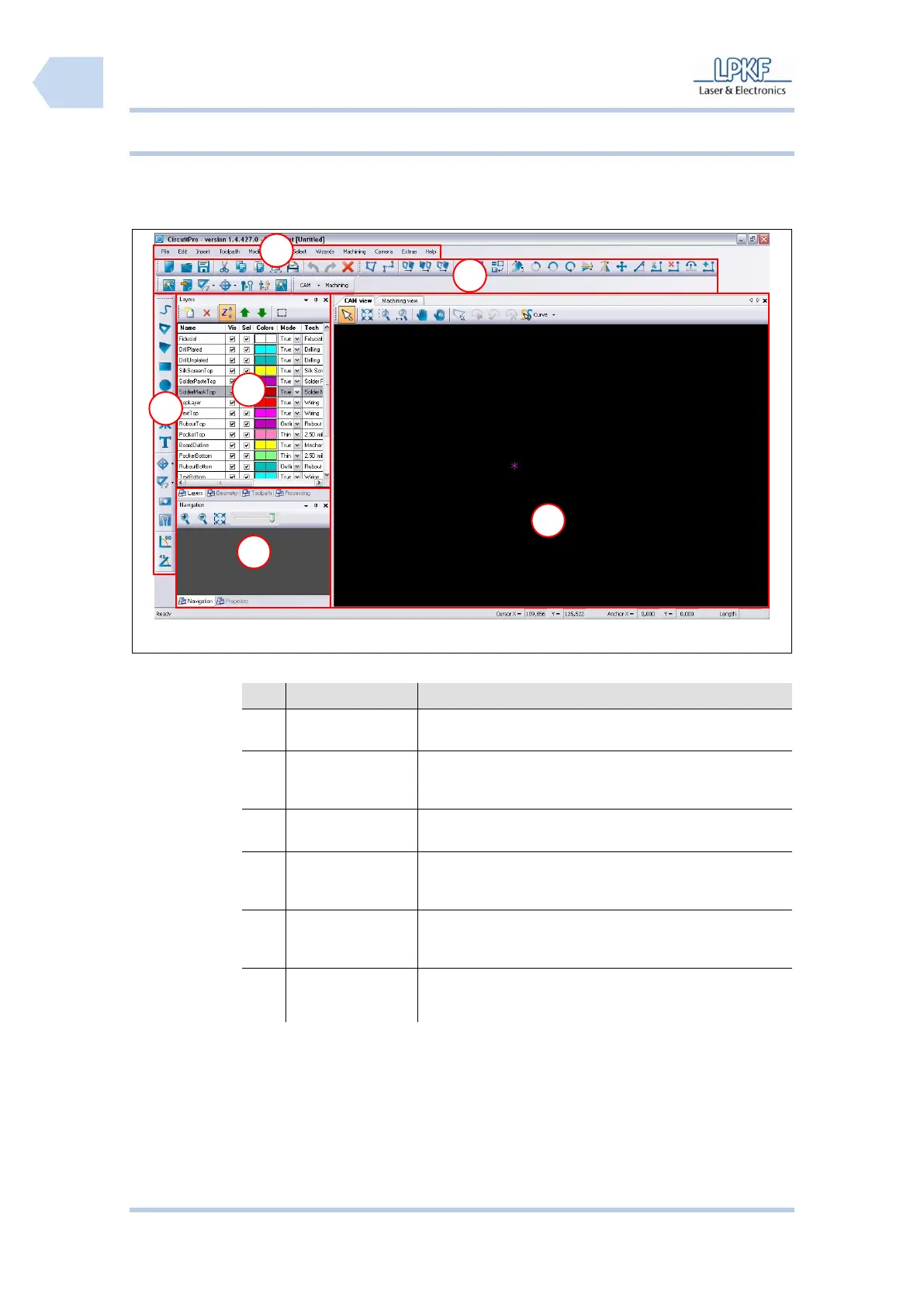
The CircuitPro user interface consists of several windows.
The individual program menus can be accessed via the
menu bar.
The function bar contains several functions for the control
of the circuit board plotter and modification of the
machining process.
Window Layer
and Machining
The window “Layer” lists the individual project layers.
Function bar
Object/Path
processing
The function bar “Object/Path processing” contains
several functions to edit or process individual
objects or paths.
Window
Navigation and
Camera
The window “Navigation“ displays the actual
working area.
Window CAM and
Machining View
The window “CAM View“ shows the object data of
the current project. All individual objects are
highlighted in user defined colours.



 To Next Page