EasyManua.ls Logo

LPKF ProtoMat S - Automatically Tool Change Process

Default Icon
112 pages
Print Icon
To Next Page IconTo Next Page
To Previous Page IconTo Previous Page
Loading...
Operation
ProtoMat S
70 HB V2.0/Dez-11 © 2011 LPKF AG
6
6.5.2 Automatically tool change process
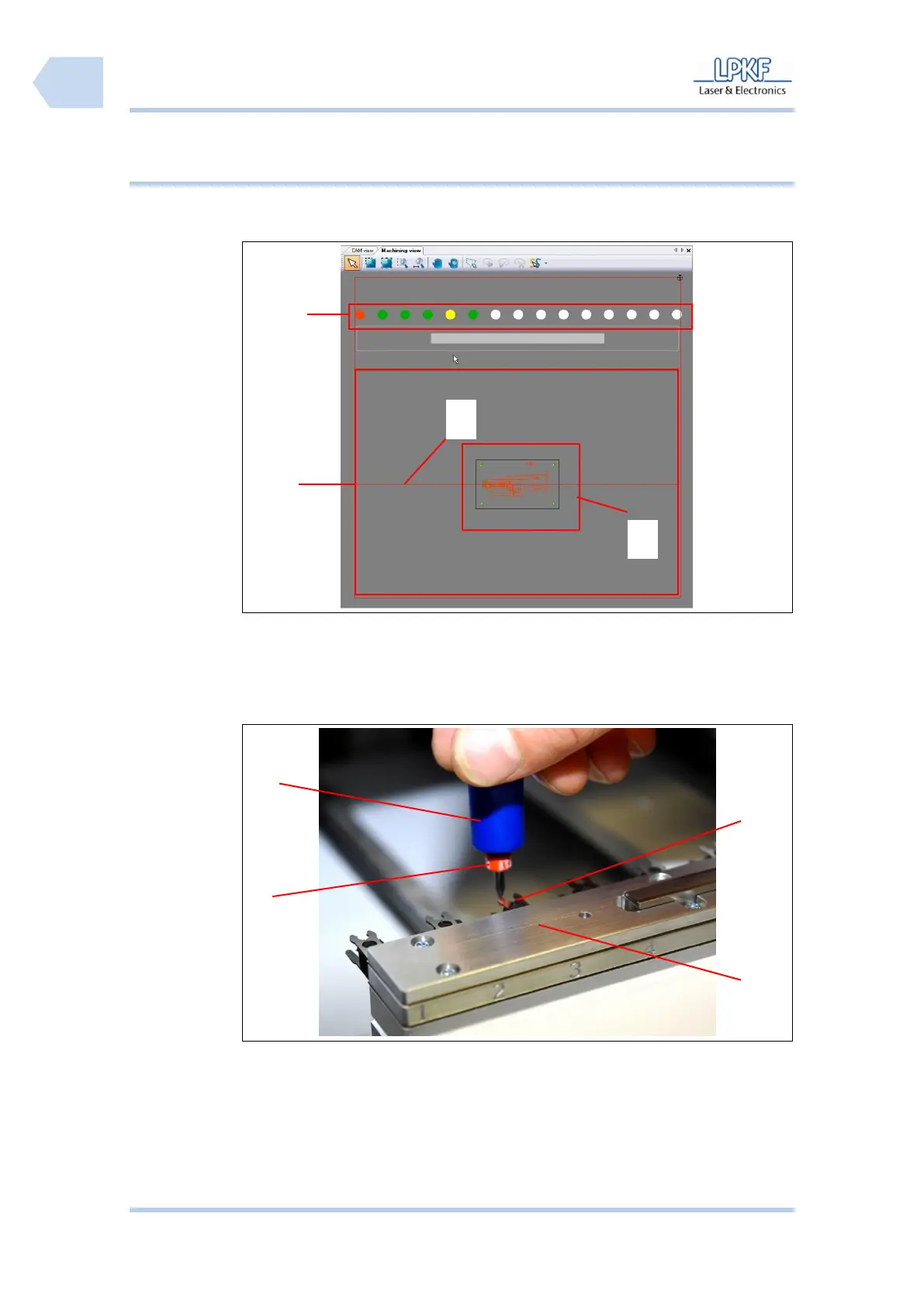
The tool magazine of the circuit board plotter can house up to 15 different tools.
The position of each tool is displayed in the window “Machining view“.
Fig. 42:
Machining view
/1/ Tool position
/3/ Axis of refexion
/2/ Machining area
/4/ Current project data
Tool setup
Fig. 43: Insert
tool
/1/ Tool gripper
/2/ Tool
/3/ Tool magazine
/4/ Tool clamp
1. Take the tool gripper /1/ and insert a tool /2/.
2. Place the tool into a free position of the tool magazine /3/.
3. Click [Change tool].

1
2
3
4
1
2
4
3

Table of Contents

Related product manuals