© 2011 LPKF AG HB V2.0/Dez-11 59
Pos: 22 /ED_Tec hnische_Doku mentation/2_Be dienungsanleit ung/Maschine/R P_Fräsbohrplotter/ ProtoMat_S _Serie/ProtoMat _S_Serie_IIG/K apitel_6_Be dienung/6_02_0 3_Fenster_Bear beitung @ 2\ mod_132016 7405684_205 8.docx @ 42091 @ 344444 @ 1
6.2.3 Window Processing
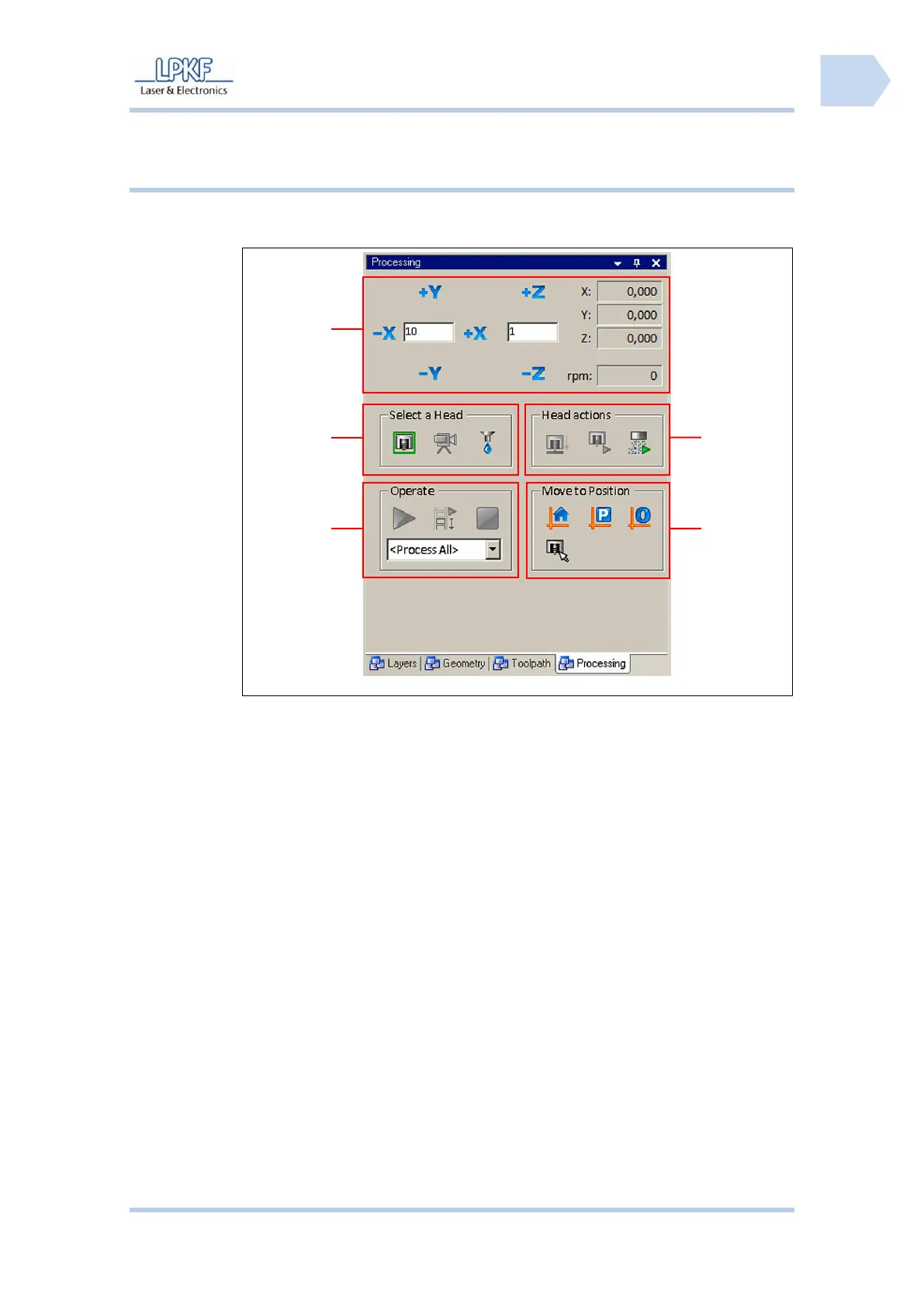
The connected circuit board plotter is controlled via the menu window
“Processing“:
Fig. 28: Window
Processing
/1/ Mill/drill head manual control functions
/4/ Moving the mill/drill head to
determined positions
/2/ Select head (mill/drill head, camera or
dispenser)
/5/ Mill/drill head control (for example
Motor on/off)
/3/ Processing functions (for example
Start, Stop or Step/Repeat)



 To Next Page