90 HB V2.0/Dez-11 © 2011 LPKF AG
6.9.2 Dispense process
A production file with the prepared solder paste layer must be
created before the dispense process can start.
■ Dispense process
1. Click on File>Open to open the project file.
➨ The project file will be loaded and the project data is displayed in the window
“CAM view”.
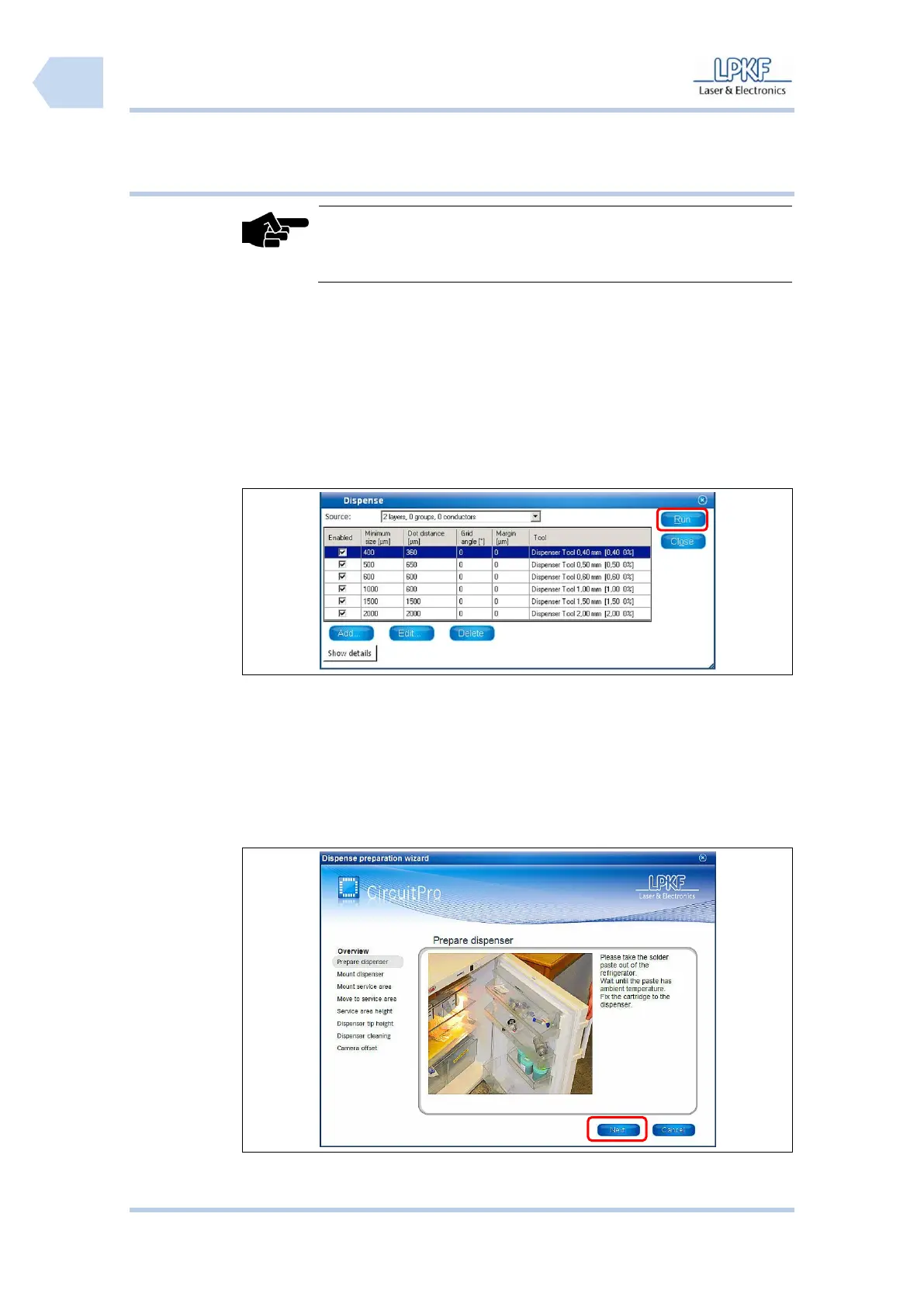
2. Click on Toolpath>Dispense.
➨ The following window is shown:
3. Use the default values or enter new dispense parameters for the current
project.
4. Click [Run].
➨ The program is assigning the solder paste points.
5. Click on Wizards>Dispense preparation wizard.
➨ The wizard is starting and the following window is shown:
Fig. 67: Start
Dispense
preparation
wizard
6. Follow the instructions and click [Next].



 To Next Page